



More on Web3 & Crypto
Langston Thomas
3 years ago
A Simple Guide to NFT Blockchains
Ethereum's blockchain rules NFTs. Many consider it the one-stop shop for NFTs, and it's become the most talked-about and trafficked blockchain in existence.
Other blockchains are becoming popular in NFTs. Crypto-artists and NFT enthusiasts have sought new places to mint and trade NFTs due to Ethereum's high transaction costs and environmental impact.
When choosing a blockchain to mint on, there are several factors to consider. Size, creator costs, consumer spending habits, security, and community input are important. We've created a high-level summary of blockchains for NFTs to help clarify the fast-paced world of web3 tech.
Ethereum
Ethereum currently has the most NFTs. It's decentralized and provides financial and legal services without intermediaries. It houses popular NFT marketplaces (OpenSea), projects (CryptoPunks and the Bored Ape Yacht Club), and artists (Pak and Beeple).
It's also expensive and energy-intensive. This is because Ethereum works using a Proof-of-Work (PoW) mechanism. PoW requires computers to solve puzzles to add blocks and transactions to the blockchain. Solving these puzzles requires a lot of computer power, resulting in astronomical energy loss.
You should consider this blockchain first due to its popularity, security, decentralization, and ease of use.
Solana
Solana is a fast programmable blockchain. Its proof-of-history and proof-of-stake (PoS) consensus mechanisms eliminate complex puzzles. Reduced validation times and fees result.
PoS users stake their cryptocurrency to become a block validator. Validators get SOL. This encourages and rewards users to become stakers. PoH works with PoS to cryptographically verify time between events. Solana blockchain ensures transactions are in order and found by the correct leader (validator).
Solana's PoS and PoH mechanisms keep transaction fees and times low. Solana isn't as popular as Ethereum, so there are fewer NFT marketplaces and blockchain traders.
Tezos
Tezos is a greener blockchain. Tezos rose in 2021. Hic et Nunc was hailed as an economic alternative to Ethereum-centric marketplaces until Nov. 14, 2021.
Similar to Solana, Tezos uses a PoS consensus mechanism and only a PoS mechanism to reduce computational work. This blockchain uses two million times less energy than Ethereum. It's cheaper than Ethereum (but does cost more than Solana).
Tezos is a good place to start minting NFTs in bulk. Objkt is the largest Tezos marketplace.
Flow
Flow is a high-performance blockchain for NFTs, games, and decentralized apps (dApps). Flow is built with scalability in mind, so billions of people could interact with NFTs on the blockchain.
Flow became the NBA's blockchain partner in 2019. Flow, a product of Dapper labs (the team behind CryptoKitties), launched and hosts NBA Top Shot, making the blockchain integral to the popularity of non-fungible tokens.
Flow uses PoS to verify transactions, like Tezos. Developers are working on a model to handle 10,000 transactions per second on the blockchain. Low transaction fees.
Flow NFTs are tradeable on Blocktobay, OpenSea, Rarible, Foundation, and other platforms. NBA, NFL, UFC, and others have launched NFT marketplaces on Flow. Flow isn't as popular as Ethereum, resulting in fewer NFT marketplaces and blockchain traders.
Asset Exchange (WAX)
WAX is king of virtual collectibles. WAX is popular for digitalized versions of legacy collectibles like trading cards, figurines, memorabilia, etc.
Wax uses a PoS mechanism, but also creates carbon offset NFTs and partners with Climate Care. Like Flow, WAX transaction fees are low, and network fees are redistributed to the WAX community as an incentive to collectors.
WAX marketplaces host Topps, NASCAR, Hot Wheels, and cult classic film franchises like Godzilla, The Princess Bride, and Spiderman.
Binance Smart Chain
BSC is another good option for balancing fees and performance. High-speed transactions and low fees hurt decentralization. BSC is most centralized.
Binance Smart Chain uses Proof of Staked Authority (PoSA) to support a short block time and low fees. The 21 validators needed to run the exchange switch every 24 hours. 11 of the 21 validators are directly connected to the Binance Crypto Exchange, according to reports.
While many in the crypto and NFT ecosystems dislike centralization, the BSC NFT market picked up speed in 2021. OpenBiSea, AirNFTs, JuggerWorld, and others are gaining popularity despite not having as robust an ecosystem as Ethereum.

Max Parasol
3 years ago
Are DAOs the future or just a passing fad?
How do you DAO? Can DAOs scale?
DAO: Decentralized Autonomous. Organization.
“The whole phrase is a misnomer. They're not decentralized, autonomous, or organizations,” says Monsterplay blockchain consultant David Freuden.
As part of the DAO initiative, Freuden coauthored a 51-page report in May 2020. “We need DAOs,” he says. “‘Shareholder first' is a 1980s/90s concept. Profits became the focus, not products.”
His predictions for DAOs have come true nearly two years later. DAOs had over 1.6 million participants by the end of 2021, up from 13,000 at the start of the year. Wyoming, in the US, will recognize DAOs and the Marshall Islands in 2021. Australia may follow that example in 2022.
But what is a DAO?
Members buy (or are rewarded with) governance tokens to vote on how the DAO operates and spends its money. “DeFi spawned DAOs as an investment vehicle. So a DAO is tokenomics,” says Freuden.
DAOs are usually built around a promise or a social cause, but they still want to make money. “If you can't explain why, the DAO will fail,” he says. “A co-op without tokenomics is not a DAO.”
Operating system DAOs, protocol DAOs, investment DAOs, grant DAOs, service DAOs, social DAOs, collector DAOs, and media DAOs are now available.
Freuden liked the idea of people rallying around a good cause. Speculators and builders make up the crypto world, so it needs a DAO for them.
,Speculators and builders, or both, have mismatched expectations, causing endless, but sometimes creative friction.
Organisms that boost output
Launching a DAO with an original product such as a cryptocurrency, an IT protocol or a VC-like investment fund like FlamingoDAO is common. DAOs enable distributed open-source contributions without borders. The goal is vital. Sometimes, after a product is launched, DAOs emerge, leaving the company to eventually transition to a DAO, as Uniswap did.
Doing things together is a DAO. So it's a way to reward a distributed workforce. DAOs are essentially productivity coordination organisms.
“Those who work for the DAO make permissionless contributions and benefit from fragmented employment,” argues Freuden. DAOs are, first and foremost, a new form of cooperation.
DAO? Distributed not decentralized
In decentralized autonomous organizations, words have multiple meanings. DAOs can emphasize one aspect over another. Autonomy is a trade-off for decentralization.
DAOstack CEO Matan Field says a DAO is a distributed governance system. Power is shared. However, there are two ways to understand a DAO's decentralized nature. This clarifies the various DAO definitions.
A decentralized infrastructure allows a DAO to be decentralized. It could be created on a public permissionless blockchain to prevent a takeover.
As opposed to a company run by executives or shareholders, a DAO is distributed. Its leadership does not wield power
Option two is clearly distributed.
But not all of this is “automated.”
Think quorum, not robot.
DAOs can be autonomous in the sense that smart contracts are self-enforcing and self-executing. So every blockchain transaction is a simplified smart contract.
Dao landscape
The DAO landscape is evolving.
Consider how Ethereum's smart contracts work. They are more like self-executing computer code, which Vitalik Buterin calls “persistent scripts”.
However, a DAO is self-enforcing once its members agree on its rules. As such, a DAO is “automated upon approval by the governance committee.” This distinguishes them from traditional organizations whose rules must be interpreted and applied.
Why a DAO? They move fast
A DAO can quickly adapt to local conditions as a governance mechanism. It's a collaborative decision-making tool.
Like UkraineDAO, created in response to Putin's invasion of Ukraine by Ukrainian expat Alona Shevchenko, Nadya Tolokonnikova, Trippy Labs, and PleasrDAO. The DAO sought to support Ukrainian charities by selling Ukrainian flag NFTs. With a single mission, a DAO can quickly raise funds for a country accepting crypto where banks are distrusted.
This could be a watershed moment for DAOs.
ConstitutionDAO was another clever use case for DAOs for Freuden. In a failed but “beautiful experiment in a single-purpose DAO,” ConstitutionDAO tried to buy a copy of the US Constitution from a Sotheby's auction. In November 2021, ConstitutionDAO raised $47 million from 19,000 people, but a hedge fund manager outbid them.
Contributions were returned or lost if transactional gas fees were too high. The ConstitutionDAO, as a “beautiful experiment,” proved exceptionally fast at organizing and crowdsourcing funds for a specific purpose.
We may soon be applauding UkraineDAO's geopolitical success in support of the DAO concept.
Some of the best use cases for DAOs today, according to Adam Miller, founder of DAOplatform.io and MIDAO Directory Services, involve DAO structures.
That is, a “flat community is vital.” Prototyping by the crowd is a good example. To succeed, members must be enthusiastic about DAOs as an alternative to starting a company. Because DAOs require some hierarchy, he agrees that "distributed is a better acronym."
Miller sees DAOs as a “new way of organizing people and resources.” He started DAOplatform.io, a DAO tooling advisery that is currently transitioning to a DAO due to the “woeful tech options for running a DAO,” which he says mainly comprises of just “multisig admin keys and a voting system.” So today he's advising on DAO tech stacks.
Miller identifies three key elements.
Tokenization is a common method and tool. Second, governance mechanisms connected to the DAO's treasury. Lastly, community.”
How a DAO works...
They can be more than glorified Discord groups if they have a clear mission. This mission is a mix of financial speculation and utopianism. The spectrum is vast.
The founder of Dash left the cryptocurrency project in 2017. It's the story of a prophet without an heir. So creating a global tokenized evangelical missionary community via a DAO made sense.
Evan Duffield, a “libertarian/anarchist” visionary, forked Bitcoin in January 2014 to make it instant and essentially free. He went away for a while, and DASH became a DAO.
200,000 US retailers, including Walmart and Barnes & Noble, now accept Dash as payment. This payment system works like a gift card.
Arden Goldstein, Dash's head of crypto, DAO, and blockchain marketing, claims Dash is the “first successful DAO.” It was founded in 2016 and disbanded after a hack, an Ethereum hard fork and much controversy. But what are the success metrics?
Crypto success is measured differently, says Goldstein. To achieve common goals, people must participate or be motivated in a healthy DAO. People are motivated to complete tasks in a successful DAO. And, crucially, when tasks get completed.
“Yes or no, 1 or 0, voting is not a new idea. The challenge is getting people to continue to participate and keep building a community.” A DAO motivates volunteers: Nothing keeps people from building. The DAO “philosophy is old news. You need skin in the game to play.”
MasterNodes must stake 1000 Dash. Those members are rewarded with DASH for marketing (and other tasks). It uses an outsourced team to onboard new users globally.
Joining a DAO is part of the fun of meeting crazy or “very active” people on Discord. No one gets fired (usually). If your work is noticed, you may be offered a full-time job.
DAO community members worldwide are rewarded for brand building. Dash is also a great product for developing countries with high inflation and undemocratic governments. The countries with the most Dash DAO members are Russia, Brazil, Venezuela, India, China, France, Italy, and the Philippines.
Grassroots activism makes this DAO work. A DAO is local. Venezuelans can't access Dash.org, so DAO members help them use a VPN. DAO members are investors, fervent evangelicals, and local product experts.
Every month, proposals and grant applications are voted on via the Dash platform. However, the DAO may decide not to fund you. For example, the DAO once hired a PR firm, but the community complained about the lack of press coverage. This raises a great question: How are real-world contractual obligations met by a DAO?
Does the DASH DAO work?
“I see the DAO defund projects I thought were valuable,” Goldstein says. Despite working full-time, I must submit a funding proposal. “Much faster than other companies I've worked on,” he says.
Dash DAO is a headless beast. Ryan Taylor is the CEO of the company overseeing the DASH Core Group project.
The issue is that “we don't know who has the most tokens [...] because we don't know who our customers are.” As a result, “the loudest voices usually don't have the most MasterNodes and aren't the most invested.”
Goldstein, the only female in the DAO, says she worked hard. “I was proud of the DAO when I made the logo pink for a day and got great support from the men.” This has yet to entice a major influx of female DAO members.
Many obstacles stand in the way of utopian dreams.
Governance problems remain
And what about major token holders behaving badly?
In early February, a heated crypto Twitter debate raged on about inclusion, diversity, and cancel culture in relation to decentralized projects. In this case, the question was how a DAO addresses alleged inappropriate behavior.
In a corporation, misconduct can result in termination. In a DAO, founders usually hold a large number of tokens and the keys to the blockchain (multisignature) or otherwise.
Brantly Millegan, the director of operations of Ethereum Name Service (ENS), made disparaging remarks about the LGBTQ community and other controversial topics. The screenshotted comments were made in 2016 and brought to the ENS board's attention in early 2022.
His contract with ENS has expired. But what of his large DAO governance token holdings?
Members of the DAO proposed a motion to remove Millegan from the DAO. His “delegated” votes net 370,000. He was and is the DAO's largest delegate.
What if he had refused to accept the DAO's decision?
Freuden says the answer is not so simple.
“Can a DAO kick someone out who built the project?”
The original mission “should be dissolved” if it no longer exists. “Does a DAO fail and return the money? They must r eturn the money with interest if the marriage fails.”
Before an IPO, VCs might try to remove a problematic CEO.
While DAOs use treasury as a governance mechanism, it is usually controlled (at least initially) by the original project creators. Or, in the case of Uniswap, the venture capital firm a16z has so much voting power that it has delegated it to student-run blockchain organizations.
So, can DAOs really work at scale? How to evolve voting paradigms beyond token holdings?
The whale token holder issue has some solutions. Multiple tokens, such as a utility token on top of a governance token, and quadratic voting for whales, are now common. Other safeguards include multisignature blockchain keys and decision time locks that allow for any automated decision to be made. The structure of each DAO will depend on the assets at stake.
In reality, voter turnout is often a bigger issue.
Is DAO governance scalable?
Many DAOs have low participation. Due to a lack of understanding of technology, apathy, or busy lives. “The bigger the DAO, the fewer voters who vote,” says Freuden.
Freuden's report cites British anthropologist Dunbar's Law, who argued that people can only maintain about 150 relationships.
"As the DAO grows in size, the individual loses influence because they perceive their voting power as being diminished or insignificant. The Ringelmann Effect and Dunbar's Rule show that as a group grows in size, members become lazier, disenfranchised, and detached.
Freuden says a DAO requires “understanding human relationships.” He believes DAOs work best as investment funds rooted in Cryptoland and small in scale. In just three weeks, SyndicateDAO enabled the creation of 450 new investment group DAOs.
Due to SEC regulations, FlamingoDAO, a famous NFT curation investment DAO, could only have 100 investors. The “LAO” is a member-directed venture capital fund and a US LLC. To comply with US securities law, they only allow 100 members with a 120ETH minimum staking contribution.
But how did FlamingoDAO make investment decisions? How often did all 70 members vote? Art and NFTs are highly speculative.
So, investment DAOs are thought to work well in a small petri dish environment. This is due to a crypto-native club's pooled capital (maximum 7% per member) and crowdsourced knowledge.
While scalability is a concern, each DAO will operate differently depending on the goal, technology stage, and personalities. Meetups and hackathons are common ways for techies to collaborate on a cause or test an idea. But somebody still organizes the hack.
Holographic consensus voting
But clever people are working on creative solutions to every problem.
Miller of DAOplatform.io cites DXdao as a successful DAO. Decentralized product and service creator DXdao runs the DAO entirely on-chain. “You earn voting rights by contributing to the community.”
DXdao, a DAOstack fork, uses holographic consensus, a voting algorithm invented by DAOstack founder Matan Field. The system lets a random or semi-random subset make group-wide decisions.
By acting as a gatekeeper for voters, DXdao's Luke Keenan explains that “a small predictions market economy emerges around the likely outcome of a proposal as tokens are staked on it.” Also, proposals that have been financially boosted have fewer requirements to be successful, increasing system efficiency.” DXdao “makes decisions by removing voting power as an economic incentive.”
Field explains that holographic consensus “does not require a quorum to render a vote valid.”
“Rather, it provides a parallel process. It is a game played (for profit) by ‘predictors' who make predictions about whether or not a vote will be approved by the voters. The voting process is valid even when the voting quorum is low if enough stake is placed on the outcome of the vote.
“In other words, a quorum is not a scalable DAO governance strategy,” Field says.
You don't need big votes on everything. If only 5% vote, fine. To move significant value or make significant changes, you need a longer voting period (say 30 days) and a higher quorum,” says Miller.
Clearly, DAOs are maturing. The emphasis is on tools like Orca and processes that delegate power to smaller sub-DAOs, committees, and working groups.
Miller also claims that “studies in psychology show that rewarding people too much for volunteering disincentivizes them.” So, rather than giving out tokens for every activity, you may want to offer symbolic rewards like POAPs or contributor levels.
“Free lunches are less rewarding. Random rewards can boost motivation.”
Culture and motivation
DAOs (and Web3 in general) can give early adopters a sense of ownership. In theory, they encourage early participation and bootstrapping before network effects.
"A double-edged sword," says Goldstein. In the developing world, they may not be fully scalable.
“There must always be a leader,” she says. “People won't volunteer if they don't want to.”
DAO members sometimes feel entitled. “They are not the boss, but they think they should be able to see my calendar or get a daily report,” Goldstein gripes. Say, “I own three MasterNodes and need to know X, Y, and Z.”
In most decentralized projects, strong community leaders are crucial to influencing culture.
Freuden says “the DAO's community builder is the cryptoland influencer.” They must “disseminate the DAO's culture, cause, and rally the troops” in English, not tech.
They must keep members happy.
So the community builder is vital. Building a community around a coin that promises riches is simple, but keeping DAO members motivated is difficult.
It's a human job. But tools like SourceCred or coordinate that measure contributions and allocate tokens are heavily marketed. Large growth funds/community funds/grant programs are common among DAOs.
The Future?
Onboarding, committed volunteers, and an iconic community builder may be all DAOs need.
It takes a DAO just one day to bring together a passionate (and sometimes obsessive) community. For organizations with a common goal, managing stakeholder expectations is critical.
A DAO's core values are community and cause, not scalable governance. “DAOs will work at scale like gaming communities, but we will have sub-DAOs everywhere like committees,” says Freuden.
So-called holographic consensuses “can handle, in principle, increasing rates of proposals by turning this tension between scale and resilience into an economical cost,” Field writes. Scalability is not guaranteed.
The DAO's key innovation is the fragmented workplace. “Voting is a subset of engagement,” says Freuden. DAO should allow for permissionless participation and engagement. DAOs allow for remote work.”
In 20 years, DAOs may be the AI-powered self-organizing concept. That seems far away now. But a new breed of productivity coordination organisms is maturing.

Vitalik
4 years ago
An approximate introduction to how zk-SNARKs are possible (part 2)
If tasked with the problem of coming up with a zk-SNARK protocol, many people would make their way to this point and then get stuck and give up. How can a verifier possibly check every single piece of the computation, without looking at each piece of the computation individually? But it turns out that there is a clever solution.
Polynomials
Polynomials are a special class of algebraic expressions of the form:
- x+5
- x^4
- x^3+3x^2+3x+1
- 628x^{271}+318x^{270}+530x^{269}+…+69x+381
i.e. they are a sum of any (finite!) number of terms of the form cx^k
There are many things that are fascinating about polynomials. But here we are going to zoom in on a particular one: polynomials are a single mathematical object that can contain an unbounded amount of information (think of them as a list of integers and this is obvious). The fourth example above contained 816 digits of tau, and one can easily imagine a polynomial that contains far more.
Furthermore, a single equation between polynomials can represent an unbounded number of equations between numbers. For example, consider the equation A(x)+ B(x) = C(x). If this equation is true, then it's also true that:
- A(0)+B(0)=C(0)
- A(1)+B(1)=C(1)
- A(2)+B(2)=C(2)
- A(3)+B(3)=C(3)
And so on for every possible coordinate. You can even construct polynomials to deliberately represent sets of numbers so you can check many equations all at once. For example, suppose that you wanted to check:
- 12+1=13
- 10+8=18
- 15+8=23
- 15+13=28
You can use a procedure called Lagrange interpolation to construct polynomials A(x) that give (12,10,15,15) as outputs at some specific set of coordinates (eg. (0,1,2,3)), B(x) the outputs (1,8,8,13) on thos same coordinates, and so forth. In fact, here are the polynomials:
- A(x)=-2x^3+\frac{19}{2}x^2-\frac{19}{2}x+12
- B(x)=2x^3-\frac{19}{2}x^2+\frac{29}{2}x+1
- C(x)=5x+13
Checking the equation A(x)+B(x)=C(x) with these polynomials checks all four above equations at the same time.
Comparing a polynomial to itself
You can even check relationships between a large number of adjacent evaluations of the same polynomial using a simple polynomial equation. This is slightly more advanced. Suppose that you want to check that, for a given polynomial F, F(x+2)=F(x)+F(x+1) with the integer range {0,1…89} (so if you also check F(0)=F(1)=1, then F(100) would be the 100th Fibonacci number)
As polynomials, F(x+2)-F(x+1)-F(x) would not be exactly zero, as it could give arbitrary answers outside the range x={0,1…98}. But we can do something clever. In general, there is a rule that if a polynomial P is zero across some set S=\{x_1,x_2…x_n\} then it can be expressed as P(x)=Z(x)*H(x), where Z(x)=(x-x_1)*(x-x_2)*…*(x-x_n) and H(x) is also a polynomial. In other words, any polynomial that equals zero across some set is a (polynomial) multiple of the simplest (lowest-degree) polynomial that equals zero across that same set.
Why is this the case? It is a nice corollary of polynomial long division: the factor theorem. We know that, when dividing P(x) by Z(x), we will get a quotient Q(x) and a remainder R(x) is strictly less than that of Z(x). Since we know that P is zero on all of S, it means that R has to be zero on all of S as well. So we can simply compute R(x) via polynomial interpolation, since it's a polynomial of degree at most n-1 and we know n values (the zeros at S). Interpolating a polynomial with all zeroes gives the zero polynomial, thus R(x)=0 and H(x)=Q(x).
Going back to our example, if we have a polynomial F that encodes Fibonacci numbers (so F(x+2)=F(x)+F(x+1) across x=\{0,1…98\}), then I can convince you that F actually satisfies this condition by proving that the polynomial P(x)=F(x+2)-F(x+1)-F(x) is zero over that range, by giving you the quotient:
H(x)=\frac{F(x+2)-F(x+1)-F(x)}{Z(x)}
Where Z(x) = (x-0)*(x-1)*…*(x-98).
You can calculate Z(x) yourself (ideally you would have it precomputed), check the equation, and if the check passes then F(x) satisfies the condition!
Now, step back and notice what we did here. We converted a 100-step-long computation into a single equation with polynomials. Of course, proving the N'th Fibonacci number is not an especially useful task, especially since Fibonacci numbers have a closed form. But you can use exactly the same basic technique, just with some extra polynomials and some more complicated equations, to encode arbitrary computations with an arbitrarily large number of steps.
see part 3
You might also like

Dr. Linda Dahl
3 years ago
We eat corn in almost everything. Is It Important?
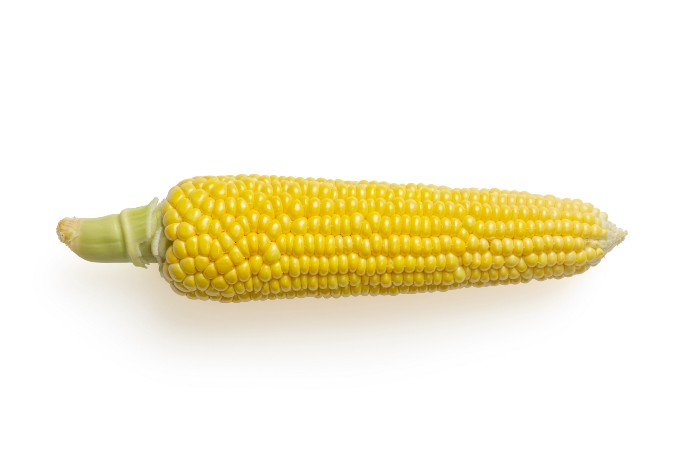
Corn Kid got viral on TikTok after being interviewed by Recess Therapy. Tariq, called the Corn Kid, ate a buttery ear of corn in the video. He's corn crazy. He thinks everyone just has to try it. It turns out, whether we know it or not, we already have.
Corn is a fruit, veggie, and grain. It's the second-most-grown crop. Corn makes up 36% of U.S. exports. In the U.S., it's easy to grow and provides high yields, as proven by the vast corn belt spanning the Midwest, Great Plains, and Texas panhandle. Since 1950, the corn crop has doubled to 10 billion bushels.
You say, "Fine." We shouldn't just grow because we can. Why so much corn? What's this corn for?
Why is practical and political. Michael Pollan's The Omnivore's Dilemma has the full narrative. Early 1970s food costs increased. Nixon subsidized maize to feed the public. Monsanto genetically engineered corn seeds to make them hardier, and soon there was plenty of corn. Everyone ate. Woot! Too much corn followed. The powers-that-be had to decide what to do with leftover corn-on-the-cob.
They are fortunate that corn has a wide range of uses.
First, the edible variants. I divide corn into obvious and stealth.
Obvious corn includes popcorn, canned corn, and corn on the cob. This form isn't always digested and often comes out as entire, polka-dotting poop. Cornmeal can be ground to make cornbread, polenta, and corn tortillas. Corn provides antioxidants, minerals, and vitamins in moderation. Most synthetic Vitamin C comes from GMO maize.
Corn oil, corn starch, dextrose (a sugar), and high-fructose corn syrup are often overlooked. They're stealth corn because they sneak into practically everything. Corn oil is used for frying, baking, and in potato chips, mayonnaise, margarine, and salad dressing. Baby food, bread, cakes, antibiotics, canned vegetables, beverages, and even dairy and animal products include corn starch. Dextrose appears in almost all prepared foods, excluding those with high-fructose corn syrup. HFCS isn't as easily digested as sucrose (from cane sugar). It can also cause other ailments, which we'll discuss later.
Most foods contain corn. It's fed to almost all food animals. 96% of U.S. animal feed is corn. 39% of U.S. corn is fed to livestock. But animals prefer other foods. Omnivore chickens prefer insects, worms, grains, and grasses. Captive cows are fed a total mixed ration, which contains corn. These animals' products, like eggs and milk, are also corn-fed.
There are numerous non-edible by-products of corn that are employed in the production of items like:
fuel-grade ethanol
plastics
batteries
cosmetics
meds/vitamins binder
carpets, fabrics
glutathione
crayons
Paint/glue
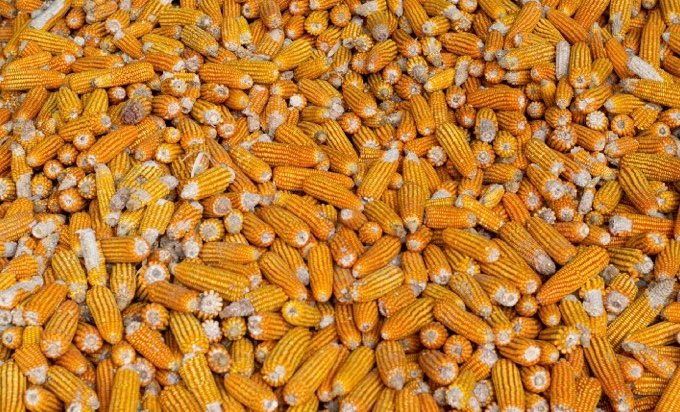
How does corn influence you? Consider quick food for dinner. You order a cheeseburger, fries, and big Coke at the counter (or drive-through in the suburbs). You tell yourself, "No corn." All that contains corn. Deconstruct:
Cows fed corn produce meat and cheese. Meat and cheese were bonded with corn syrup and starch (same). The bun (corn flour and dextrose) and fries were fried in maize oil. High fructose corn syrup sweetens the drink and helps make the cup and straw.
Just about everything contains corn. Then what? A cornspiracy, perhaps? Is eating too much maize an issue, or should we strive to stay away from it whenever possible?
As I've said, eating some maize can be healthy. 92% of U.S. corn is genetically modified, according to the Center for Food Safety. The adjustments are expected to boost corn yields. Some sweet corn is genetically modified to produce its own insecticide, a protein deadly to insects made by Bacillus thuringiensis. It's safe to eat in sweet corn. Concerns exist about feeding agricultural animals so much maize, modified or not.
High fructose corn syrup should be consumed in moderation. Fructose, a sugar, isn't easily metabolized. Fructose causes diabetes, fatty liver, obesity, and heart disease. It causes inflammation, which might aggravate gout. Candy, packaged sweets, soda, fast food, juice drinks, ice cream, ice cream topping syrups, sauces & condiments, jams, bread, crackers, and pancake syrup contain the most high fructose corn syrup. Everyday foods with little nutrients. Check labels and choose cane sugar or sucrose-sweetened goods. Or, eat corn like the Corn Kid.

Vishal Chawla
3 years ago
5 Bored Apes borrowed to claim $1.1 million in APE tokens
Takeaway
Unknown user took advantage of the ApeCoin airdrop to earn $1.1 million.
He used a flash loan to borrow five BAYC NFTs, claim the airdrop, and repay the NFTs.
Yuga Labs, the creators of BAYC, airdropped ApeCoin (APE) to anyone who owns one of their NFTs yesterday.
For the Bored Ape Yacht Club and Mutant Ape Yacht Club collections, the team allocated 150 million tokens, or 15% of the total ApeCoin supply, worth over $800 million. Each BAYC holder received 10,094 tokens worth $80,000 to $200,000.
But someone managed to claim the airdrop using NFTs they didn't own. They used the airdrop's specific features to carry it out. And it worked, earning them $1.1 million in ApeCoin.
The trick was that the ApeCoin airdrop wasn't based on who owned which Bored Ape at a given time. Instead, anyone with a Bored Ape at the time of the airdrop could claim it. So if you gave someone your Bored Ape and you hadn't claimed your tokens, they could claim them.
The person only needed to get hold of some Bored Apes that hadn't had their tokens claimed to claim the airdrop. They could be returned immediately.
So, what happened?
The person found a vault with five Bored Ape NFTs that hadn't been used to claim the airdrop.
A vault tokenizes an NFT or a group of NFTs. You put a bunch of NFTs in a vault and make a token. This token can then be staked for rewards or sold (representing part of the value of the collection of NFTs). Anyone with enough tokens can exchange them for NFTs.
This vault uses the NFTX protocol. In total, it contained five Bored Apes: #7594, #8214, #9915, #8167, and #4755. Nobody had claimed the airdrop because the NFTs were locked up in the vault and not controlled by anyone.
The person wanted to unlock the NFTs to claim the airdrop but didn't want to buy them outright s o they used a flash loan, a common tool for large DeFi hacks. Flash loans are a low-cost way to borrow large amounts of crypto that are repaid in the same transaction and block (meaning that the funds are never at risk of not being repaid).
With a flash loan of under $300,000 they bought a Bored Ape on NFT marketplace OpenSea. A large amount of the vault's token was then purchased, allowing them to redeem the five NFTs. The NFTs were used to claim the airdrop, before being returned, the tokens sold back, and the loan repaid.
During this process, they claimed 60,564 ApeCoin airdrops. They then sold them on Uniswap for 399 ETH ($1.1 million). Then they returned the Bored Ape NFT used as collateral to the same NFTX vault.
Attack or arbitrage?
However, security firm BlockSecTeam disagreed with many social media commentators. A flaw in the airdrop-claiming mechanism was exploited, it said.
According to BlockSecTeam's analysis, the user took advantage of a "vulnerability" in the airdrop.
"We suspect a hack due to a flaw in the airdrop mechanism. The attacker exploited this vulnerability to profit from the airdrop claim" said BlockSecTeam.
For example, the airdrop could have taken into account how long a person owned the NFT before claiming the reward.
Because Yuga Labs didn't take a snapshot, anyone could buy the NFT in real time and claim it. This is probably why BAYC sales exploded so soon after the airdrop announcement.
Jason Kottke
3 years ago
Lessons on Leadership from the Dancing Guy
This is arguably the best three-minute demonstration I've ever seen of anything. Derek Sivers turns a shaky video of a lone dancing guy at a music festival into a leadership lesson.
A leader must have the courage to stand alone and appear silly. But what he's doing is so straightforward that it's almost instructive. This is critical. You must be simple to follow!
Now comes the first follower, who plays an important role: he publicly demonstrates how to follow. The leader embraces him as an equal, so it's no longer about the leader — it's about them, plural. He's inviting his friends to join him. It takes courage to be the first follower! You stand out and dare to be mocked. Being a first follower is a style of leadership that is underappreciated. The first follower elevates a lone nut to the position of leader. If the first follower is the spark that starts the fire, the leader is the flint.
This link was sent to me by @ottmark, who noted its resemblance to Kurt Vonnegut's three categories of specialists required for revolution.
The rarest of these specialists, he claims, is an actual genius – a person capable generating seemingly wonderful ideas that are not widely known. "A genius working alone is generally dismissed as a crazy," he claims.
The second type of specialist is much easier to find: a highly intellectual person in good standing in his or her community who understands and admires the genius's new ideas and can attest that the genius is not insane. "A person like him working alone can only crave loudly for changes, but fail to say what their shapes should be," Slazinger argues.
Jeff Veen reduced the three personalities to "the inventor, the investor, and the evangelist" on Twitter.