


Yuga Labs’ Otherdeeds NFT mint triggers backlash from community
Unhappy community members accuse Yuga Labs of fraud, manipulation, and favoritism over Otherdeeds NFT mint.
Following the Otherdeeds NFT mint, disgruntled community members took to Twitter to criticize Yuga Labs' handling of the event.
Otherdeeds NFTs were a huge hit with the community, selling out almost instantly. Due to high demand, the launch increased Ethereum gas fees from 2.6 ETH to 5 ETH.
But the event displeased many people. Several users speculated that the mint was “planned to fail” so the group could advertise launching its own blockchain, as the team mentioned a chain migration in one tweet.
Others like Mark Beylin tweeted that he had "sold out" on all Ape-related NFT investments after Yuga Labs "revealed their true colors." Beylin also advised others to assume Yuga Labs' owners are “bad actors.”
Some users who failed to complete transactions claim they lost ETH. However, Yuga Labs promised to refund lost gas fees.
CryptoFinally, a Twitter user, claimed Yuga Labs gave BAYC members better land than non-members. Others who wanted to participate paid for shittier land, while BAYCS got the only worthwhile land.
The Otherdeed NFT drop also increased Ethereum's burn rate. Glassnode and Data Always reported nearly 70,000 ETH burned on mint day.
More on NFTs & Art
Scott Duke Kominers
3 years ago
NFT Creators Go Creative Commons Zero (cc0)
On January 1, "Public Domain Day," thousands of creative works immediately join the public domain. The original creator or copyright holder loses exclusive rights to reproduce, adapt, or publish the work, and anybody can use it. It happens with movies, poems, music, artworks, books (where creative rights endure 70 years beyond the author's death), and sometimes source code.
Public domain creative works open the door to new uses. 400,000 sound recordings from before 1923, including Winnie-the-Pooh, were released this year. With most of A.A. Milne's 1926 Winnie-the-Pooh characters now available, we're seeing innovative interpretations Milne likely never planned. The ancient hyphenated version of the honey-loving bear is being adapted for a horror movie: "Winnie-the-Pooh: Blood and Honey"... with Pooh and Piglet as the baddies.
Counterintuitively, experimenting and recombination can occasionally increase IP value. Open source movements allow the public to build on (or fork and duplicate) existing technologies. Permissionless innovation helps Android, Linux, and other open source software projects compete. Crypto's success at attracting public development is also due to its support of open source and "remix culture," notably in NFT forums.
Production memes
NFT projects use several IP strategies to establish brands, communities, and content. Some preserve regular IP protections; others offer NFT owners the opportunity to innovate on connected IP; yet others have removed copyright and other IP safeguards.
By using the "Creative Commons Zero" (cc0) license, artists can intentionally select for "no rights reserved." This option permits anyone to benefit from derivative works without legal repercussions. There's still a lot of confusion between copyrights and NFTs, so nothing here should be considered legal, financial, tax, or investment advice. Check out this post for an overview of copyright vulnerabilities with NFTs and how authors can protect owners' rights. This article focuses on cc0.
Nouns, a 2021 project, popularized cc0 for NFTs. Others followed, including: A Common Place, Anonymice, Blitmap, Chain Runners, Cryptoadz, CryptoTeddies, Goblintown, Gradis, Loot, mfers, Mirakai, Shields, and Terrarium Club are cc0 projects.
Popular crypto artist XCOPY licensed their 1-of-1 NFT artwork "Right-click and Save As Guy" under cc0 in January, exactly one month after selling it. cc0 has spawned many derivatives.
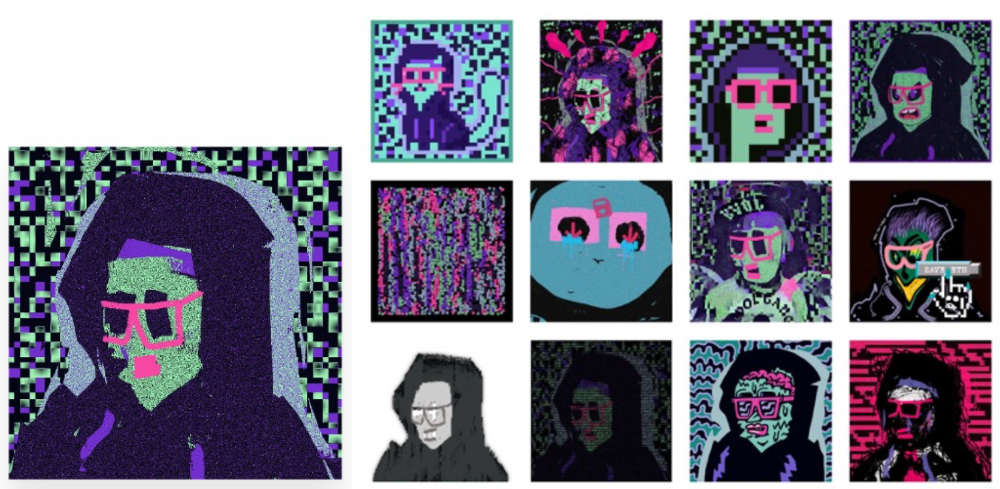
"Right-click Save As Guy" by XCOPY (1)/derivative works (2)
XCOPY said Monday he would apply cc0 to "all his existing art." "We haven't seen a cc0 summer yet, but I think it's approaching," said the artist. - predicting a "DeFi summer" in 2020, when decentralized finance gained popularity.
Why do so many NFT authors choose "no rights"?
Promoting expansions of the original project to create a more lively and active community is one rationale. This makes sense in crypto, where many value open sharing and establishing community.
Creativity depends on cultural significance. NFTs may allow verifiable ownership of any digital asset, regardless of license, but cc0 jumpstarts "meme-ability" by actively, not passively, inviting derivative works. As new derivatives are made and shared, attention might flow back to the original, boosting its reputation. This may inspire new interpretations, leading in a flywheel effect where each derivative adds to the original's worth - similar to platform network effects, where platforms become more valuable as more users join them.
cc0 licence allows creators "seize production memes."
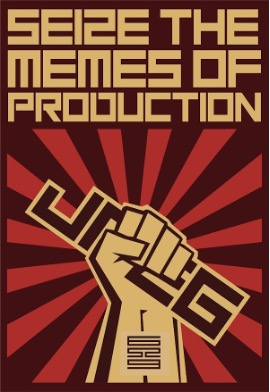
Physical items are also using cc0 NFT assets, thus it's not just a digital phenomenon. The Nouns Vision initiative turned the square-framed spectacles shown on each new NounsDAO NFT ("one per day, forever") into luxury sunglasses. Blitmap's pixel-art has been used on shoes, apparel, and caps. In traditional IP regimes, a single owner controls creation, licensing, and production.
The physical "blitcap" (3rd level) is a descendant of the trait in the cc0 Chain Runners collection (2nd), which uses the "logo" from cc0 Blitmap (1st)! The Logo is Blitmap token #84 and has been used as a trait in various collections. The "Dom Rose" is another popular token. These homages reference Blitmap's influence as a cc0 leader, as one of the earliest NFT projects to proclaim public domain intents. A new collection, Citizens of Tajigen, emerged last week with a Blitcap characteristic.
These derivatives can be a win-win for everyone, not just the original inventors, especially when using NFT assets to establish unique brands. As people learn about the derivative, they may become interested in the original. If you see someone wearing Nouns glasses on the street (or in a Super Bowl ad), you may desire a pair, but you may also be interested in buying an original NounsDAO NFT or related derivative.
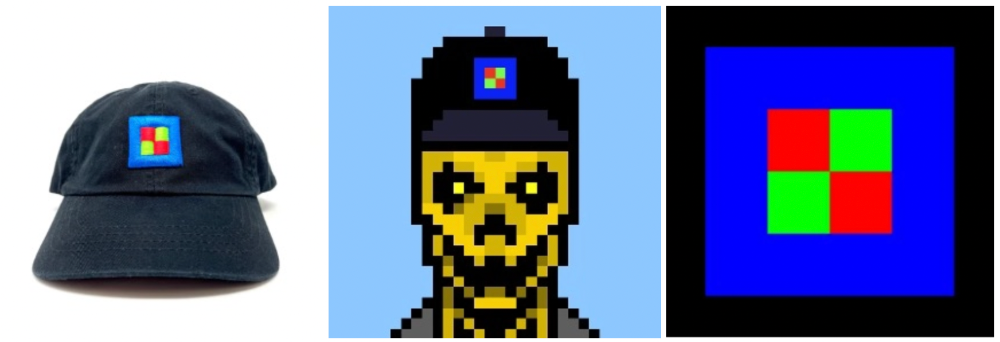
Blitmap Logo Hat (1), Chain Runners #780 ft. Hat (2), and Blitmap Original "Logo #87" (3)
Co-creating open source
NFTs' power comes from smart contract technology's intrinsic composability. Many smart contracts can be integrated or stacked to generate richer applications.
"Money Legos" describes how decentralized finance ("DeFi") smart contracts interconnect to generate new financial use cases. Yearn communicates with MakerDAO's stablecoin $DAI and exchange liquidity provider Curve by calling public smart contract methods. NFTs and their underlying smart contracts can operate as the base-layer framework for recombining and interconnecting culture and creativity.
cc0 gives an NFT's enthusiast community authority to develop new value layers whenever, wherever, and however they wish.
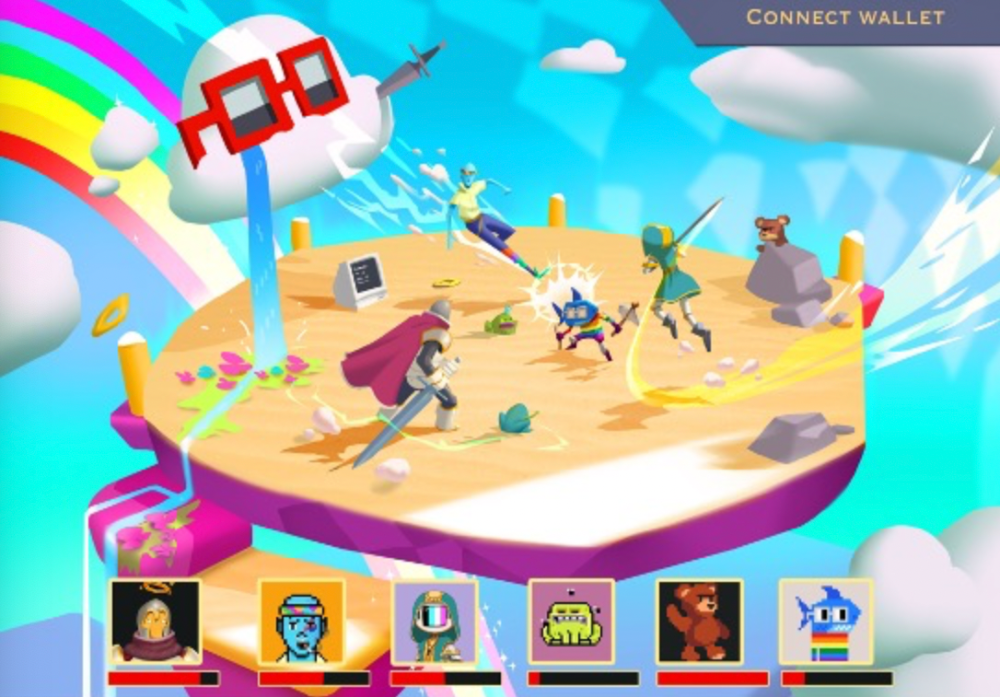
Multiple cc0 projects are playable characters in HyperLoot, a Loot Project knockoff.
Open source and Linux's rise are parallels. When the internet was young, Microsoft dominated the OS market with Windows. Linux (and its developer Linus Torvalds) championed a community-first mentality, freely available the source code without restrictions. This led to developers worldwide producing new software for Linux, from web servers to databases. As people (and organizations) created world-class open source software, Linux's value proposition grew, leading to explosive development and industry innovation. According to Truelist, Linux powers 96.3% of the top 1 million web servers and 85% of smartphones.
With cc0 licensing empowering NFT community builders, one might hope for long-term innovation. Combining cc0 with NFTs "turns an antagonistic game into a co-operative one," says NounsDAO cofounder punk4156. It's important on several levels. First, decentralized systems from open source to crypto are about trust and coordination, therefore facilitating cooperation is crucial. Second, the dynamics of this cooperation work well in the context of NFTs because giving people ownership over their digital assets allows them to internalize the results of co-creation through the value that accrues to their assets and contributions, which incentivizes them to participate in co-creation in the first place.
Licensed to create
If cc0 projects are open source "applications" or "platforms," then NFT artwork, metadata, and smart contracts provide the "user interface" and the underlying blockchain (e.g., Ethereum) is the "operating system." For these apps to attain Linux-like potential, more infrastructure services must be established and made available so people may take advantage of cc0's remixing capabilities.
These services are developing. Zora protocol and OpenSea's open source Seaport protocol enable open, permissionless NFT marketplaces. A pixel-art-rendering engine was just published on-chain to the Ethereum blockchain and integrated into OKPC and ICE64. Each application improves blockchain's "out-of-the-box" capabilities, leading to new apps created from the improved building blocks.
Web3 developer growth is at an all-time high, yet it's still a small fraction of active software developers globally. As additional developers enter the field, prospective NFT projects may find more creative and infrastructure Legos for cc0 and beyond.
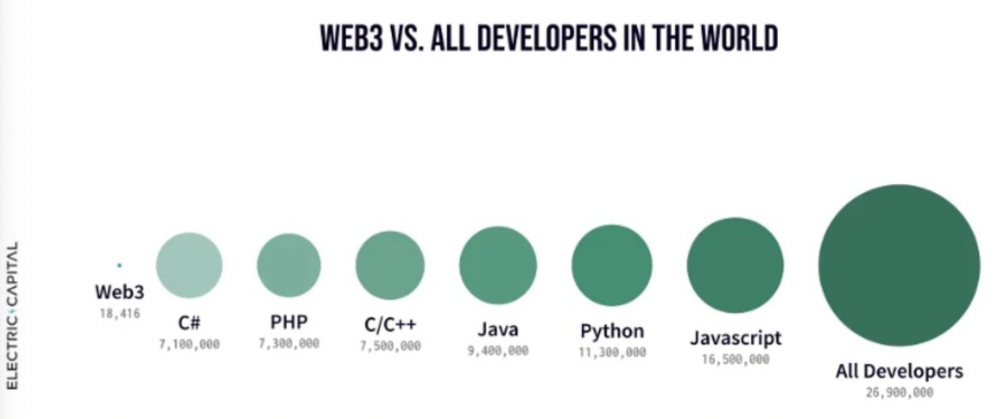
Electric Capital Developer Report (2021), p. 122
Growth requires composability. Users can easily integrate digital assets developed on public standards and compatible infrastructure into other platforms. The Loot Project is one of the first to illustrate decentralized co-creation, worldbuilding, and more in NFTs. This example was low-fi or "incomplete" aesthetically, providing room for imagination and community co-creation.
Loot began with a series of Loot bag NFTs, each listing eight "adventure things" in white writing on a black backdrop (such as Loot Bag #5726's "Katana, Divine Robe, Great Helm, Wool Sash, Divine Slippers, Chain Gloves, Amulet, Gold Ring"). Dom Hofmann's free Loot bags served as a foundation for the community.
Several projects have begun metaphorical (lore) and practical (game development) world-building in a short time, with artists contributing many variations to the collective "Lootverse." They've produced games (Realms & The Crypt), characters (Genesis Project, Hyperloot, Loot Explorers), storytelling initiatives (Banners, OpenQuill), and even infrastructure (The Rift).
Why cc0 and composability? Because consumers own and control Loot bags, they may use them wherever they choose by connecting their crypto wallets. This allows users to participate in multiple derivative projects, such as Genesis Adventurers, whose characters appear in many others — creating a decentralized franchise not owned by any one corporation.
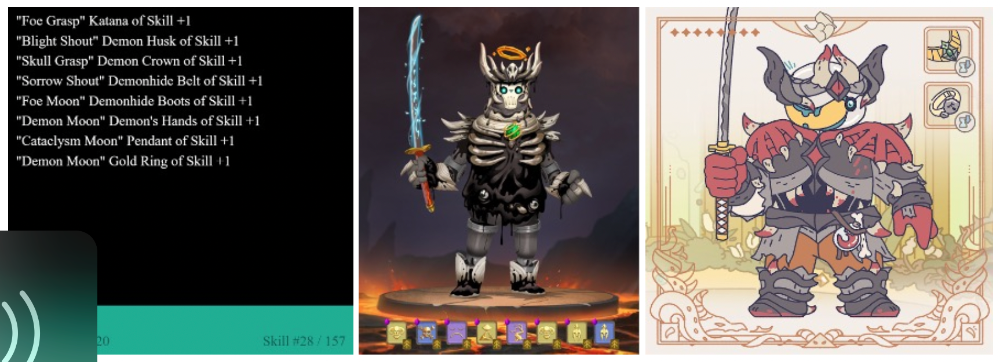
Genesis Project's Genesis Adventurer (1) with HyperLoot (2) and Loot Explorer (3) versions
When to go cc0
There are several IP development strategies NFT projects can use. When it comes to cc0, it’s important to be realistic. The public domain won't make a project a runaway success just by implementing the license. cc0 works well for NFT initiatives that can develop a rich, enlarged ecosystem.
Many of the most successful cc0 projects have introduced flexible intellectual property. The Nouns brand is as obvious for a beer ad as for real glasses; Loot bags are simple primitives that make sense in all adventure settings; and the Goblintown visual style looks good on dwarfs, zombies, and cranky owls as it does on Val Kilmer.
The ideal cc0 NFT project gives builders the opportunity to add value:
vertically, by stacking new content and features directly on top of the original cc0 assets (for instance, as with games built on the Loot ecosystem, among others), and
horizontally, by introducing distinct but related intellectual property that helps propagate the original cc0 project’s brand (as with various Goblintown derivatives, among others).
These actions can assist cc0 NFT business models. Because cc0 NFT projects receive royalties from secondary sales, third-party extensions and derivatives can boost demand for the original assets.
Using cc0 license lowers friction that could hinder brand-reinforcing extensions or lead to them bypassing the original. Robbie Broome recently argued (in the context of his cc0 project A Common Place) that giving away his IP to cc0 avoids bad rehashes down the line. If UrbanOutfitters wanted to put my design on a tee, they could use the actual work instead of hiring a designer. CC0 can turn competition into cooperation.
Community agreement about core assets' value and contribution can help cc0 projects. Cohesion and engagement are key. Using the above examples: Developers can design adventure games around whatever themes and item concepts they desire, but many choose Loot bags because of the Lootverse's community togetherness. Flipmap shared half of its money with the original Blitmap artists in acknowledgment of that project's core role in the community. This can build a healthy culture within a cc0 project ecosystem. Commentator NiftyPins said it was smart to acknowledge the people that constructed their universe. Many OG Blitmap artists have popped into the Flipmap discord to share information.
cc0 isn't a one-size-fits-all answer; NFTs formed around well-established brands may prefer more restrictive licenses to preserve their intellectual property and reinforce exclusivity. cc0 has some superficial similarities to permitting NFT owners to market the IP connected with their NFTs (à la Bored Ape Yacht Club), but there is a significant difference: cc0 holders can't exclude others from utilizing the same IP. This can make it tougher for holders to develop commercial brands on cc0 assets or offer specific rights to partners. Holders can still introduce enlarged intellectual property (such as backstories or derivatives) that they control.
Blockchain technologies and the crypto ethos are decentralized and open-source. This makes it logical for crypto initiatives to build around cc0 content models, which build on the work of the Creative Commons foundation and numerous open source pioneers.
NFT creators that choose cc0 must select how involved they want to be in building the ecosystem. Some cc0 project leaders, like Chain Runners' developers, have kept building on top of the initial cc0 assets, creating an environment derivative projects can plug into. Dom Hofmann stood back from Loot, letting the community lead. (Dom is also working on additional cc0 NFT projects for the company he formed to build Blitmap.) Other authors have chosen out totally, like sartoshi, who announced his exit from the cc0 project he founded, mfers, and from the NFT area by publishing a final edition suitably named "end of sartoshi" and then deactivating his Twitter account. A multi-signature wallet of seven mfers controls the project's smart contract.
cc0 licensing allows a robust community to co-create in ways that benefit all members, regardless of original creators' continuous commitment. We foresee more organized infrastructure and design patterns as NFT matures. Like open source software, value capture frameworks may see innovation. (We could imagine a variant of the "Sleepycat license," which requires commercial software to pay licensing fees when embedding open source components.) As creators progress the space, we expect them to build unique rights and licensing strategies. cc0 allows NFT producers to bootstrap ideas that may take off.

Steffan Morris Hernandez
3 years ago
10 types of cognitive bias to watch out for in UX research & design
10 biases in 10 visuals
Cognitive biases are crucial for UX research, design, and daily life. Our biases distort reality.
After learning about biases at my UX Research bootcamp, I studied Erika Hall's Just Enough Research and used the Nielsen Norman Group's wealth of information. 10 images show my findings.
1. Bias in sampling
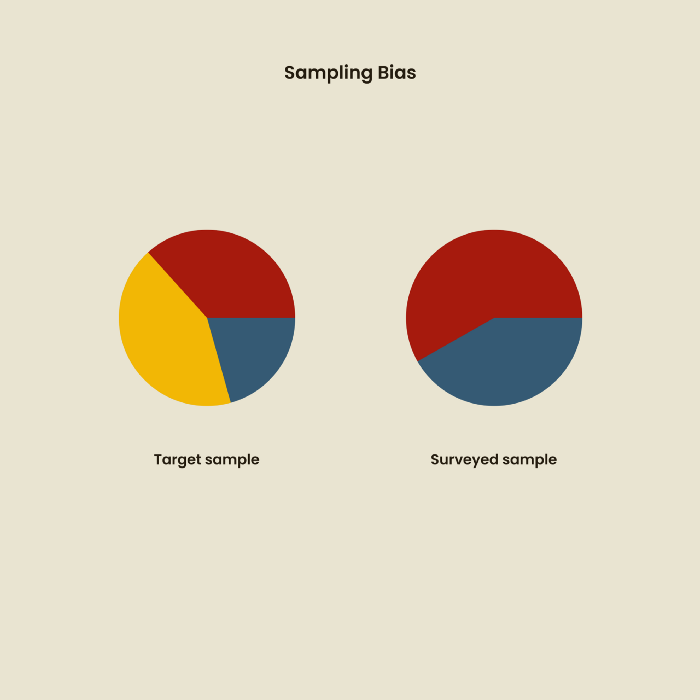
Misselection of target population members causes sampling bias. For example, you are building an app to help people with food intolerances log their meals and are targeting adult males (years 20-30), adult females (ages 20-30), and teenage males and females (ages 15-19) with food intolerances. However, a sample of only adult males and teenage females is biased and unrepresentative.
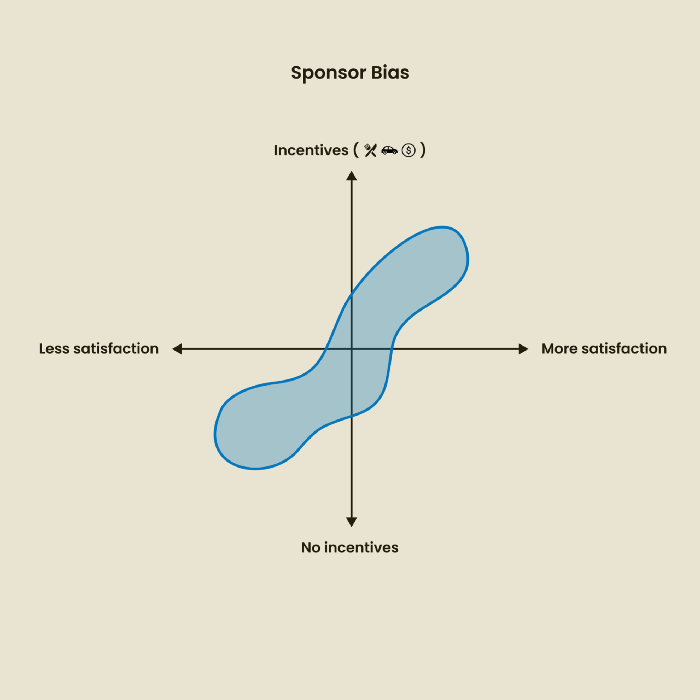
2. Sponsor Disparity
Sponsor bias occurs when a study's findings favor an organization's goals. Beware if X organization promises to drive you to their HQ, compensate you for your time, provide food, beverages, discounts, and warmth. Participants may endeavor to be neutral, but incentives and prizes may bias their evaluations and responses in favor of X organization.
In Just Enough Research, Erika Hall suggests describing the company's aims without naming it.
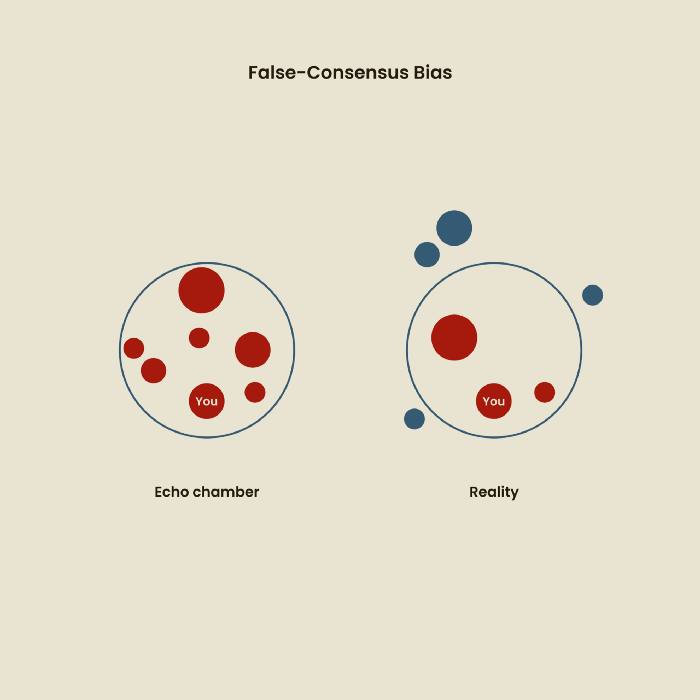
Third, False-Consensus Bias
False-consensus bias is when a person thinks others think and act the same way. For instance, if a start-up designs an app without researching end users' needs, it could fail since end users may have different wants. https://www.nngroup.com/videos/false-consensus-effect/
Working directly with the end user and employing many research methodologies to improve validity helps lessen this prejudice. When analyzing data, triangulation can boost believability.
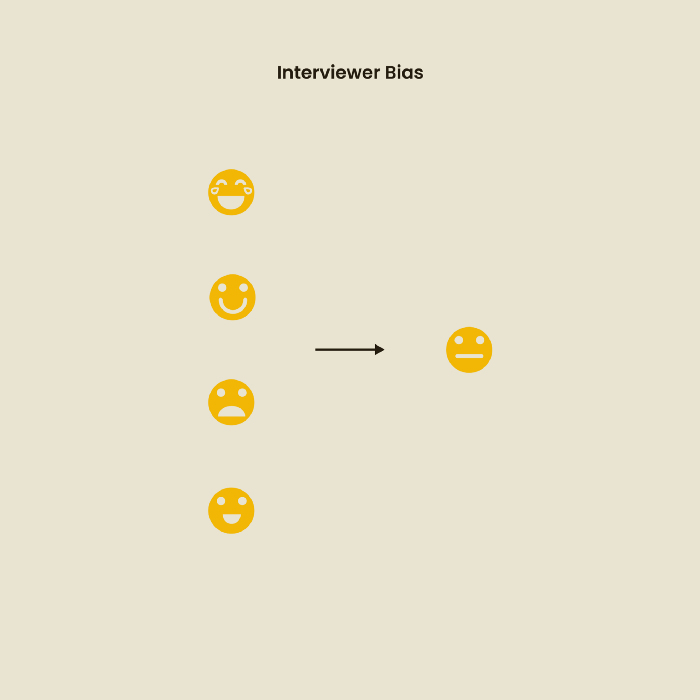
Bias of the interviewer
I struggled with this bias during my UX research bootcamp interviews. Interviewing neutrally takes practice and patience. Avoid leading questions that structure the story since the interviewee must interpret them. Nodding or smiling throughout the interview may subconsciously influence the interviewee's responses.
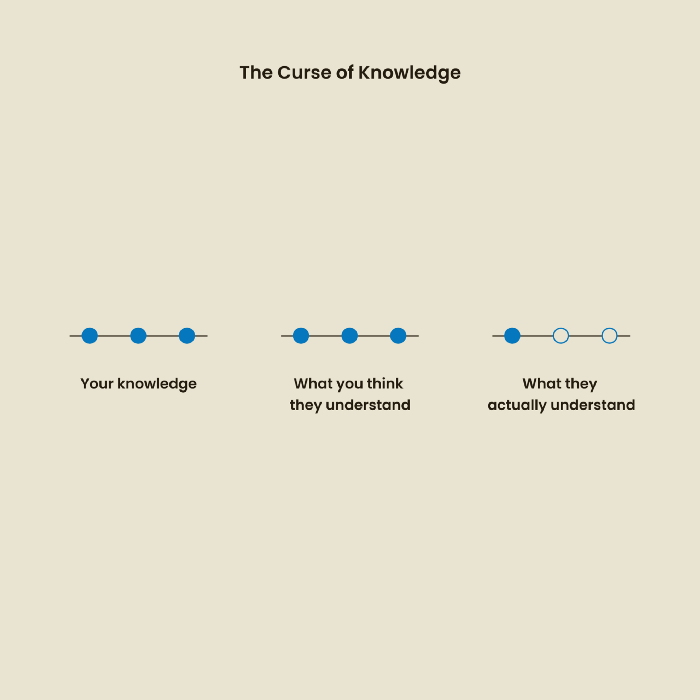
The Curse of Knowledge
The curse of knowledge occurs when someone expects others understand a subject as well as they do. UX research interviews and surveys should reduce this bias because technical language might confuse participants and harm the research. Interviewing participants as though you are new to the topic may help them expand on their replies without being influenced by the researcher's knowledge.
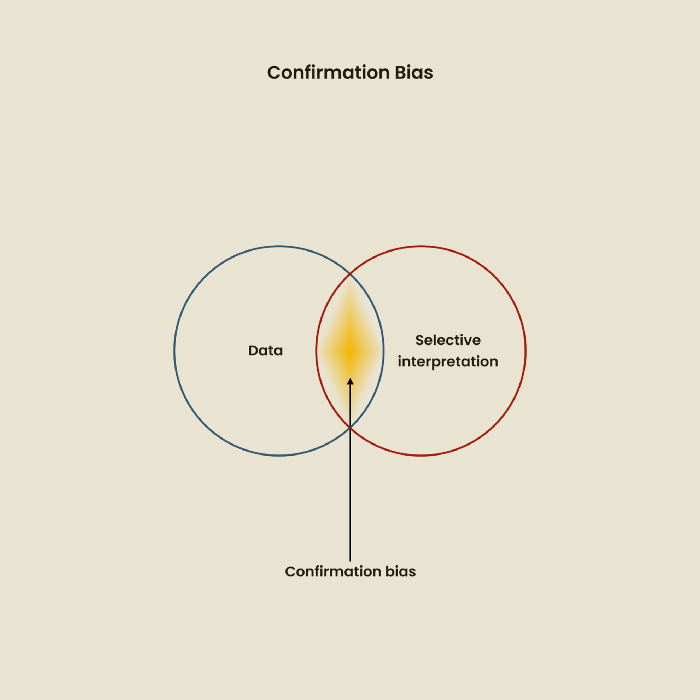
Confirmation Bias
Most prevalent bias. People highlight evidence that supports their ideas and ignore data that doesn't. The echo chamber of social media creates polarization by promoting similar perspectives.
A researcher with confirmation bias may dismiss data that contradicts their research goals. Thus, the research or product may not serve end users.
Design biases
UX Research design bias pertains to study construction and execution. Design bias occurs when data is excluded or magnified based on human aims, assumptions, and preferences.

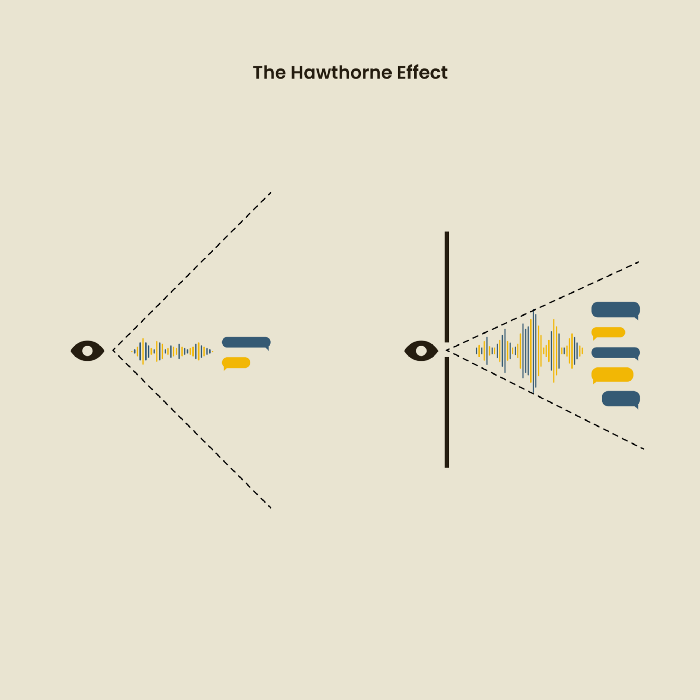
The Hawthorne Impact
Remember when you behaved differently while the teacher wasn't looking? When you behaved differently without your parents watching? A UX research study's Hawthorne Effect occurs when people modify their behavior because you're watching. To escape judgment, participants may act and speak differently.
To avoid this, researchers should blend into the background and urge subjects to act alone.
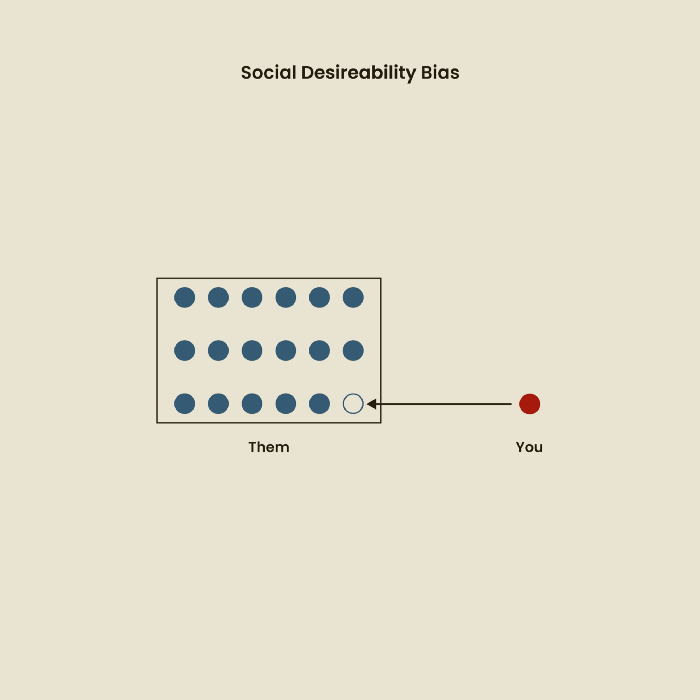
The bias against social desire
People want to belong to escape rejection and hatred. Research interviewees may mislead or slant their answers to avoid embarrassment. Researchers should encourage honesty and confidentiality in studies to address this. Observational research may reduce bias better than interviews because participants behave more organically.
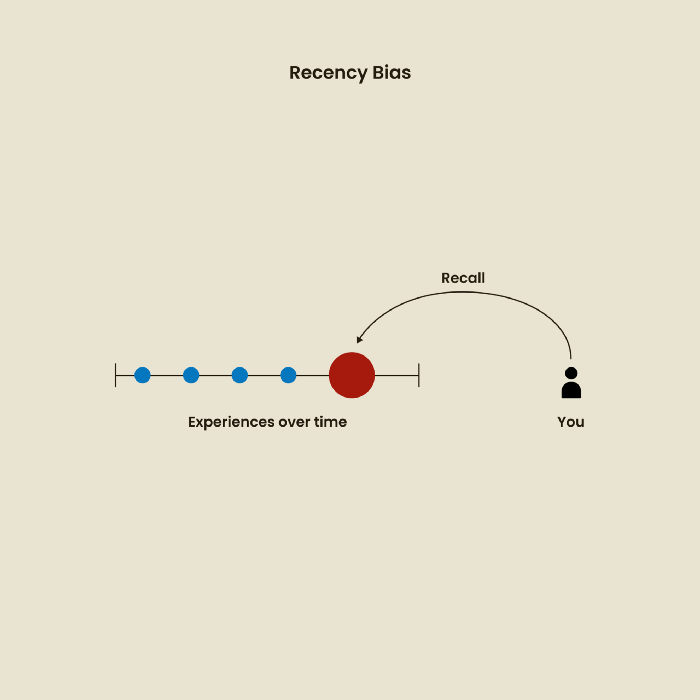
Relative Time Bias
Humans tend to appreciate recent experiences more. Consider school. Say you failed a recent exam but did well in the previous 7 exams. Instead, you may vividly recall the last terrible exam outcome.
If a UX researcher relies their conclusions on the most recent findings instead of all the data and results, recency bias might occur.
I hope you liked learning about UX design, research, and real-world biases.

Vishal Chawla
3 years ago
5 Bored Apes borrowed to claim $1.1 million in APE tokens
Takeaway
Unknown user took advantage of the ApeCoin airdrop to earn $1.1 million.
He used a flash loan to borrow five BAYC NFTs, claim the airdrop, and repay the NFTs.
Yuga Labs, the creators of BAYC, airdropped ApeCoin (APE) to anyone who owns one of their NFTs yesterday.
For the Bored Ape Yacht Club and Mutant Ape Yacht Club collections, the team allocated 150 million tokens, or 15% of the total ApeCoin supply, worth over $800 million. Each BAYC holder received 10,094 tokens worth $80,000 to $200,000.
But someone managed to claim the airdrop using NFTs they didn't own. They used the airdrop's specific features to carry it out. And it worked, earning them $1.1 million in ApeCoin.
The trick was that the ApeCoin airdrop wasn't based on who owned which Bored Ape at a given time. Instead, anyone with a Bored Ape at the time of the airdrop could claim it. So if you gave someone your Bored Ape and you hadn't claimed your tokens, they could claim them.
The person only needed to get hold of some Bored Apes that hadn't had their tokens claimed to claim the airdrop. They could be returned immediately.
So, what happened?
The person found a vault with five Bored Ape NFTs that hadn't been used to claim the airdrop.
A vault tokenizes an NFT or a group of NFTs. You put a bunch of NFTs in a vault and make a token. This token can then be staked for rewards or sold (representing part of the value of the collection of NFTs). Anyone with enough tokens can exchange them for NFTs.
This vault uses the NFTX protocol. In total, it contained five Bored Apes: #7594, #8214, #9915, #8167, and #4755. Nobody had claimed the airdrop because the NFTs were locked up in the vault and not controlled by anyone.
The person wanted to unlock the NFTs to claim the airdrop but didn't want to buy them outright s o they used a flash loan, a common tool for large DeFi hacks. Flash loans are a low-cost way to borrow large amounts of crypto that are repaid in the same transaction and block (meaning that the funds are never at risk of not being repaid).
With a flash loan of under $300,000 they bought a Bored Ape on NFT marketplace OpenSea. A large amount of the vault's token was then purchased, allowing them to redeem the five NFTs. The NFTs were used to claim the airdrop, before being returned, the tokens sold back, and the loan repaid.
During this process, they claimed 60,564 ApeCoin airdrops. They then sold them on Uniswap for 399 ETH ($1.1 million). Then they returned the Bored Ape NFT used as collateral to the same NFTX vault.
Attack or arbitrage?
However, security firm BlockSecTeam disagreed with many social media commentators. A flaw in the airdrop-claiming mechanism was exploited, it said.
According to BlockSecTeam's analysis, the user took advantage of a "vulnerability" in the airdrop.
"We suspect a hack due to a flaw in the airdrop mechanism. The attacker exploited this vulnerability to profit from the airdrop claim" said BlockSecTeam.
For example, the airdrop could have taken into account how long a person owned the NFT before claiming the reward.
Because Yuga Labs didn't take a snapshot, anyone could buy the NFT in real time and claim it. This is probably why BAYC sales exploded so soon after the airdrop announcement.
You might also like

Charlie Brown
3 years ago
What Happens When You Sell Your House, Never Buying It Again, Reverse the American Dream
Homeownership isn't the only life pattern.
Want to irritate people?
My party trick is to say I used to own a house but no longer do.
I no longer wish to own a home, not because I lost it or because I'm moving.
It was a long-term plan. It was more deliberate than buying a home. Many people are committed for this reason.
Poppycock.
Anyone who told me that owning a house (or striving to do so) is a must is wrong.
Because, URGH.
One pattern for life is to own a home, but there are millions of others.
You can afford to buy a home? Go, buddy.
You think you need 1,000 square feet (or more)? You think it's non-negotiable in life?
Nope.
It's insane that society forces everyone to own real estate, regardless of income, wants, requirements, or situation. As if this trade brings happiness, stability, and contentment.
Take it from someone who thought this for years: drywall isn't happy. Living your way brings contentment.
That's in real estate. It may also be renting a small apartment in a city that makes your soul sing, but you can't afford the downpayment or mortgage payments.
Living or traveling abroad is difficult when your life savings are connected to something that eats your money the moment you sign.
#vanlife, which seems like torment to me, makes some people feel alive.
I've seen co-living, vacation rental after holiday rental, living with family, and more work.
Insisting that home ownership is the only path in life is foolish and reduces alternative options.
How little we question homeownership is a disgrace.
No one challenges a homebuyer's motives. We congratulate them, then that's it.
When you offload one, you must answer every question, even if you have a loose screw.
Why do you want to sell?
Do you have any concerns about leaving the market?
Why would you want to renounce what everyone strives for?
Why would you want to abandon a beautiful place like that?
Why would you mismanage your cash in such a way?
But surely it's only temporary? RIGHT??
Incorrect questions. Buying a property requires several inquiries.
The typical American has $4500 saved up. When something goes wrong with the house (not if, it’s never if), can you actually afford the repairs?
Are you certain that you can examine a home in less than 15 minutes before committing to buying it outright and promising to pay more than twice the asking price on a 30-year 7% mortgage?
Are you certain you're ready to leave behind friends, family, and the services you depend on in order to acquire something?
Have you thought about the connotation that moving to a suburb, which more than half of Americans do, means you will be dependent on a car for the rest of your life?
Plus:
Are you sure you want to prioritize home ownership over debt, employment, travel, raising kids, and daily routines?
Homeownership entails that. This ex-homeowner says it will rule your life from the time you put the key in the door.
This isn't questioned. We don't question enough. The holy home-ownership grail was set long ago, and we don't challenge it.
Many people question after signing the deeds. 70% of homeowners had at least one regret about buying a property, including the expense.
Exactly. Tragic.
Homes are different from houses
We've been fooled into thinking home ownership will make us happy.
Some may agree. No one.
Bricks and brick hindered me from living the version of my life that made me most comfortable, happy, and steady.
I'm spending the next month in a modest apartment in southern Spain. Even though it's late November, today will be 68 degrees. My spouse and I will soon meet his visiting parents. We'll visit a Sherry store. We'll eat, nap, walk, and drink Sherry. Writing. Jerez means flamenco.
That's my home. This is such a privilege. Living a fulfilling life brings me the contentment that buying a home never did.
I'm happy and comfortable knowing I can make almost all of my days good. Rejecting home ownership is partly to blame.
I'm broke like most folks. I had to choose between home ownership and comfort. I said, I didn't find them together.
Feeling at home trumps owning brick-and-mortar every day.
The following is the reality of what it's like to turn the American Dream around.
Leaving the housing market.
Sometimes I wish I owned a home.
I miss having my own yard and bed. My kitchen, cookbooks, and pizza oven are missed.
But I rarely do.
Someone else's life plan pushed home ownership on me. I'm grateful I figured it out at 35. Many take much longer, and some never understand homeownership stinks (for them).
It's confusing. People will think you're dumb or suicidal.
If you read what I write, you'll know. You'll realize that all you've done is choose to live intentionally. Find a home beyond four walls and a picket fence.
Miss? As I said, they're not home. If it were, a pizza oven, a good mattress, and a well-stocked kitchen would bring happiness.
No.
If you can afford a house and desire one, more power to you.
There are other ways to discover home. Find calm and happiness. For fun.
For it, look deeper than your home's foundation.

Micah Daigle
3 years ago
Facebook is going away. Here are two explanations for why it hasn't been replaced yet.
And tips for anyone trying.
We see the same story every few years.
BREAKING NEWS: [Platform X] launched a social network. With Facebook's reputation down, the new startup bets millions will switch.
Despite the excitement surrounding each new platform (Diaspora, Ello, Path, MeWe, Minds, Vero, etc.), no major exodus occurred.
Snapchat and TikTok attracted teens with fresh experiences (ephemeral messaging and rapid-fire videos). These features aren't Facebook, even if Facebook replicated them.
Facebook's core is simple: you publish items (typically text/images) and your friends (generally people you know IRL) can discuss them.
It's cool. Sometimes I don't want to, but sh*t. I like it.
Because, well, I like many folks I've met. I enjoy keeping in touch with them and their banter.
I dislike Facebook's corporation. I've been cautiously optimistic whenever a Facebook-killer surfaced.
None succeeded.
Why? Two causes, I think:
People couldn't switch quickly enough, which is reason #1
Your buddies make a social network social.
Facebook started in self-contained communities (college campuses) then grew outward. But a new platform can't.
If we're expected to leave Facebook, we want to know that most of our friends will too.
Most Facebook-killers had bottlenecks. You have to waitlist or jump through hoops (e.g. setting up a server).
Same outcome. Upload. Chirp.
After a week or two of silence, individuals returned to Facebook.
Reason #2: The fundamental experience was different.
Even when many of our friends joined in the first few weeks, it wasn't the same.
There were missing features or a different UX.
Want to reply with a meme? No photos in comments yet. (Trying!)
Want to tag a friend? Nope, sorry. 2019!
Want your friends to see your post? You must post to all your friends' servers. Good luck!
It's difficult to introduce a platform with 100% of the same features as one that's been there for 20 years, yet customers want a core experience.
If you can't, they'll depart.
The causes that led to the causes
Having worked on software teams for 14+ years, I'm not surprised by these challenges. They are a natural development of a few tech sector meta-problems:
Lean startup methodology
Silicon Valley worships lean startup. It's a way of developing software that involves testing a stripped-down version with a limited number of people before selecting what to build.
Billion people use Facebook's functions. They aren't tested. It must work right away*
*This may seem weird to software people, but it's how non-software works! You can't sell a car without wheels.
2. Creativity
Startup entrepreneurs build new things, not copies. I understand. Reinventing the wheel is boring.
We know what works. Different experiences raise adoption friction. Once millions have transferred, more features (and a friendlier UX) can be implemented.
3. Cost scaling
True. Building a product that can sustain hundreds of millions of users in weeks is expensive and complex.
Your lifeboats must have the same capacity as the ship you're evacuating. It's required.
4. Pure ideologies
People who work on Facebook-alternatives are (understandably) critical of Facebook.
They build an open-source, fully-distributed, data-portable, interface-customizable, offline-capable, censorship-proof platform.
Prioritizing these aims can prevent replicating the straightforward experience users expect. Github, not Facebook, is for techies only.
What about the business plan, though?
Facebook-killer attempts have followed three models.
Utilize VC funding to increase your user base, then monetize them later. (If you do this, you won't kill Facebook; instead, Facebook will become you.)
Users must pay to utilize it. (This causes a huge bottleneck and slows the required quick expansion, preventing it from seeming like a true social network.)
Make it a volunteer-run, open-source endeavor that is free. (This typically denotes that something is cumbersome, difficult to operate, and is only for techies.)
Wikipedia is a fourth way.
Wikipedia is one of the most popular websites and a charity. No ads. Donations support them.
A Facebook-killer managed by a good team may gather millions (from affluent contributors and the crowd) for their initial phase of development. Then it might sustain on regular donations, ethical transactions (e.g. fees on commerce, business sites, etc.), and government grants/subsidies (since it would essentially be a public utility).
When you're not aiming to make investors rich, it's remarkable how little money you need.
If you want to build a Facebook competitor, follow these tips:
Drop the lean startup philosophy. Wait until you have a finished product before launching. Build it, thoroughly test it for bugs, and then release it.
Delay innovating. Wait till millions of people have switched before introducing your great new features. Make it nearly identical for now.
Spend money climbing. Make sure that guests can arrive as soon as they are invited. Never keep them waiting. Make things easy for them.
Make it accessible to all. Even if doing so renders it less philosophically pure, it shouldn't require technical expertise to utilize.
Constitute a nonprofit. Additionally, develop community ownership structures. Profit maximization is not the only strategy for preserving valued assets.
Last thoughts
Nobody has killed Facebook, but Facebook is killing itself.
The startup is burying the newsfeed to become a TikTok clone. Meta itself seems to be ditching the platform for the metaverse.
I wish I was happy, but I'm not. I miss (understandably) removed friends' postings and remarks. It could be a ghost town in a few years. My dance moves aren't TikTok-worthy.
Who will lead? It's time to develop a social network for the people.
Greetings if you're working on it. I'm not a company founder, but I like to help hard-working folks.
JEFF JOHN ROBERTS
3 years ago
What just happened in cryptocurrency? A plain-English Q&A about Binance's FTX takedown.
Crypto people have witnessed things. They've seen big hacks, mind-boggling swindles, and amazing successes. They've never seen a day like Tuesday, when the world's largest crypto exchange murdered its closest competition.
Here's a primer on Binance and FTX's lunacy and why it matters if you're new to crypto.
What happened?
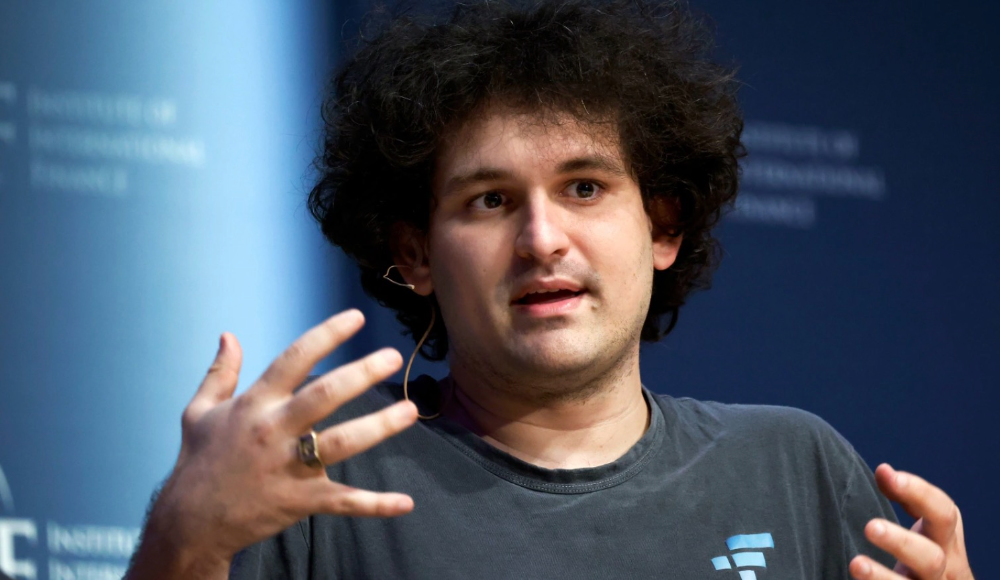
CZ, a shrewd Chinese-Canadian billionaire, runs Binance. FTX, a newcomer, has challenged Binance in recent years. SBF (Sam Bankman-Fried)—a young American with wild hair—founded FTX (initials are a thing in crypto).
Last weekend, CZ complained about SBF's lobbying and then exploited Binance's market power to attack his competition.
How did CZ do that?
CZ invested in SBF's new cryptocurrency exchange when they were friends. CZ sold his investment in FTX for FTT when he no longer wanted it. FTX clients utilize those tokens to get trade discounts, although they are less liquid than Bitcoin.
SBF made a mistake by providing CZ just too many FTT tokens, giving him control over FTX. It's like Pepsi handing Coca-Cola a lot of stock it could sell at any time. CZ got upset with SBF and flooded the market with FTT tokens.
SBF owns a trading fund with many FTT tokens, therefore this was catastrophic. SBF sought to defend FTT's worth by selling other assets to buy up the FTT tokens flooding the market, but it didn't succeed, and as FTT's value plummeted, his liabilities exceeded his assets. By Tuesday, his companies were insolvent, so he sold them to his competition.
Crazy. How could CZ do that?
CZ likely did this to crush a rising competition. It was also personal. In recent months, regulators have been tough toward the crypto business, and Binance and FTX have been trying to stay on their good side. CZ believed SBF was poisoning U.S. authorities by saying CZ was linked to China, so CZ took retribution.
“We supported previously, but we won't pretend to make love after divorce. We're neutral. But we won't assist people that push against other industry players behind their backs," CZ stated in a tragic tweet on Sunday. He crushed his rival's company two days later.
So does Binance now own FTX?
No. Not yet. CZ has only stated that Binance signed a "letter of intent" to acquire FTX. CZ and SBF say Binance will protect FTX consumers' funds.
Who’s to blame?
You could blame CZ for using his control over FTX to destroy it. SBF is also being criticized for not disclosing the full overlap between FTX and his trading company, which controlled plenty of FTT. If he had been upfront, someone might have warned FTX about this vulnerability earlier, preventing this mess.
Others have alleged that SBF utilized customer monies to patch flaws in his enterprises' balance accounts. That happened to multiple crypto startups that collapsed this spring, which is unfortunate. These are allegations, not proof.
Why does this matter? Isn't this common in crypto?
Crypto is notorious for shady executives and pranks. FTX is the second-largest crypto business, and SBF was largely considered as the industry's golden boy who would help it get on authorities' good side. Thus far.
Does this affect cryptocurrency prices?
Short-term, it's bad. Prices fell on suspicions that FTX was in peril, then rallied when Binance rescued it, only to fall again later on Tuesday.
These occurrences have hurt FTT and SBF's Solana token. It appears like a huge token selloff is affecting the rest of the market. Bitcoin fell 10% and Ethereum 15%, which is bad but not catastrophic for the two largest coins by market cap.