




More on NFTs & Art

Amelia Winger-Bearskin
4 years ago
Hate NFTs? I must break some awful news to you...
If you think NFTs are awful, check out the art market.
The fervor around NFTs has subsided in recent months due to the crypto market crash and the media's short attention span. They were all anyone could talk about earlier this spring. Last semester, when passions were high and field luminaries were discussing "slurp juices," I asked my students and students from over 20 other universities what they thought of NFTs.
According to many, NFTs were either tasteless pyramid schemes or a new way for artists to make money. NFTs contributed to the climate crisis and harmed the environment, but so did air travel, fast fashion, and smartphones. Some students complained that NFTs were cheap, tasteless, algorithmically generated schlock, but others asked how this was different from other art.
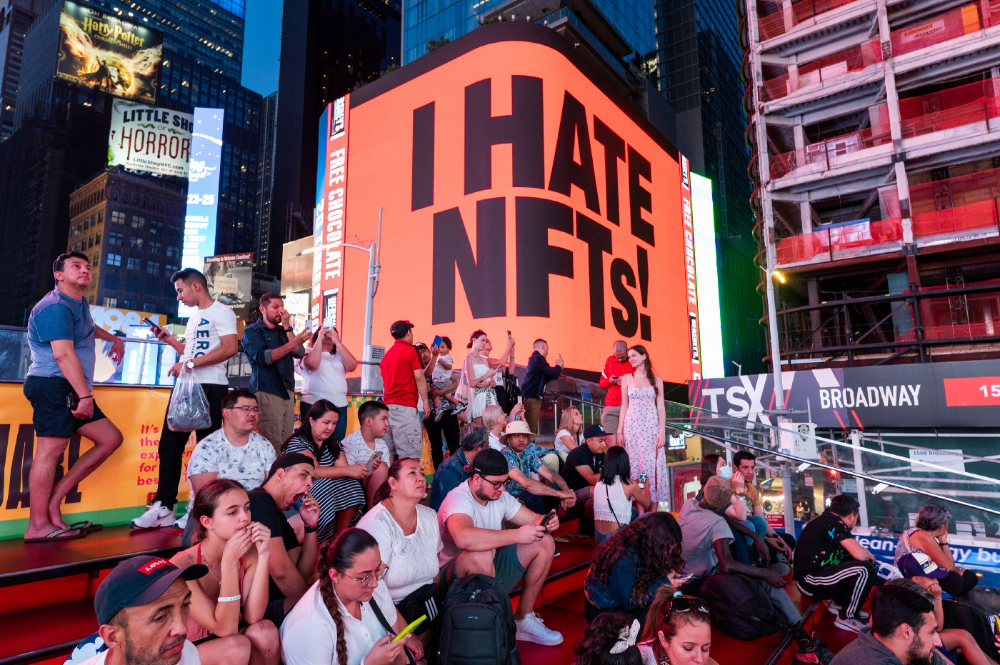
I'm not sure what I expected, but the intensity of students' reactions surprised me. They had strong, emotional opinions about a technology I'd always considered administrative. NFTs address ownership and accounting, like most crypto/blockchain projects.
Art markets can be irrational, arbitrary, and subject to the same scams and schemes as any market. And maybe a few shenanigans that are unique to the art world.
The Fairness Question
Fairness, a deflating moral currency, was the general sentiment (the less of it in circulation, the more ardently we clamor for it.) These students, almost all of whom are artists, complained to the mismatch between the quality of the work in some notable NFT collections and the excessive amounts these items were fetching on the market. They can sketch a Bored Ape or Lazy Lion in their sleep. Why should they buy ramen with school loans while certain swindlers get rich?
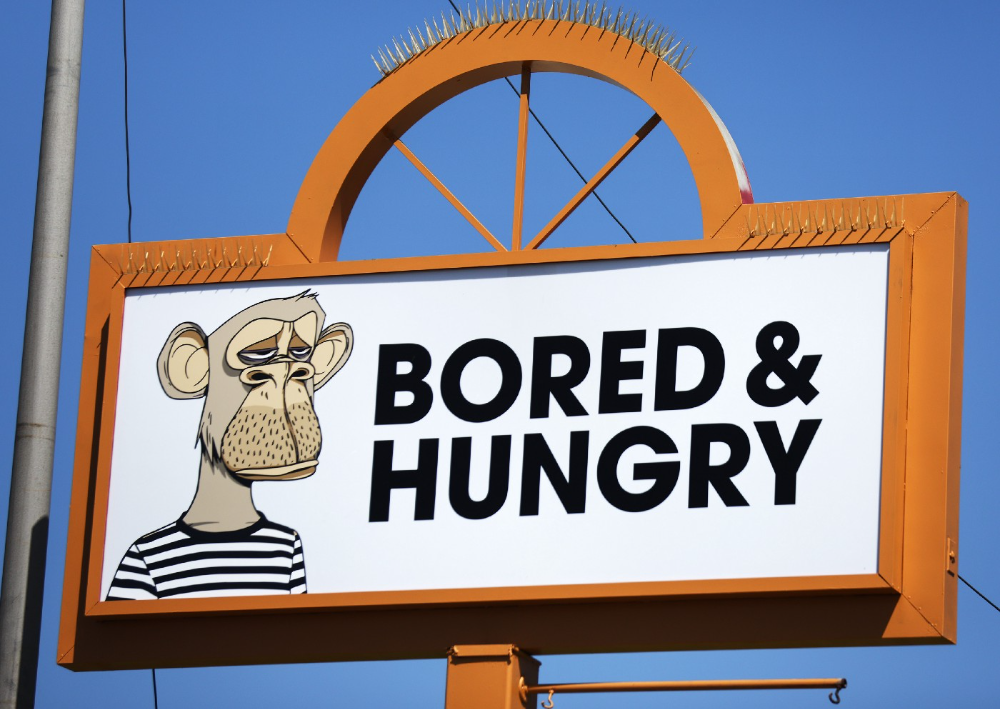
I understand students. Art markets are unjust. They can be irrational, arbitrary, and governed by chance and circumstance, like any market. And art-world shenanigans.
Almost every mainstream critique leveled against NFTs applies just as easily to art markets
Over 50% of artworks in circulation are fake, say experts. Sincere art collectors and institutions are upset by the prevalence of fake goods on the market. Not everyone. Wealthy people and companies use art as investments. They can use cultural institutions like museums and galleries to increase the value of inherited art collections. People sometimes buy artworks and use family ties or connections to museums or other cultural taste-makers to hype the work in their collection, driving up the price and allowing them to sell for a profit. Money launderers can disguise capital flows by using market whims, hype, and fluctuating asset prices.
Almost every mainstream critique leveled against NFTs applies just as easily to art markets.
Art has always been this way. Edward Kienholz's 1989 print series satirized art markets. He stamped 395 identical pieces of paper from $1 to $395. Each piece was initially priced as indicated. Kienholz was joking about a strange feature of art markets: once the last print in a series sells for $395, all previous works are worth at least that much. The entire series is valued at its highest auction price. I don't know what a Kienholz print sells for today (inquire with the gallery), but it's more than $395.
I love Lee Lozano's 1969 "Real Money Piece." Lozano put cash in various denominations in a jar in her apartment and gave it to visitors. She wrote, "Offer guests coffee, diet pepsi, bourbon, half-and-half, ice water, grass, and money." "Offer real money as candy."
Lee Lozano kept track of who she gave money to, how much they took, if any, and how they reacted to the offer of free money without explanation. Diverse reactions. Some found it funny, others found it strange, and others didn't care. Lozano rarely says:
Apr 17 Keith Sonnier refused, later screws lid very tightly back on. Apr 27 Kaltenbach takes all the money out of the jar when I offer it, examines all the money & puts it all back in jar. Says he doesn’t need money now. Apr 28 David Parson refused, laughing. May 1 Warren C. Ingersoll refused. He got very upset about my “attitude towards money.” May 4 Keith Sonnier refused, but said he would take money if he needed it which he might in the near future. May 7 Dick Anderson barely glances at the money when I stick it under his nose and says “Oh no thanks, I intend to earn it on my own.” May 8 Billy Bryant Copley didn’t take any but then it was sort of spoiled because I had told him about this piece on the phone & he had time to think about it he said.
Smart Contracts (smart as in fair, not smart as in Blockchain)
Cornell University's Cheryl Finley has done a lot of research on secondary art markets. I first learned about her research when I met her at the University of Florida's Harn Museum, where she spoke about smart contracts (smart as in fair, not smart as in Blockchain) and new protocols that could help artists who are often left out of the economic benefits of their own work, including women and women of color.
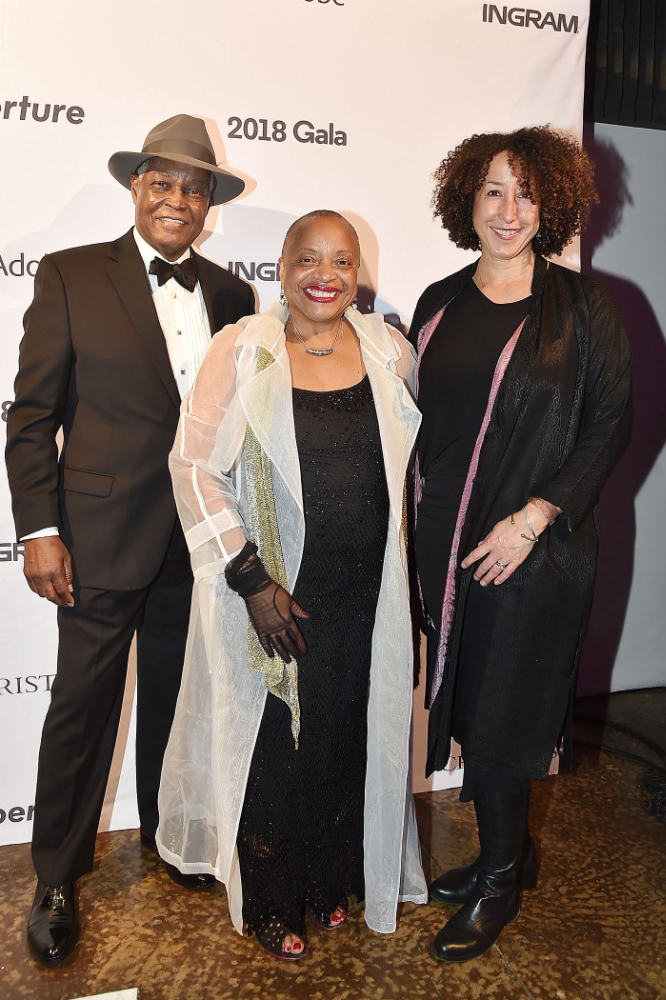
Her talk included findings from her ArtNet op-ed with Lauren van Haaften-Schick, Christian Reeder, and Amy Whitaker.
NFTs allow us to think about and hack on formal contractual relationships outside a system of laws that is currently not set up to service our community.
The ArtNet article The Recent Sale of Amy Sherald's ‘Welfare Queen' Symbolizes the Urgent Need for Resale Royalties and Economic Equity for Artists discussed Sherald's 2012 portrait of a regal woman in a purple dress wearing a sparkling crown and elegant set of pearls against a vibrant red background.
Amy Sherald sold "Welfare Queen" to Princeton professor Imani Perry. Sherald agreed to a payment plan to accommodate Perry's budget.
Amy Sherald rose to fame for her 2016 portrait of Michelle Obama and her full-length portrait of Breonna Taylor, one of the most famous works of the past decade.
As is common, Sherald's rising star drove up the price of her earlier works. Perry's "Welfare Queen" sold for $3.9 million in 2021.
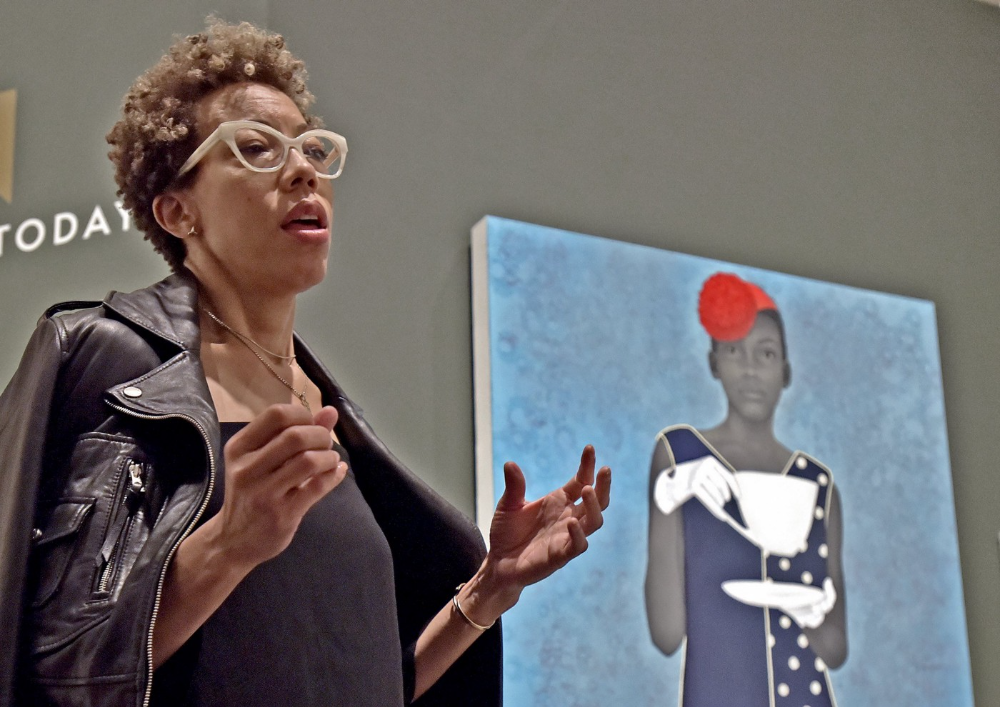
Imani Perry's early investment paid off big-time. Amy Sherald, whose work directly increased the painting's value and who was on an artist's shoestring budget when she agreed to sell "Welfare Queen" in 2012, did not see any of the 2021 auction money. Perry and the auction house got that money.
Sherald sold her Breonna Taylor portrait to the Smithsonian and Louisville's Speed Art Museum to fund a $1 million scholarship. This is a great example of what an artist can do for the community if they can amass wealth through their work.
NFTs haven't solved all of the art market's problems — fakes, money laundering, market manipulation — but they didn't create them. Blockchain and NFTs are credited with making these issues more transparent. More ideas emerge daily about what a smart contract should do for artists.
NFTs are a copyright solution. They allow us to hack formal contractual relationships outside a law system that doesn't serve our community.
Amy Sherald shows the good smart contracts can do (as in, well-considered, self-determined contracts, not necessarily blockchain contracts.) Giving back to our community, deciding where and how our work can be sold or displayed, and ensuring artists share in the equity of our work and the economy our labor creates.

xuanling11
3 years ago
Reddit NFT Achievement

Reddit's NFT market is alive and well.
NFT owners outnumber OpenSea on Reddit.
Reddit NFTs flip in OpenSea in days:
Fast-selling.
NFT sales will make Reddit's current communities more engaged.
I don't think NFTs will affect existing groups, but they will build hype for people to acquire them.
The first season of Collectibles is unique, but many missed the first season.
Second-season NFTs are less likely to be sold for a higher price than first-season ones.
If you use Reddit, it's fun to own NFTs.

Jake Prins
3 years ago
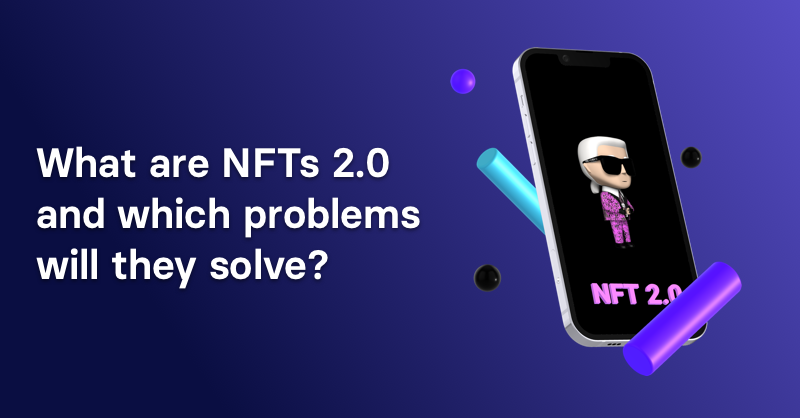
What are NFTs 2.0 and what issues are they meant to address?
New standards help NFTs reach their full potential.
NFTs lack interoperability and functionality. They have great potential but are mostly speculative. To maximize NFTs, we need flexible smart contracts.
Current requirements are too restrictive.
Most NFTs are based on ERC-721, which makes exchanging them easy. CryptoKitties, a popular online game, used the 2017 standard to demonstrate NFTs' potential.
This simple standard includes a base URI and incremental IDs for tokens. Add the tokenID to the base URI to get the token's metadata.
This let creators collect NFTs. Many NFT projects store metadata on IPFS, a distributed storage network, but others use Google Drive. NFT buyers often don't realize that if the creators delete or move the files, their NFT is just a pointer.
This isn't the standard's biggest issue. There's no way to validate NFT projects.
Creators are one of the most important aspects of art, but nothing is stored on-chain.
ERC-721 contracts only have a name and symbol.
Most of the data on OpenSea's collection pages isn't from the NFT's smart contract. It was added through a platform input field, so it's in the marketplace's database. Other websites may have different NFT information.
In five years, your NFT will be just a name, symbol, and ID.
Your NFT doesn't mention its creators. Although the smart contract has a public key, it doesn't reveal who created it.
The NFT's creators and their reputation are crucial to its value. Think digital fashion and big brands working with well-known designers when more professionals use NFTs. Don't you want them in your NFT?
Would paintings be as valuable if their artists were unknown? Would you believe it's real?
Buying directly from an on-chain artist would reduce scams. Current standards don't allow this data.
Most creator profiles live on centralized marketplaces and could disappear. Current platforms have outpaced underlying standards. The industry's standards are lagging.
For NFTs to grow beyond pointers to a monkey picture file, we may need to use new Web3-based standards.
Introducing NFTs 2.0
Fabian Vogelsteller, creator of ERC-20, developed new web3 standards. He proposed LSP7 Digital Asset and LSP8 Identifiable Digital Asset, also called NFT 2.0.
NFT and token metadata inputs are extendable. Changes to on-chain metadata inputs allow NFTs to evolve. Instead of public keys, the contract can have Universal Profile addresses attached. These profiles show creators' faces and reputations. NFTs can notify asset receivers, automating smart contracts.
LSP7 and LSP8 use ERC725Y. Using a generic data key-value store gives contracts much-needed features:
The asset can be customized and made to stand out more by allowing for unlimited data attachment.
Recognizing changes to the metadata
using a hash reference for metadata rather than a URL reference
This base will allow more metadata customization and upgradeability. These guidelines are:
Genuine and Verifiable Now, the creation of an NFT by a specific Universal Profile can be confirmed by smart contracts.
Dynamic NFTs can update Flexible & Updatable Metadata, allowing certain things to evolve over time.
Protected metadata Now, secure metadata that is readable by smart contracts can be added indefinitely.
Better NFTS prevent the locking of NFTs by only being sent to Universal Profiles or a smart contract that can interact with them.
Summary
NFTS standards lack standardization and powering features, limiting the industry.
ERC-721 is the most popular NFT standard, but it only represents incremental tokenIDs without metadata or asset representation. No standard sender-receiver interaction or security measures ensure safe asset transfers.
NFT 2.0 refers to the new LSP7-DigitalAsset and LSP8-IdentifiableDigitalAsset standards.
They have new standards for flexible metadata, secure transfers, asset representation, and interactive transfer.
With NFTs 2.0 and Universal Profiles, creators could build on-chain reputations.
NFTs 2.0 could bring the industry's needed innovation if it wants to move beyond trading profile pictures for speculation.
You might also like

Hunter Walk
3 years ago
Is it bad of me to want our portfolio companies to generate greater returns for outside investors than they did for us as venture capitalists?
Wishing for Lasting Companies, Not Penny Stocks or Goodwill Write-Downs
Get me a NASCAR-style company-logoed cremation urn (notice to the executor of my will, theres gonna be a lot of weird requests). I believe in working on projects that would be on your tombstone. As the Homebrew logo is tattooed on my shoulder, expanding the portfolio to my posthumous commemoration is easy. But this isn't an IRR victory lap; it's a hope that the firms we worked for would last beyond my lifetime.
![a little boy planting a dollar bill in the ground and pouring a watering can out on it, digital art [DALL-E]](https://storage.googleapis.com/int3grity/posts/V62hkReDx56S/images/vMwzqrYeXaYnUIMXAdTY9)
Venture investors too often take credit or distance themselves from startups based on circumstances. Successful companies tell stories of crucial introductions, strategy conversations, and other value. Defeats Even whether our term involves Board service or systematic ethical violations, I'm just a little investment, so there's not much I can do. Since I'm guilty, I'm tossing stones from within the glass home (although we try to own our decisions through the lifecycle).
Post-exit company trajectories are usually unconfounded. Off the cap table, no longer a shareholder (or a diminishing one as you sell off/distribute), eventually leaving the Board. You can cheer for the squad or forget about it, but you've freed the corporation and it's back to portfolio work.
As I look at the downward track of most SPACs and other tarnished IPOs from the last few years, I wonder how I would feel if those were my legacy. Is my job done? Yes. When investing in a business, the odds are against it surviving, let alone thriving and being able to find sunlight. SPAC sponsors, institutional buyers, retail investments. Free trade in an open market is their right. Risking and losing capital is the system working! But
We were lead or co-lead investors in our first three funds, but as additional VCs joined the company, we were pushed down the cap table. Voting your shares rarely matters; supporting the firm when they need it does. Being valuable, consistent, and helping the company improve builds trust with the founders.
I hope every startup we sponsor becomes a successful public company before, during, and after we benefit. My perspective of American capitalism. Well, a stock ticker has a lot of garbage, and I support all types of regulation simplification (in addition to being a person investor in the Long-Term Stock Exchange). Yet being owned by a large group of investors and making actual gains for them is great. Likewise does seeing someone you met when they were just starting out become a public company CEO without losing their voice, leadership, or beliefs.
I'm just thinking about what we can do from the start to realize value from our investments and build companies with bright futures. Maybe seed venture financing shouldn't impact those outcomes, but I'm not comfortable giving up that obligation.

Alex Mathers
25 years ago
400 articles later, nobody bothered to read them.

Writing for readers:
14 years of daily writing.
I post practically everything on social media. I authored hundreds of articles, thousands of tweets, and numerous volumes to almost no one.
Tens of thousands of readers regularly praise me.
I despised writing. I'm stuck now.
I've learned what readers like and what doesn't.
Here are some essential guidelines for writing with impact:
Readers won't understand your work if you can't.
Though obvious, this slipped me up. Share your truths.
Stories engage human brains.
Showing the journey of a person from worm to butterfly inspires the human spirit.
Overthinking hinders powerful writing.
The best ideas come from inner understanding in between thoughts.
Avoid writing to find it. Write.
Writing a masterpiece isn't motivating.
Write for five minutes to simplify. Step-by-step, entertaining, easy steps.
Good writing requires a willingness to make mistakes.
So write loads of garbage that you can edit into a good piece.
Courageous writing.
A courageous story will move readers. Personal experience is best.
Go where few dare.
Templates, outlines, and boundaries help.
Limitations enhance writing.
Excellent writing is straightforward and readable, removing all the unnecessary fat.
Use five words instead of nine.
Use ordinary words instead of uncommon ones.
Readers desire relatability.
Too much perfection will turn it off.
Write to solve an issue if you can't think of anything to write.
Instead, read to inspire. Best authors read.
Every tweet, thread, and novel must have a central idea.
What's its point?
This can make writing confusing.
️ Don't direct your reader.
Readers quit reading. Demonstrate, describe, and relate.
Even if no one responds, have fun. If you hate writing it, the reader will too.

Greg Satell
3 years ago
Focus: The Deadly Strategic Idea You've Never Heard Of (But Definitely Need To Know!

Steve Jobs' initial mission at Apple in 1997 was to destroy. He killed the Newton PDA and Macintosh clones. Apple stopped trying to please everyone under Jobs.
Afterward, there were few highly targeted moves. First, the pink iMac. Modest success. The iPod, iPhone, and iPad made Apple the world's most valuable firm. Each maneuver changed the company's center of gravity and won.
That's the idea behind Schwerpunkt, a German military term meaning "focus." Jobs didn't need to win everywhere, just where it mattered, so he focused Apple's resources on a few key goods. Finding your Schwerpunkt is more important than charts and analysis for excellent strategy.
Comparison of Relative Strength and Relative Weakness
The iPod, Apple's first major hit after Jobs' return, didn't damage Microsoft and the PC, but instead focused Apple's emphasis on a fledgling, fragmented market that generated "sucky" products. Apple couldn't have taken on the computer titans at this stage, yet it beat them.
The move into music players used Apple's particular capabilities, especially its ability to build simple, easy-to-use interfaces. Jobs' charisma and stature, along his understanding of intellectual property rights from Pixar, helped him build up iTunes store, which was a quagmire at the time.
In Good Strategy | Bad Strategy, management researcher Richard Rumelt argues that good strategy uses relative strength to counter relative weakness. To discover your main point, determine your abilities and where to effectively use them.
Steve Jobs did that at Apple. Microsoft and Dell, who controlled the computer sector at the time, couldn't enter the music player business. Both sought to produce iPod competitors but failed. Apple's iPod was nobody else's focus.
Finding The Center of Attention
In a military engagement, leaders decide where to focus their efforts by assessing commanders intent, the situation on the ground, the topography, and the enemy's posture on that terrain. Officers spend their careers learning about schwerpunkt.
Business executives must assess internal strengths including personnel, technology, and information, market context, competitive environment, and external partner ecosystems. Steve Jobs was a master at analyzing forces when he returned to Apple.
He believed Apple could integrate technology and design for the iPod and that the digital music player industry sucked. By analyzing competitors' products, he was convinced he could produce a smash by putting 1000 tunes in my pocket.
The only difficulty was there wasn't the necessary technology. External ecosystems were needed. On a trip to Japan to meet with suppliers, a Toshiba engineer claimed the company had produced a tiny memory drive approximately the size of a silver dollar.
Jobs knew the memory drive was his focus. He wrote a $10 million cheque and acquired exclusive technical rights. For a time, none of his competitors would be able to recreate his iPod with the 1000 songs in my pocket.
How to Enter the OODA Loop
John Boyd invented the OODA loop as a pilot to better his own decision-making. First OBSERVE your surroundings, then ORIENT that information using previous knowledge and experiences. Then you DECIDE and ACT, which changes the circumstance you must observe, orient, decide, and act on.
Steve Jobs used the OODA loop to decide to give Toshiba $10 million for a technology it had no use for. He compared the new information with earlier observations about the digital music market.
Then something much more interesting happened. The iPod was an instant hit, changing competition. Other computer businesses that competed in laptops, desktops, and servers created digital music players. Microsoft's Zune came out in 2006, Dell's Digital Jukebox in 2004. Both flopped.
By then, Apple was poised to unveil the iPhone, which would cause its competitors to Observe, Orient, Decide, and Act. Boyd named this OODA Loop infiltration. They couldn't gain the initiative by constantly reacting to Apple.
Microsoft and Dell were titans back then, but it's hard to recall. Apple went from near bankruptcy to crushing its competition via Schwerpunkt.
Rather than a destination, it is a journey
Trying to win everywhere is a strategic blunder. Win significant fights, not trivial skirmishes. Identifying a focal point to direct resources and efforts is the essence of Schwerpunkt.
When Steve Jobs returned to Apple, PC firms were competing, but he focused on digital music players, and the iPod made Apple a player. He launched the iPhone when his competitors were still reacting. When Steve Jobs said, "One more thing," at the end of a product presentation, he had a new focus.
Schwerpunkt isn't static; it's dynamic. Jobs' ability to observe, refocus, and modify the competitive backdrop allowed Apple to innovate consistently. His strategy was tailored to Apple's capabilities, customers, and ecosystem. Microsoft or Dell, better suited for the enterprise sector, couldn't succeed with a comparable approach.
There is no optimal strategy, only ones suited to a given environment, when relative strength might be used against relative weakness. Discovering the center of gravity where you can break through is more of a journey than a destination; it will become evident after you reach.