



More on Leadership

Caspar Mahoney
3 years ago
Changing Your Mindset From a Project to a Product
Product game mindsets? How do these vary from Project mindset?
1950s spawned the Iron Triangle. Project people everywhere know and live by it. In stakeholder meetings, it is used to stretch the timeframe, request additional money, or reduce scope.
Quality was added to this triangle as things matured.
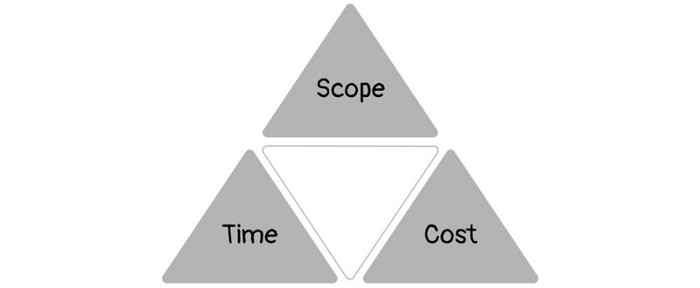
Quality was intended to be transformative, but none of these principles addressed why we conduct projects.
Value and benefits are key.
Product value is quantified by ROI, revenue, profit, savings, or other metrics. For me, every project or product delivery is about value.
Most project managers, especially those schooled 5-10 years or more ago (thousands working in huge corporations worldwide), understand the world in terms of the iron triangle. What does that imply? They worry about:
a) enough time to get the thing done.
b) have enough resources (budget) to get the thing done.
c) have enough scope to fit within (a) and (b) >> note, they never have too little scope, not that I have ever seen! although, theoretically, this could happen.
Boom—iron triangle.
To make the triangle function, project managers will utilize formal governance (Steering) to move those things. Increase money, scope, or both if time is short. Lacking funds? Increase time, scope, or both.
In current product development, shifting each item considerably may not yield value/benefit.
Even terrible. This approach will fail because it deprioritizes Value/Benefit by focusing the major stakeholders (Steering participants) and delivery team(s) on Time, Scope, and Budget restrictions.
Pre-agile, this problem was terrible. IT projects failed wildly. History is here.
Value, or benefit, is central to the product method. Product managers spend most of their time planning value-delivery paths.
Product people consider risk, schedules, scope, and budget, but value comes first. Let me illustrate.
Imagine managing internal products in an enterprise. Your core customer team needs a rapid text record of a chat to fix a problem. The consumer wants a feature/features added to a product you're producing because they think it's the greatest spot.
Project-minded, I may say;
Ok, I have budget as this is an existing project, due to run for a year. This is a new requirement to add to the features we’re already building. I think I can keep the deadline, and include this scope, as it sounds related to the feature set we’re building to give the desired result”.
This attitude repeats Scope, Time, and Budget.
Since it meets those standards, a project manager will likely approve it. If they have a backlog, they may add it and start specking it out assuming it will be built.
Instead, think like a product;
What problem does this feature idea solve? Is that problem relevant to the product I am building? Can that problem be solved quicker/better via another route ? Is it the most valuable problem to solve now? Is the problem space aligned to our current or future strategy? or do I need to alter/update the strategy?
A product mindset allows you to focus on timing, resource/cost, feasibility, feature detail, and so on after answering the aforementioned questions.
The above oversimplifies because
Leadership in discovery

Project managers are facilitators of ideas. This is as far as they normally go in the ‘idea’ space.
Business Requirements collection in classic project delivery requires extensive upfront documentation.
Agile project delivery analyzes requirements iteratively.
However, the project manager is a facilitator/planner first and foremost, therefore topic knowledge is not expected.
I mean business domain, not technical domain (to confuse matters, it is true that in some instances, it can be both technical and business domains that are important for a single individual to master).
Product managers are domain experts. They will become one if they are training/new.
They lead discovery.
Product Manager-led discovery is much more than requirements gathering.
Requirements gathering involves a Business Analyst interviewing people and documenting their requests.
The project manager calculates what fits and what doesn't using their Iron Triangle (presumably in their head) and reports back to Steering.
If this requirements-gathering exercise failed to identify requirements, what would a project manager do? or bewildered by project requirements and scope?
They would tell Steering they need a Business SME or Business Lead assigning or more of their time.
Product discovery requires the Product Manager's subject knowledge and a new mindset.
How should a Product Manager handle confusing requirements?
Product Managers handle these challenges with their talents and tools. They use their own knowledge to fill in ambiguity, but they have the discipline to validate those assumptions.
To define the problem, they may perform qualitative or quantitative primary research.
They might discuss with UX and Engineering on a whiteboard and test assumptions or hypotheses.
Do Product Managers escalate confusing requirements to Steering/Senior leaders? They would fix that themselves.
Product managers raise unclear strategy and outcomes to senior stakeholders. Open talks, soft skills, and data help them do this. They rarely raise requirements since they have their own means of handling them without top stakeholder participation.
Discovery is greenfield, exploratory, research-based, and needs higher-order stakeholder management, user research, and UX expertise.
Product Managers also aid discovery. They lead discovery. They will not leave customer/user engagement to a Business Analyst. Administratively, a business analyst could aid. In fact, many product organizations discourage business analysts (rely on PM, UX, and engineer involvement with end-users instead).
The Product Manager must drive user interaction, research, ideation, and problem analysis, therefore a Product professional must be skilled and confident.
Creating vs. receiving and having an entrepreneurial attitude

Product novices and project managers focus on details rather than the big picture. Project managers prefer spreadsheets to strategy whiteboards and vision statements.
These folks ask their manager or senior stakeholders, "What should we do?"
They then elaborate (in Jira, in XLS, in Confluence or whatever).
They want that plan populated fast because it reduces uncertainty about what's going on and who's supposed to do what.
Skilled Product Managers don't only ask folks Should we?
They're suggesting this, or worse, Senior stakeholders, here are some options. After asking and researching, they determine what value this product adds, what problems it solves, and what behavior it changes.
Therefore, to move into Product, you need to broaden your view and have courage in your ability to discover ideas, find insightful pieces of information, and collate them to form a valuable plan of action. You are constantly defining RoI and building Business Cases, so much so that you no longer create documents called Business Cases, it is simply ingrained in your work through metrics, intelligence, and insights.
Product Management is not a free lunch.
Plateless.
Plates and food must be prepared.
In conclusion, Product Managers must make at least three mentality shifts:
You put value first in all things. Time, money, and scope are not as important as knowing what is valuable.
You have faith in the field and have the ability to direct the search. YYou facilitate, but you don’t just facilitate. You wouldn't want to limit your domain expertise in that manner.
You develop concepts, strategies, and vision. You are not a waiter or an inbox where other people can post suggestions; you don't merely ask folks for opinion and record it. However, you excel at giving things that aren't clearly spoken or written down physical form.

Trevor Stark
3 years ago
Peter Thiels's Multi-Billion Dollar Net Worth's Unknown Philosopher
Peter Thiel studied philosophy as an undergraduate.
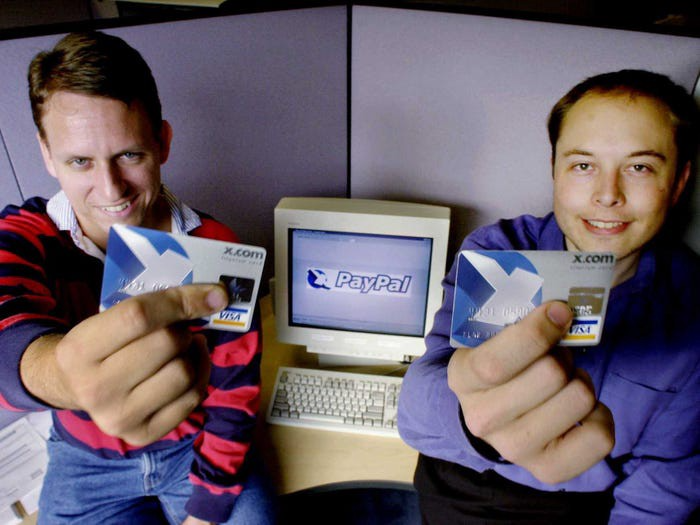
Peter Thiel has $7.36 billion.
Peter is a world-ranked chess player, has a legal degree, and has written profitable novels.
In 1999, he co-founded PayPal with Max Levchin, which merged with X.com.
Peter Thiel made $55 million after selling the company to eBay for $1.5 billion in 2002.
You may be wondering…
How did Peter turn $55 million into his now multi-billion dollar net worth?
One amazing investment?
Facebook.
Thiel was Facebook's first external investor. He bought 10% of the company for $500,000 in 2004.
This investment returned 159% annually, 200x in 8 years.
By 2012, Thiel sold almost all his Facebook shares, becoming a billionaire.
What was the investment thesis of Peter?
This investment appeared ridiculous. Facebook was an innovative startup.
Thiel's $500,000 contribution transformed Facebook.
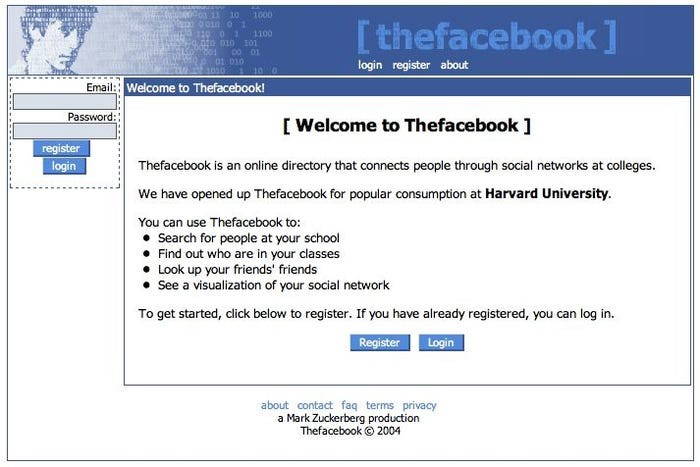
Harvard students have access to Facebook's 8 features and 1 photo per profile.
How did Peter determine that this would be a wise investment, then?
Facebook is a mimetic desire machine.
Social media's popularity is odd. Why peek at strangers' images on a computer?
Peter Thiel studied under French thinker Rene Girard at Stanford.
Mimetic Desire explains social media's success.
Mimetic Desire is the idea that humans desire things simply because other people do.
If nobody wanted it, would you?
Would you desire a family, a luxury car, or expensive clothes if no one else did? Girard says no.
People we admire affect our aspirations because we're social animals. Every person has a role model.
Our nonreligious culture implies role models are increasingly other humans, not God.
The idea explains why social media influencers are so powerful.
Why would Andrew Tate or Kim Kardashian matter if people weren't mimetic?
Humanity is fundamentally motivated by social comparison.
Facebook takes advantage of this need for social comparison, and puts it on a global scale.
It aggregates photographs and updates from millions of individuals.
Facebook mobile allows 24/7 social comparison.
Thiel studied mimetic desire with Girard and realized Facebook exploits the urge for social comparison to gain money.
Social media is more significant and influential than ever, despite Facebook's decline.
Thiel and Girard show that applied philosophy (particularly in business) can be immensely profitable.

Will Lockett
3 years ago
Tesla recently disclosed its greatest secret.
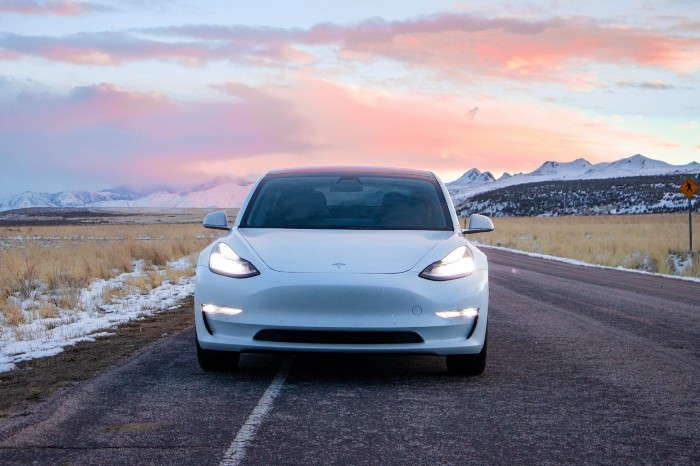
The VP has revealed a secret that should frighten the rest of the EV world.
Tesla led the EV revolution. Elon Musk's invention offers a viable alternative to gas-guzzlers. Tesla has lost ground in recent years. VW, BMW, Mercedes, and Ford offer EVs with similar ranges, charging speeds, performance, and cost. Tesla's next-generation 4680 battery pack, Roadster, Cybertruck, and Semi were all delayed. CATL offers superior batteries than the 4680. Martin Viecha, Tesla's Vice President, recently told Business Insider something that startled the EV world and will establish Tesla as the EV king.
Viecha mentioned that Tesla's production costs have dropped 57% since 2017. This isn't due to cheaper batteries or devices like Model 3. No, this is due to amazing factory efficiency gains.
Musk wasn't crazy to want a nearly 100% automated production line, and Tesla's strategy of sticking with one model and improving it has paid off. Others change models every several years. This implies they must spend on new R&D, set up factories, and modernize service and parts systems. All of this costs a ton of money and prevents them from refining production to cut expenses.
Meanwhile, Tesla updates its vehicles progressively. Everything from the backseats to the screen has been enhanced in a 2022 Model 3. Tesla can refine, standardize, and cheaply produce every part without changing the production line.
In 2017, Tesla's automobile production averaged $84,000. In 2022, it'll be $36,000.
Mr. Viecha also claimed that new factories in Shanghai and Berlin will be significantly cheaper to operate once fully operating.
Tesla's hand is visible. Tesla selling $36,000 cars for $60,000 This barely beats the competition. Model Y long-range costs just over $60,000. Tesla makes $24,000+ every sale, giving it a 40% profit margin, one of the best in the auto business.
VW I.D4 costs about the same but makes no profit. Tesla's rivals face similar challenges. Their EVs make little or no profit.
Tesla costs the same as other EVs, but they're in a different league.
But don't forget that the battery pack accounts for 40% of an EV's cost. Tesla may soon fully utilize its 4680 battery pack.
The 4680 battery pack has larger cells and a unique internal design. This means fewer cells are needed for a car, making it cheaper to assemble and produce (per kWh). Energy density and charge speeds increase slightly.
Tesla underestimated the difficulty of making this revolutionary new cell. Each time they try to scale up production, quality drops and rejected cells rise.
Tesla recently installed this battery pack in Model Ys and is scaling production. If they succeed, Tesla battery prices will plummet.
Tesla's Model Ys 2170 battery costs $11,000. The same size pack with 4680 cells costs $3,400 less. Once scaled, it could be $5,500 (50%) less. The 4680 battery pack could reduce Tesla production costs by 20%.
With these cost savings, Tesla could sell Model Ys for $40,000 while still making a profit. They could offer a $25,000 car.
Even with new battery technology, it seems like other manufacturers will struggle to make EVs profitable.
Teslas cost about the same as competitors, so don't be fooled. Behind the scenes, they're still years ahead, and the 4680 battery pack and new factories will only increase that lead. Musk faces a first. He could sell Teslas at current prices and make billions while other manufacturers struggle. Or, he could massively undercut everyone and crush the competition once and for all. Tesla and Elon win.
You might also like
Ray Dalio
3 years ago
The latest “bubble indicator” readings.
As you know, I like to turn my intuition into decision rules (principles) that can be back-tested and automated to create a portfolio of alpha bets. I use one for bubbles. Having seen many bubbles in my 50+ years of investing, I described what makes a bubble and how to identify them in markets—not just stocks.
A bubble market has a high degree of the following:
- High prices compared to traditional values (e.g., by taking the present value of their cash flows for the duration of the asset and comparing it with their interest rates).
- Conditons incompatible with long-term growth (e.g., extrapolating past revenue and earnings growth rates late in the cycle).
- Many new and inexperienced buyers were drawn in by the perceived hot market.
- Broad bullish sentiment.
- Debt financing a large portion of purchases.
- Lots of forward and speculative purchases to profit from price rises (e.g., inventories that are more than needed, contracted forward purchases, etc.).
I use these criteria to assess all markets for bubbles. I have periodically shown you these for stocks and the stock market.
What Was Shown in January Versus Now
I will first describe the picture in words, then show it in charts, and compare it to the last update in January.
As of January, the bubble indicator showed that a) the US equity market was in a moderate bubble, but not an extreme one (ie., 70 percent of way toward the highest bubble, which occurred in the late 1990s and late 1920s), and b) the emerging tech companies (ie. As well, the unprecedented flood of liquidity post-COVID financed other bubbly behavior (e.g. SPACs, IPO boom, big pickup in options activity), making things bubbly. I showed which stocks were in bubbles and created an index of those stocks, which I call “bubble stocks.”
Those bubble stocks have popped. They fell by a third last year, while the S&P 500 remained flat. In light of these and other market developments, it is not necessarily true that now is a good time to buy emerging tech stocks.
The fact that they aren't at a bubble extreme doesn't mean they are safe or that it's a good time to get long. Our metrics still show that US stocks are overvalued. Once popped, bubbles tend to overcorrect to the downside rather than settle at “normal” prices.
The following charts paint the picture. The first shows the US equity market bubble gauge/indicator going back to 1900, currently at the 40% percentile. The charts also zoom in on the gauge in recent years, as well as the late 1920s and late 1990s bubbles (during both of these cases the gauge reached 100 percent ).
The chart below depicts the average bubble gauge for the most bubbly companies in 2020. Those readings are down significantly.
The charts below compare the performance of a basket of emerging tech bubble stocks to the S&P 500. Prices have fallen noticeably, giving up most of their post-COVID gains.
The following charts show the price action of the bubble slice today and in the 1920s and 1990s. These charts show the same market dynamics and two key indicators. These are just two examples of how a lot of debt financing stock ownership coupled with a tightening typically leads to a bubble popping.
Everything driving the bubbles in this market segment is classic—the same drivers that drove the 1920s bubble and the 1990s bubble. For instance, in the last couple months, it was how tightening can act to prick the bubble. Review this case study of the 1920s stock bubble (starting on page 49) from my book Principles for Navigating Big Debt Crises to grasp these dynamics.
The following charts show the components of the US stock market bubble gauge. Since this is a proprietary indicator, I will only show you some of the sub-aggregate readings and some indicators.
Each of these six influences is measured using a number of stats. This is how I approach the stock market. These gauges are combined into aggregate indices by security and then for the market as a whole. The table below shows the current readings of these US equity market indicators. It compares current conditions for US equities to historical conditions. These readings suggest that we’re out of a bubble.
1. How High Are Prices Relatively?
This price gauge for US equities is currently around the 50th percentile.
2. Is price reduction unsustainable?
This measure calculates the earnings growth rate required to outperform bonds. This is calculated by adding up the readings of individual securities. This indicator is currently near the 60th percentile for the overall market, higher than some of our other readings. Profit growth discounted in stocks remains high.
Even more so in the US software sector. Analysts' earnings growth expectations for this sector have slowed, but remain high historically. P/Es have reversed COVID gains but remain high historical.
3. How many new buyers (i.e., non-existing buyers) entered the market?
Expansion of new entrants is often indicative of a bubble. According to historical accounts, this was true in the 1990s equity bubble and the 1929 bubble (though our data for this and other gauges doesn't go back that far). A flood of new retail investors into popular stocks, which by other measures appeared to be in a bubble, pushed this gauge above the 90% mark in 2020. The pace of retail activity in the markets has recently slowed to pre-COVID levels.
4. How Broadly Bullish Is Sentiment?
The more people who have invested, the less resources they have to keep investing, and the more likely they are to sell. Market sentiment is now significantly negative.
5. Are Purchases Being Financed by High Leverage?
Leveraged purchases weaken the buying foundation and expose it to forced selling in a downturn. The leverage gauge, which considers option positions as a form of leverage, is now around the 50% mark.
6. To What Extent Have Buyers Made Exceptionally Extended Forward Purchases?
Looking at future purchases can help assess whether expectations have become overly optimistic. This indicator is particularly useful in commodity and real estate markets, where forward purchases are most obvious. In the equity markets, I look at indicators like capital expenditure, or how much businesses (and governments) invest in infrastructure, factories, etc. It reflects whether businesses are projecting future demand growth. Like other gauges, this one is at the 40th percentile.
What one does with it is a tactical choice. While the reversal has been significant, future earnings discounting remains high historically. In either case, bubbles tend to overcorrect (sell off more than the fundamentals suggest) rather than simply deflate. But I wanted to share these updated readings with you in light of recent market activity.

Nick
3 years ago
This Is How Much Quora Paid Me For 23 Million Content Views
You’ll be surprised; I sure was

Blogging and writing online as a side income has now been around for a significant amount of time. Nowadays, it is a continuously rising moneymaker for prospective writers, with several writing platforms existing online. At the top of the list are Medium, Vocal Media, Newsbreak, and the biggest one of them, Quora, with 300 million active users.
Quora, unlike Medium, is a question-and-answer format platform. On Medium you are permitted to write what you want, while on Quora, you answer questions on topics that you have expertise about. Quora, like Medium, now compensates its authors for the answers they provide in comparison to the previous, in which you had to be admitted to the partner program and were paid to ask questions.
Quora just recently went live with this new partner program, Quora Plus, and the way it works is that it is a subscription for $5 a month which provides you access to metered/monetized stories, in turn compensating the writers for part of that subscription for their answers.
I too on Quora have found a lot of success on the platform, gaining 23 Million Content Views, and 300,000 followers for my space, which is kind of the Quora equivalent of a Medium article. The way in which I was able to do this was entirely thanks to a hack that I uncovered to the Quora algorithm.
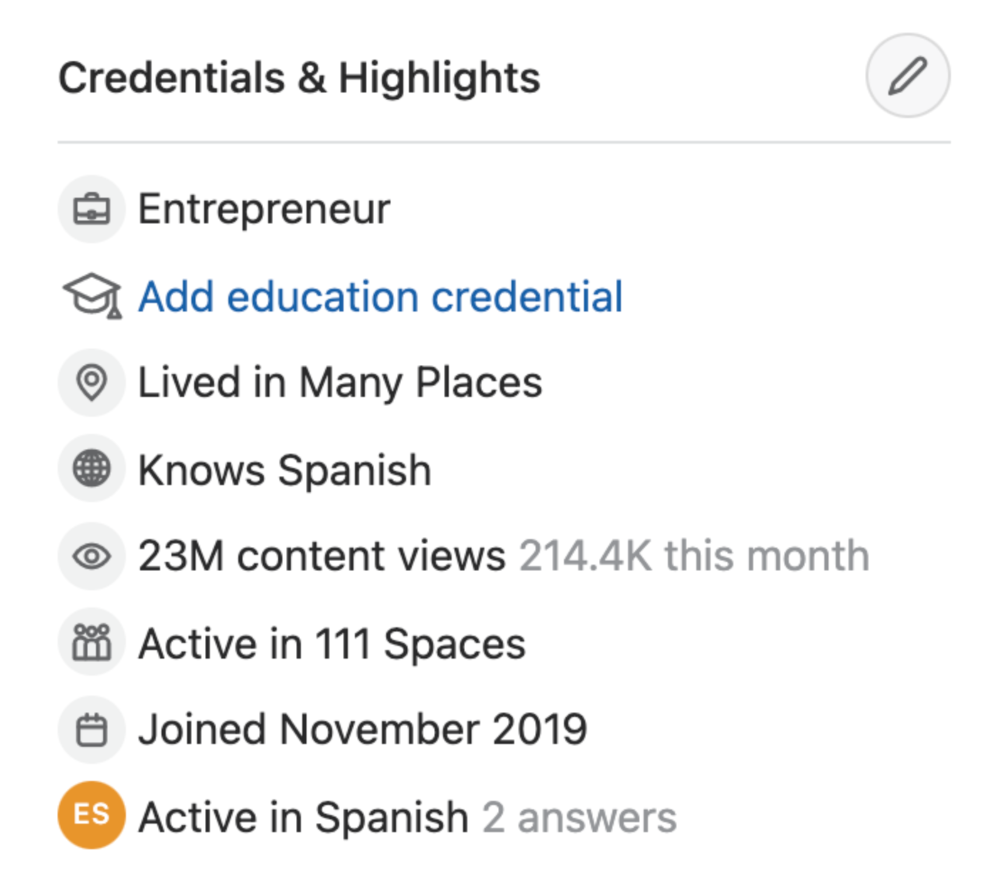
In this article, I plan on discussing how much money I received from 23 million content views on Quora, and I bet you’ll be shocked; I know I was.
A Brief Explanation of How I Got 23 Million Views and How You Can Do It Too
On Quora, everything in terms of obtaining views is about finding the proper question, which I only understood quite late into the game. I published my first response in 2019 but never actually wrote on Quora until the summer of 2020, and about a month into posting consistently I found out how to find the perfect question. Here’s how:
The Process
Go to your Home Page and start scrolling… While browsing, check for the following things…
Answers from people you follow or your followers.
Advertisements
These two things are the two things you want to ignore, you don’t want to answer those questions or look at the ads. You should now be left with a couple of recommended answers. To discover which recommended answer is the best to answer as well, look at these three important aspects.
Date of the answer: Was it in the past few days, preferably 2–3 days, even better, past 24 hours?
Views: Are they in the ten thousands or hundred thousands?
Upvotes: Are they in the hundreds or thousands?
Now, choose an answer to a question which you think you could answer as well that satisfies the requirements above. Once you click on it, as all answers on Quora works, it will redirect you to the page for that question, in which you will have to select once again if you should answer the question.
Amount of answers: How many responses are there to the given question? This tells you how much competition you have. My rule is beyond 25 answers, you shouldn’t answer, but you can change it anyway you’d like.
Answerers: Who did the answering for the question? If the question includes a bunch of renowned, extremely well-known people on Quora, there’s a good possibility your essay is going to get drowned out.
Views: Check for a constant quantity of high views on each answer for the question; this is what will guarantee that your answer gets a lot of views!
The Income Reveal! How Much I Made From 23 Million Content Views
DRUM ROLL, PLEASE!
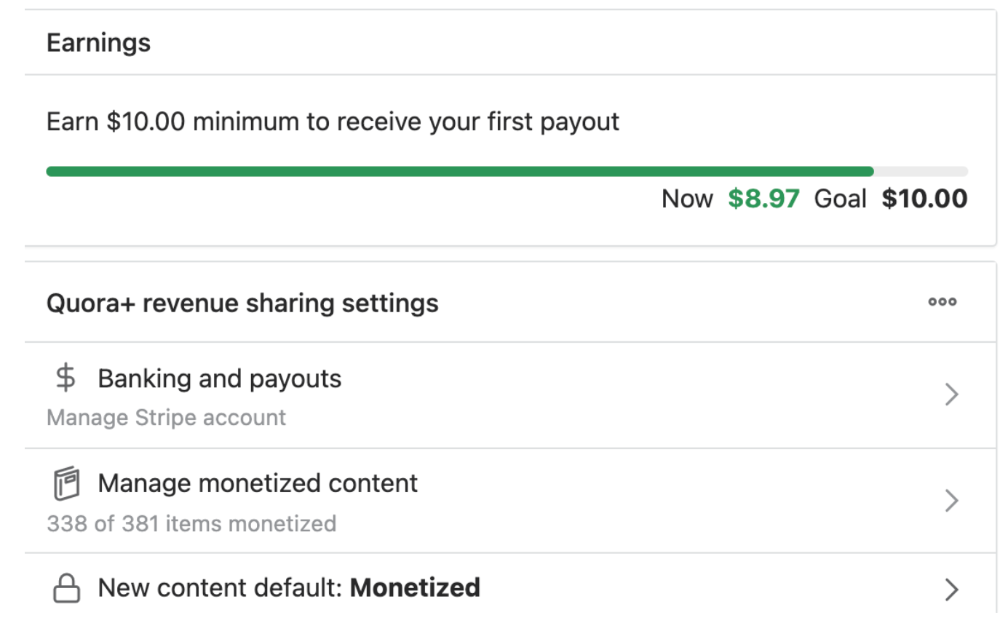
8.97 USD. Yes, not even ten dollars, not even nine. Just eight dollars and ninety-seven cents.
Possible Reasons for My Low Earnings
Quora Plus and the answering partner program are newer than my Quora views.
Few people use Quora+, therefore revenues are low.
I haven't been writing much on Quora, so I'm only making money from old answers and a handful since Quora Plus launched.
Quora + pays poorly...
Should You Try Quora and Quora For Money?
My answer depends on your needs. I never got invited to Quora's question partner program due to my late start, but other writers have made hundreds. Due to Quora's new and competitive answering partner program, you may not make much money.
If you want a fun writing community, try Quora. Quora was fun when I only made money from my space. Quora +'s paywalls and new contributors eager to make money have made the platform less fun for me.
This article is a summary to save you time. You can read my full, more detailed article, here.

obimy.app
3 years ago
How TikTok helped us grow to 6 million users
This resulted to obimy's new audience.
Hi! obimy's official account. Here, we'll teach app developers and marketers. In 2022, our downloads increased dramatically, so we'll share what we learned.
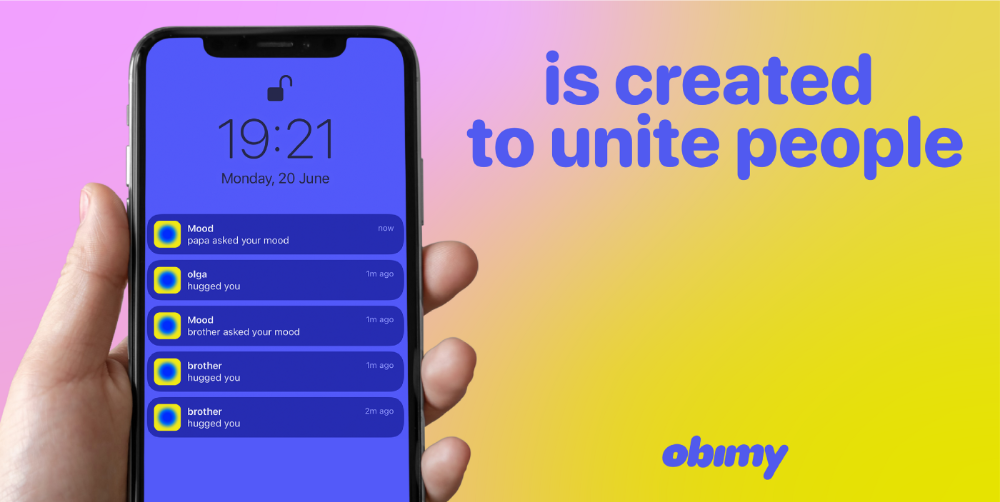
obimy is what we call a ‘senseger’. It's a new method to communicate digitally. Instead of text, obimy users connect through senses and moods. Feeling playful? Flirt with your partner, pat a pal, or dump water on a classmate. Each feeling is an interactive animation with vibration. It's a wordless app. App Store and Google Play have obimy.
We had 20,000 users in 2022. Two to five thousand of them opened the app monthly. Our DAU metric was 500.
We have 6 million users after 6 months. 500,000 individuals use obimy daily. obimy was the top lifestyle app this week in the U.S.
And TikTok helped.
TikTok fuels obimys' growth. It's why our app exploded. How and what did we learn? Our Head of Marketing, Anastasia Avramenko, knows.
our actions prior to TikTok
We wanted to achieve product-market fit through organic expansion. Quora, Reddit, Facebook Groups, Facebook Ads, Google Ads, Apple Search Ads, and social media activity were tested. Nothing worked. Our CPI was sometimes $4, so unit economics didn't work.
We studied our markets and made audience hypotheses. We promoted our goods and studied our audience through social media quizzes. Our target demographic was Americans in long-distance relationships. I designed quizzes like Test the Strength of Your Relationship to better understand the user base. After each quiz, we encouraged users to download the app to enhance their connection and bridge the distance.
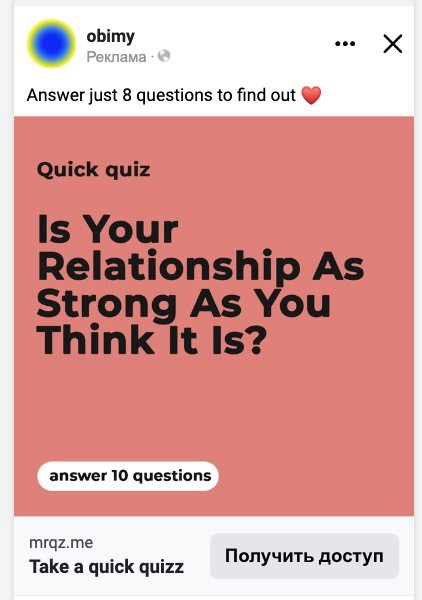
We got 1,000 responses for $50. This helped us comprehend the audience's grief and coping strategies (aka our rivals). I based action items on answers given. If you can't embrace a loved one, use obimy.
We also tried Facebook and Google ads. From the start, we knew it wouldn't work.
We were desperate to discover a free way to get more users.
Our journey to TikTok
TikTok is a great venue for emerging creators. It also helped reach people. Before obimy, my TikTok videos garnered 12 million views without sponsored promotion.
We had to act. TikTok was required.
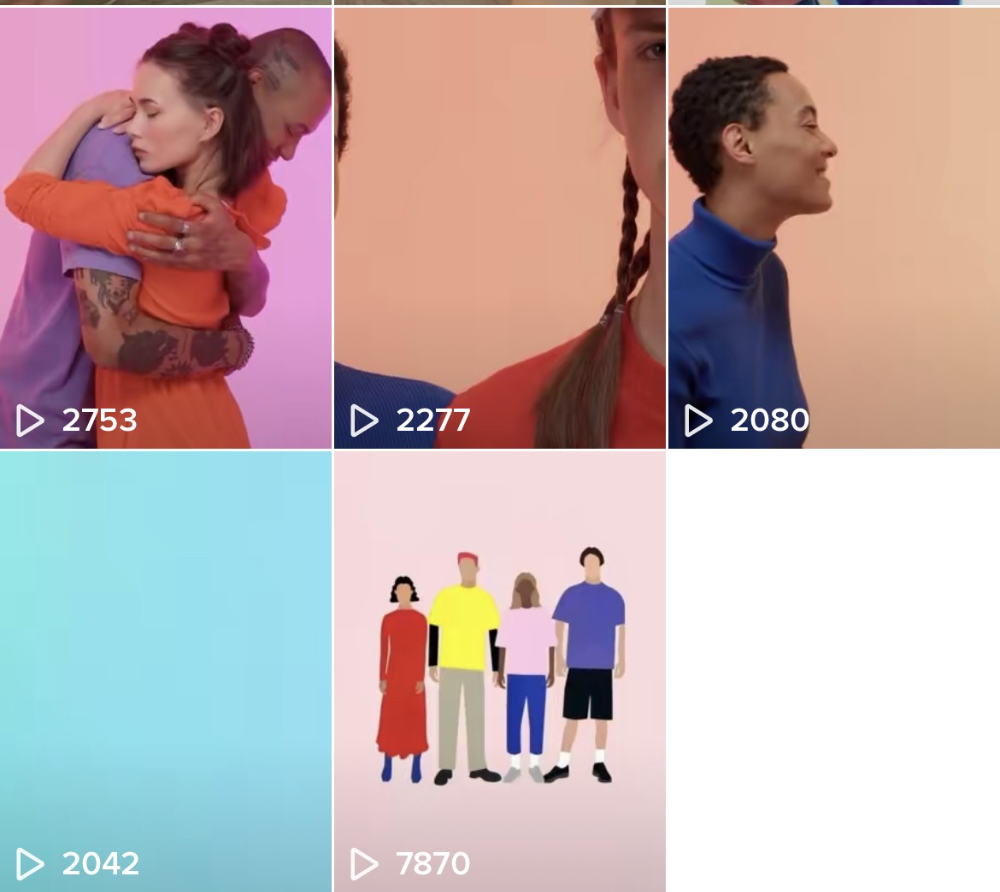
I wasn't a TikTok user before obimy. Initially, I uploaded promotional content. Call-to-actions appear strange next to dancing challenges and my money don't jiggle jiggle. I learned TikTok. Watch TikTok for an hour was on my to-do list. What a dream job!
Our most popular movies presented the app alongside text outlining what it does. We started promoting them in Europe and the U.S. and got a 16% CTR and $1 CPI, an improvement over our previous efforts.
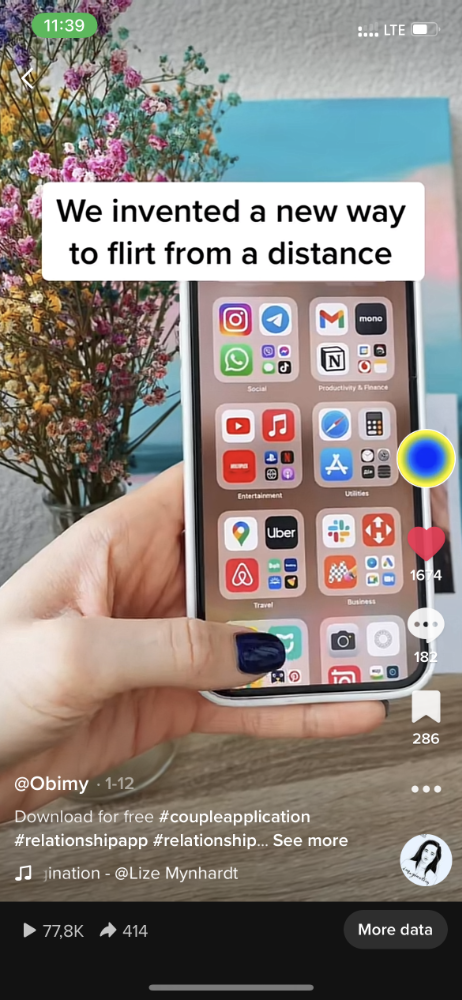
Somehow, we were expanding. So we came up with new hypotheses, calls to action, and content.
Four months passed, yet we saw no organic growth.
Russia attacked Ukraine.
Our app aimed to be helpful. For now, we're focusing on our Ukrainian audience. I posted sloppy TikToks illustrating how obimy can help during shelling or air raids.
In two hours, Kostia sent me our visitor count. Our servers crashed.
Initially, we had several thousand daily users. Over 200,000 users joined obimy in a week. They posted obimy videos on TikTok, drawing additional users. We've also resumed U.S. video promotion.
We gained 2,000,000 new members with less than $100 in ads, primarily in the U.S. and U.K.
TikTok helped.
The figures
We were confident we'd chosen the ideal tool for organic growth.
Over 45 million people have viewed our own videos plus a ton of user-generated content with the hashtag #obimy.
About 375 thousand people have liked all of our individual videos.
The number of downloads and the virality of videos are directly correlated.
Where are we now?
TikTok fuels our organic growth. We post 56 videos every week and pay to promote viral content.
We use UGC and influencers. We worked with Universal Music Italy on Eurovision. They offered to promote us through their million-follower TikTok influencers. We thought their followers would improve our audience, but it didn't matter. Integration didn't help us. Users that share obimy videos with their followers can reach several million views, which affects our download rate.
After the dust settled, we determined our key audience was 13-18-year-olds. They want to express themselves, but it's sometimes difficult. We're searching for methods to better engage with our users. We opened a Discord server to discuss anime and video games and gather app and content feedback.
TikTok helps us test product updates and hypotheses. Example: I once thought we might raise MAU by prompting users to add strangers as friends. Instead of asking our team to construct it, I made a TikTok urging users to share invite URLs. Users share links under every video we upload, embracing people worldwide.
Key lessons
Don't direct-sell. TikTok isn't for Instagram, Facebook, or YouTube promo videos. Conventional advertisements don't fit. Most users will swipe up and watch humorous doggos.
More product videos are better. Finally. So what?
Encourage interaction. Tagging friends in comments or making videos with the app promotes it more than any marketing spend.
Be odd and risqué. A user mistakenly sent a French kiss to their mom in one of our most popular videos.
TikTok helps test hypotheses and build your user base. It also helps develop apps. In our upcoming blog, we'll guide you through obimy's design revisions based on TikTok. Follow us on Twitter, Instagram, and TikTok.