More on Personal Growth

Merve Yılmaz
3 years ago
Dopamine detox
This post is for you if you can't read or study for 5 minutes.

If you clicked this post, you may be experiencing problems focusing on tasks. A few minutes of reading may tire you. Easily distracted? Using social media and video games for hours without being sidetracked may impair your dopamine system.
When we achieve a goal, the brain secretes dopamine. It might be as simple as drinking water or as crucial as college admission. Situations vary. Various events require different amounts.
Dopamine is released when we start learning but declines over time. Social media algorithms provide new material continually, making us happy. Social media use slows down the system. We can't continue without an award. We return to social media and dopamine rewards.
Mice were given a button that released dopamine into their brains to study the hormone. The mice lost their hunger, thirst, and libido and kept pressing the button. Think this is like someone who spends all day gaming or on Instagram?
When we cause our brain to release so much dopamine, the brain tries to balance it in 2 ways:
1- Decreases dopamine production
2- Dopamine cannot reach its target.
Too many quick joys aren't enough. We'll want more joys. Drugs and alcohol are similar. Initially, a beer will get you drunk. After a while, 3-4 beers will get you drunk.
Social media is continually changing. Updates to these platforms keep us interested. When social media conditions us, we can't read a book.
Same here. I used to complete a book in a day and work longer without distraction. Now I'm addicted to Instagram. Daily, I spend 2 hours on social media. This must change. My life needs improvement. So I started the 50-day challenge.
I've compiled three dopamine-related methods.
Recommendations:
Day-long dopamine detox
First, take a day off from all your favorite things. Social media, gaming, music, junk food, fast food, smoking, alcohol, friends. Take a break.
Hanging out with friends or listening to music may seem pointless. Our minds are polluted. One day away from our pleasures can refresh us.
2. One-week dopamine detox by selecting
Choose one or more things to avoid. Social media, gaming, music, junk food, fast food, smoking, alcohol, friends. Try a week without Instagram or Twitter. I use this occasionally.
One week all together
One solid detox week. It's the hardest program. First or second options are best for dopamine detox. Time will help you.
You can walk, read, or pray during a dopamine detox. Many options exist. If you want to succeed, you must avoid instant gratification. Success after hard work is priceless.

Tim Denning
3 years ago
I gave up climbing the corporate ladder once I realized how deeply unhappy everyone at the top was.
Restructuring and layoffs cause career reevaluation. Your career can benefit.

Once you become institutionalized, the corporate ladder is all you know.
You're bubbled. Extremists term it the corporate Matrix. I'm not so severe because the business world brainwashed me, too.
This boosted my corporate career.
Until I hit bottom.
15 months later, I view my corporate life differently. You may wish to advance professionally. Read this before you do.
Your happiness in the workplace may be deceptive.
I've been fortunate to spend time with corporate aces.
Working for 2.5 years in banking social media gave me some of these experiences. Earlier in my career, I recorded interviews with business leaders.
These people have titles like Chief General Manager and Head Of. New titles brought life-changing salaries.
They seemed happy.
I’d pass them in the hallway and they’d smile or shake my hand. I dreamt of having their life.
The ominous pattern
Unfiltered talks with some of them revealed a different world.
They acted well. They were skilled at smiling and saying the correct things. All had the same dark pattern, though.
Something felt off.
I found my conversations with them were generally for their benefit. They hoped my online antics as a writer/coach would shed light on their dilemma.
They'd tell me they wanted more. When you're one position away from CEO, it's hard not to wonder if this next move will matter.
What really displeased corporate ladder chasers
Before ascending further, consider these.
Zero autonomy
As you rise in a company, your days get busier.
Many people and initiatives need supervision. Everyone expects you to know business details. Weak when you don't. A poor leader is fired during the next restructuring and left to pursue their corporate ambition.
Full calendars leave no time for reflection. You can't have a coffee with a friend or waste a day.
You’re always on call. It’s a roll call kinda life.
Unable to express oneself freely
My 8 years of LinkedIn writing helped me meet these leaders.
I didn't think they'd care. Mistake.
Corporate leaders envied me because they wanted to talk freely again without corporate comms or a PR firm directing them what to say.
They couldn't share their flaws or inspiring experiences.
They wanted to.
Every day they were muzzled eroded by their business dream.
Limited family time
Top leaders had families.
They've climbed the corporate ladder. Nothing excellent happens overnight.
Corporate dreamers rarely saw their families.
Late meetings, customer functions, expos, training, leadership days, team days, town halls, and product demos regularly occurred after work.
Or they had to travel interstate or internationally for work events. They used bags and motel showers.
Initially, they said business class flights and hotels were nice. They'd get bored. 5-star hotels become monotonous.
No hotel beats home.
One leader said he hadn't seen his daughter much. They used to Facetime, but now that he's been gone so long, she rarely wants to talk to him.
So they iPad-parented.
You're miserable without your family.
Held captive by other job titles
Going up the business ladder seems like a battle.
Leaders compete for business gains and corporate advancement.
I saw shocking filthy tricks. Leaders would lie to seem nice.
Captives included top officials.
A different section every week. If they ran technology, the Head of Sales would argue their CRM cost millions. Or an Operations chief would battle a product team over support requests.
After one conflict, another began.
Corporate echelons are antagonistic. Huge pay and bonuses guarantee bad behavior.
Overly centered on revenue
As you rise, revenue becomes more prevalent. Most days, you'd believe revenue was everything. Here’s the problem…
Numbers drain us.
Unless you're a closet math nerd, contemplating and talking about numbers drains your creativity.
Revenue will never substitute impact.
Incapable of taking risks
Corporate success requires taking fewer risks.
Risks can cause dismissal. Risks can interrupt business. Keep things moving so you may keep getting paid your enormous salary and bonus.
Restructuring or layoffs are inevitable. All corporate climbers experience it.
On this fateful day, a small few realize the game they’ve been trapped in and escape. Most return to play for a new company, but it takes time.
Addiction keeps them trapped. You know nothing else. The rest is strange.
You start to think “I’m getting old” or “it’s nearly retirement.” So you settle yet again for the trappings of the corporate ladder game to nowhere.
Should you climb the corporate ladder?
Let me end on a surprising note.
Young people should ascend the corporate ladder. It teaches you business skills and helps support your side gig and (potential) online business.
Don't get trapped, shackled, or muzzled.
Your ideas and creativity become stifled after too much gaming play.
Corporate success won't bring happiness.
Find fulfilling employment that matters. That's it.

Andy Murphy
3 years ago
Activating Your Vagus Nerve
11 science-backed ways to improve health, happiness, healing, relaxation, and mental clarity.

Vagus nerve is the main parasympathetic nervous system component.
It helps us rest and digest by slowing and stabilizing a resting heart rate, slowing and stabilizing the breath, promoting digestion, improving recovery and healing times, producing saliva, releasing endorphins and hormones like dopamine, oxytocin, and serotonin, and boosting the immune, digestive, and cardiovascular systems.
The vagus nerve sends anti-inflammatory signals to other parts of the body and is located behind the tongue, in the throat, neck, heart, lungs, abdomen, and brainstem.
Vagus means wandering in Latin. So, it's bold.
Here are 11 proven ways to boost health, happiness, and the vagus nerve.
1. Extend
“Yoga stimulates different nerves in your body, especially the vagus nerve that carries information from the brain to most of the body’s major organs, slows everything down and allows self-regulation. It’s the nerve that is associated with the parasympathetic system and emotions like love, joy, and compassion.” — Deepak Chopra
Stretching doesn't require a yoga background.
Listen to your body and ease into simple poses. This connects the mind and body.
If you're new to yoga or don't have access to an in-person class, try Yoga with Adrienne. Over 600 YouTube videos give her plenty of material.
2. Inhale
Because inhaling and exhaling activate the autonomic nervous system, we can breathe to relax.
Exhaling activates the parasympathetic nervous system (rest and digest). One inhales stress, the other exhales it.
So, faster or more intense breathing increases stress. Slower breathing relaxes us.
Breathe slowly, smoothly, and less.
Rhythmic breathing helps me relax.
What to do is as follows:
1. Take 4 smooth, forceless nose breaths.
2. Exhale smoothly and forcefully for 4 seconds
3. Don't pause at the inhale or exhale.
4. Continue for 5 minutes/40 breaths
5. Hold your breath as long as comfortable.
6. Breathe normally.
If four seconds is too long, try breathing in and out for two seconds, or in and out for three seconds, until your breath naturally relaxes. Once calmer, extend your breath.
Any consistent rhythm without force is good. Your heart will follow your lead and become coherent.
3. Chant/Hum
Singing, chanting, or humming activate the vagus nerve through the back of the throat.
Humming emits nitric oxide.
Nitric oxide improves blood circulation, blood flow, heart health, and blood pressure.
Antiviral, antibacterial, anti-inflammatory, antioxidant, and antimicrobial properties kill viruses and bacteria in the nose and throat.
Gargling water stimulates the vagus nerve.
Simple ways to heal, boost energy, and boost mood are often the healthiest. They're free and can be done anywhere.
4. Have more fun
Laughing stimulates the throat muscles, activating the vagus nerve. What's not to like? It releases dopamine.
Take time to enjoy life. Maybe it's a book, podcast, movie, socializing with friends, or laughing yoga.
Follow your bliss, as Joseph Campbell says.
Laugh at yourself
Actually. Really.
Gagging activates vagus nerve-connected muscles. Some doctors use the gag reflex to test the vagus nerve.
Grossness isn't required. While brushing, gag quickly. My girlfriend's brother always does it.
I'm done brushing when I gag, he says.
6. Take in the outdoors
Nature relaxes body and mind. Better if you can walk barefoot.
Earthing is associated with hippies dancing in daisies.
Science now supports hippies.
7. Enter some chilly water.
The diving reflex activates the vagus nerve when exposed to cold water.
The diving reflex involves holding your breath in cold water. Cold showers work best.
Within minutes of being in cold water, parasympathetic nervous system activity, which calms the body, increases.
8. Workout
Exercise increases dopamine, blood circulation, and breathing. So we feel energized, calm, and well-rested.
After resting, the parasympathetic nervous system engages.
It's worth waiting for, though.
9. Play music with brainwaves
Brainwave music harmonizes brainwave activity, boosts productivity and mental clarity, and promotes peace and relaxation by stimulating the vagus nerve.
Simply play a song.
My favorite.
10. Make gentle eyes
Eyes, like breath, often reflect inner state. Sharp, dilated, focused eyes indicate alertness.
Soft, open eyes reflect relaxation and ease. Soft eyes relax the nervous system.
This practice reduces stress, anxiety, and body tension. It's a quick and effective way to enter a calm, peaceful state.
Wild animals can be hunted one minute and graze the next.
Put it into action:
Relax while seated.
Gaze at a distant object
Use peripheral vision while looking straight ahead
Without moving your eyes, look up and down. Connect side spaces to your vision.
Focus on everything as your eyes soften.
Keep breathing
Stay as long as you like
11. Be intimate
We kiss, moan, and breathe deeper during love. We get dopamine, oxytocin, serotonin, and vagus nerve stimulation.
Why not?
To sum up
Here are 11 vagus nerve resets:
Stretch
Breathe
Hum/Chant
More humor
Amuse yourself
Spend time outdoors
Leap into chilly water
Exercise
Play music with brainwaves.
Make gentle eyes.
Be intimate
If these words have inspired you, try my favorite breathwork technique. Combining breathing, chanting, and brainwave music. Win-win-win :)
You might also like

VIP Graphics
3 years ago
Leaked pitch deck for Metas' new influencer-focused live-streaming service
As part of Meta's endeavor to establish an interactive live-streaming platform, the company is testing with influencers.
The NPE (new product experimentation team) has been testing Super since late 2020.
Bloomberg defined Super as a Cameo-inspired FaceTime-like gadget in 2020. The tool has evolved into a Twitch-like live streaming application.
Less than 100 creators have utilized Super: Creators can request access on Meta's website. Super isn't an Instagram, Facebook, or Meta extension.
“It’s a standalone project,” the spokesperson said about Super. “Right now, it’s web only. They have been testing it very quietly for about two years. The end goal [of NPE projects] is ultimately creating the next standalone project that could be part of the Meta family of products.” The spokesperson said the outreach this week was part of a drive to get more creators to test Super.
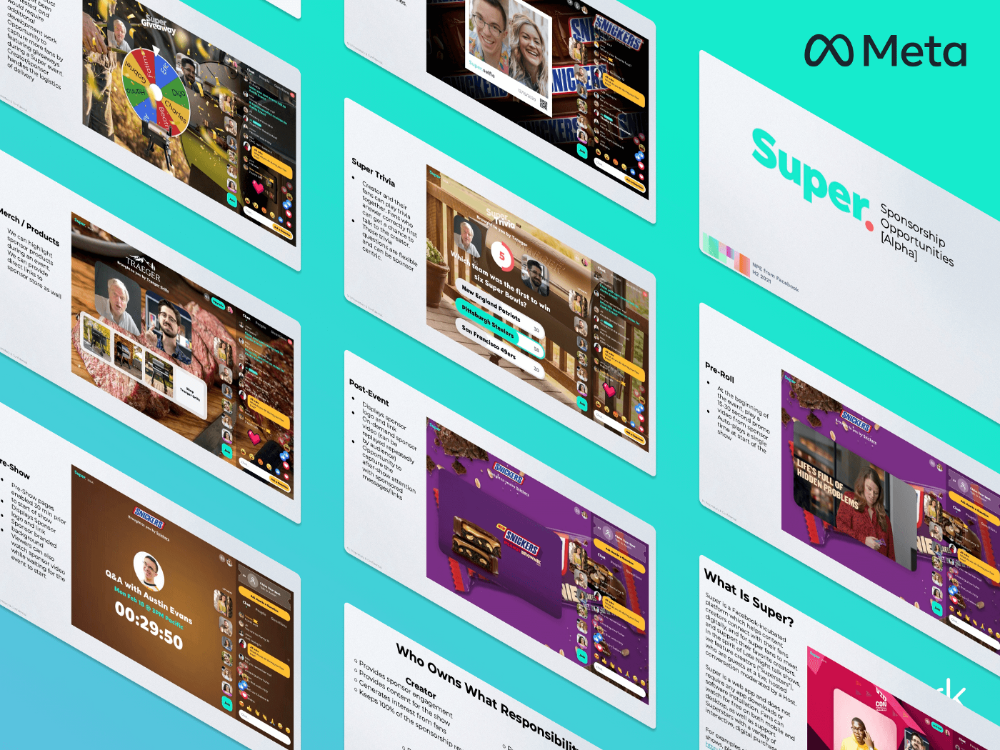
A 2021 pitch deck from Super reveals the inner workings of Meta.
The deck gathered feedback on possible sponsorship models, with mockups of brand deals & features. Meta reportedly paid creators $200 to $3,000 to test Super for 30 minutes.
Meta's pitch deck for Super live streaming was leaked.
What were the slides in the pitch deck for Metas Super?
Embed not supported: see full deck & article here →
View examples of Meta's pitch deck for Super:
Product Slides, first
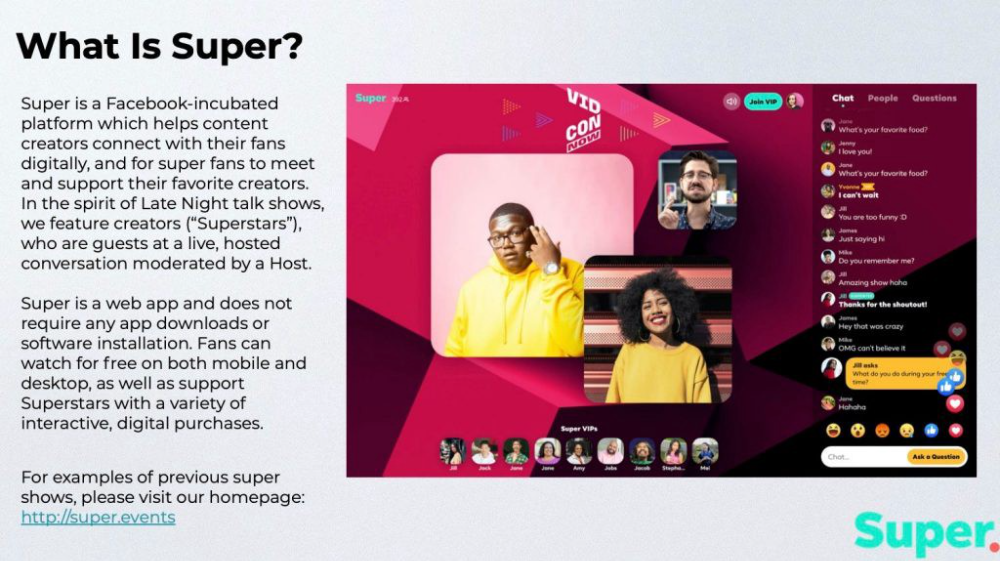
The pitch deck begins with Super's mission:
Super is a Facebook-incubated platform which helps content creators connect with their fans digitally, and for super fans to meet and support their favorite creators. In the spirit of Late Night talk shows, we feature creators (“Superstars”), who are guests at a live, hosted conversation moderated by a Host.
This slide (and most of the deck) is text-heavy, with few icons, bullets, and illustrations to break up the content. Super's online app status (which requires no download or installation) might be used as a callout (rather than paragraph-form).
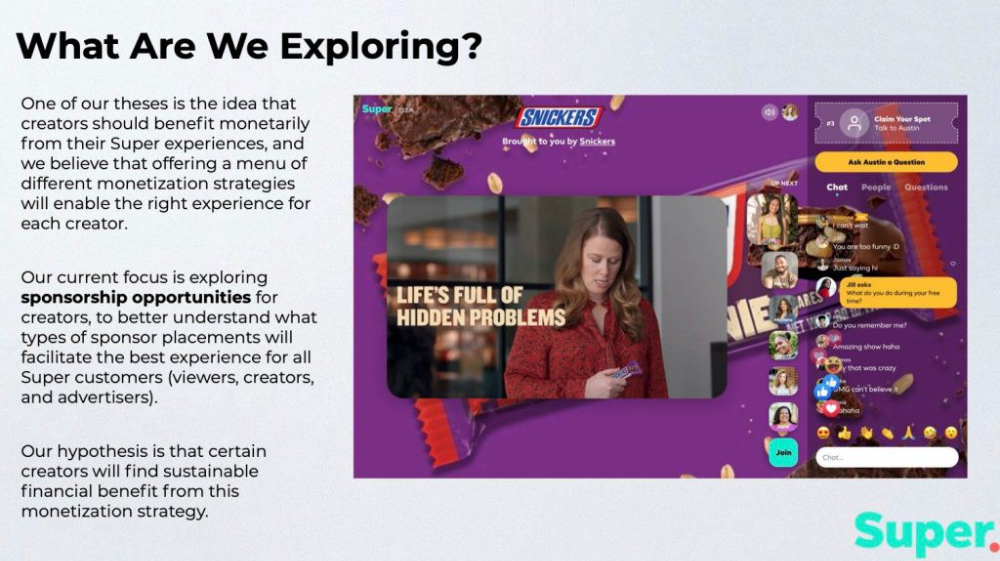
Meta's Super platform focuses on brand sponsorships and native placements, as shown in the slide above.
One of our theses is the idea that creators should benefit monetarily from their Super experiences, and we believe that offering a menu of different monetization strategies will enable the right experience for each creator. Our current focus is exploring sponsorship opportunities for creators, to better understand what types of sponsor placements will facilitate the best experience for all Super customers (viewers, creators, and advertisers).
Colorful mockups help bring Metas vision for Super to life.
2. Slide Features
Super's pitch deck focuses on the platform's features. The deck covers pre-show, pre-roll, and post-event for a Sponsored Experience.
Pre-show: active 30 minutes before the show's start
Pre-roll: Play a 15-minute commercial for the sponsor before the event (auto-plays once)
Meet and Greet: This event can have a branding, such as Meet & Greet presented by [Snickers]
Super Selfies: Makers and followers get a digital souvenir to post on social media.
Post-Event: Possibility to draw viewers' attention to sponsored content/links during the after-show
Almost every screen displays the Sponsor logo, link, and/or branded background. Viewers can watch sponsor video while waiting for the event to start.
Slide 3: Business Model
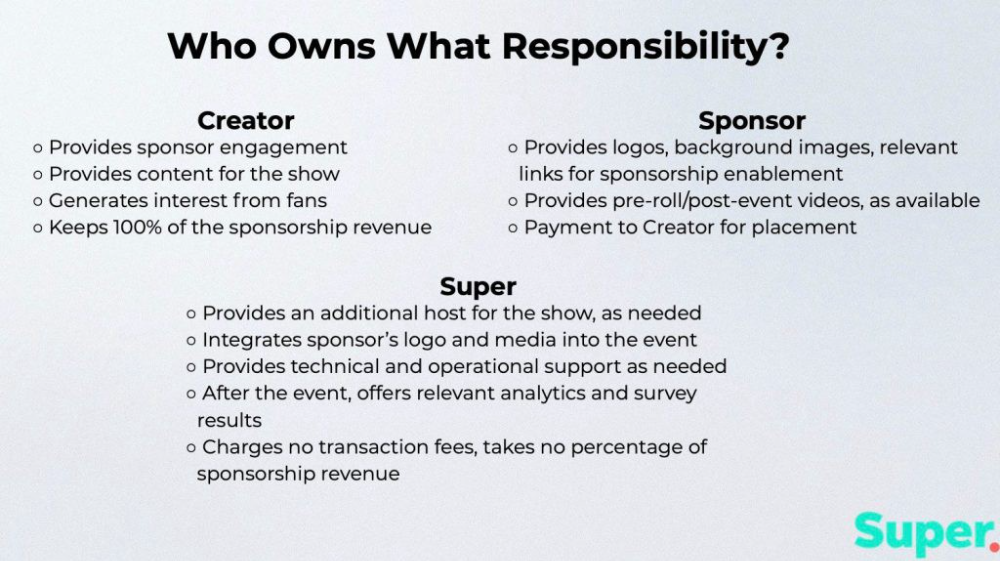
Meta's presentation for Super is incomplete without numbers. Super's first slide outlines the creator, sponsor, and Super's obligations. Super does not charge creators any fees or commissions on sponsorship earnings.
How to make a great pitch deck
We hope you can use the Super pitch deck to improve your business. Bestpitchdeck.com/super-meta is a bookmarkable link.
You can also use one of our expert-designed templates to generate a pitch deck.
Our team has helped close $100M+ in agreements and funding for premier companies and VC firms. Use our presentation templates, one-pagers, or financial models to launch your pitch.
Every pitch must be audience-specific. Our team has prepared pitch decks for various sectors and fundraising phases.
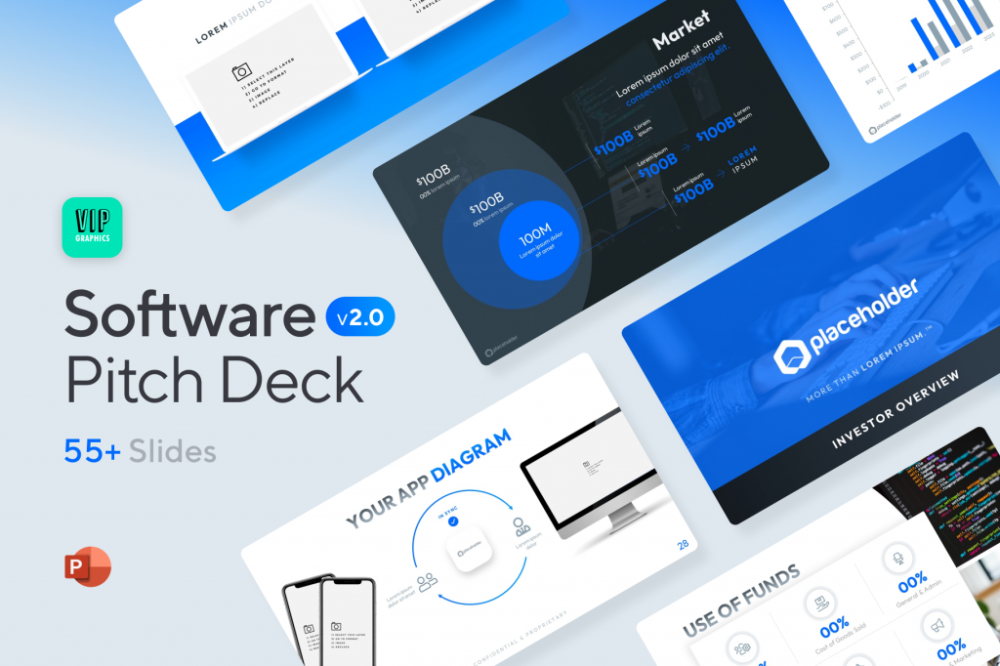
Pitch Deck Software VIP.graphics produced a popular SaaS & Software Pitch Deck based on decks that closed millions in transactions & investments for orgs of all sizes, from high-growth startups to Fortune 100 enterprises. This easy-to-customize PowerPoint template includes ready-made features and key slides for your software firm.
Accelerator Pitch Deck The Accelerator Pitch Deck template is for early-stage founders seeking funding from pitch contests, accelerators, incubators, angels, or VC companies. Winning a pitch contest or getting into a top accelerator demands a strategic investor pitch.
Pitch Deck Template Series Startup and founder pitch deck template: Workable, smart slides. This pitch deck template is for companies, entrepreneurs, and founders raising seed or Series A finance.
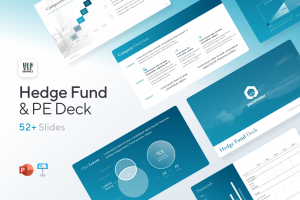
M&A Pitch Deck Perfect Pitch Deck is a template for later-stage enterprises engaging more sophisticated conversations like M&A, late-stage investment (Series C+), or partnerships & funding. Our team prepared this presentation to help creators confidently pitch to investment banks, PE firms, and hedge funds (and vice versa).
Browse our growing variety of industry-specific pitch decks.

Jan-Patrick Barnert
4 years ago
Wall Street's Bear Market May Stick Around
If history is any guide, this bear market might be long and severe.
This is the S&P 500 Index's fourth such incident in 20 years. The last bear market of 2020 was a "shock trade" caused by the Covid-19 pandemic, although earlier ones in 2000 and 2008 took longer to bottom out and recover.
Peter Garnry, head of equities strategy at Saxo Bank A/S, compares the current selloff to the dotcom bust of 2000 and the 1973-1974 bear market marked by soaring oil prices connected to an OPEC oil embargo. He blamed high tech valuations and the commodity crises.
"This drop might stretch over a year and reach 35%," Garnry wrote.
Here are six bear market charts.
Time/depth
The S&P 500 Index plummeted 51% between 2000 and 2002 and 58% during the global financial crisis; it took more than 1,000 trading days to recover. The former took 638 days to reach a bottom, while the latter took 352 days, suggesting the present selloff is young.
Valuations
Before the tech bubble burst in 2000, valuations were high. The S&P 500's forward P/E was 25 times then. Before the market fell this year, ahead values were near 24. Before the global financial crisis, stocks were relatively inexpensive, but valuations dropped more than 40%, compared to less than 30% now.
Earnings
Every stock crash, especially earlier bear markets, returned stocks to fundamentals. The S&P 500 decouples from earnings trends but eventually recouples.
Support
Central banks won't support equity investors just now. The end of massive monetary easing will terminate a two-year bull run that was among the strongest ever, and equities may struggle without cheap money. After years of "don't fight the Fed," investors must embrace a new strategy.
Bear Haunting Bear
If the past is any indication, rising government bond yields are bad news. After the financial crisis, skyrocketing rates and a falling euro pushed European stock markets back into bear territory in 2011.
Inflation/rates
The current monetary policy climate differs from past bear markets. This is the first time in a while that markets face significant inflation and rising rates.
This post is a summary. Read full article here

M.G. Siegler
3 years ago
Apple: Showing Ads on Your iPhone
This report from Mark Gurman has stuck with me:
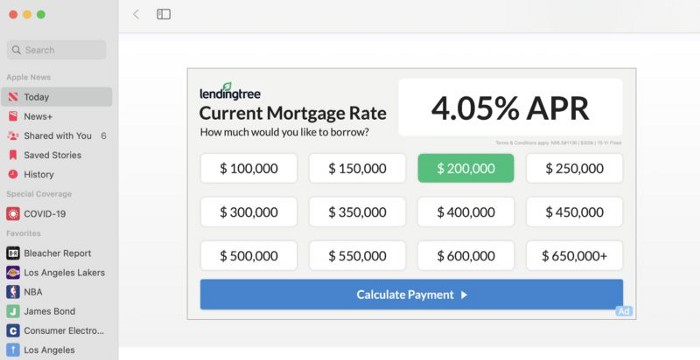
In the News and Stocks apps, the display ads are no different than what you might get on an ad-supported website. In the App Store, the ads are for actual apps, which are probably more useful for Apple users than mortgage rates. Some people may resent Apple putting ads in the News and Stocks apps. After all, the iPhone is supposed to be a premium device. Let’s say you shelled out $1,000 or more to buy one, do you want to feel like Apple is squeezing more money out of you just to use its standard features? Now, a portion of ad revenue from the News app’s Today tab goes to publishers, but it’s not clear how much. Apple also lets publishers advertise within their stories and keep the vast majority of that money. Surprisingly, Today ads also appear if you subscribe to News+ for $10 per month (though it’s a smaller number).
I use Apple News often. It's a good general news catch-up tool, like Twitter without the BS. Customized notifications are helpful. Fast and lovely. Except for advertisements. I have Apple One, which includes News+, and while I understand why the magazines still have brand ads, it's ridiculous to me that Apple enables web publishers to introduce awful ads into this experience. Apple's junky commercials are ridiculous.
We know publishers want and probably requested this. Let's keep Apple News ad-free for the much smaller percentage of paid users, and here's your portion. (Same with Stocks, which is more sillier.)
Paid app placement in the App Store is a wonderful approach for developers to find new users (though far too many of those ads are trying to trick users, in my opinion).
Apple is also planning to increase ads in its Maps app. This sounds like Google Maps, and I don't like it. I never find these relevant, and they clutter up the user experience. Apple Maps now has a UI advantage (though not a data/search one, which matters more).
Apple is nickel-and-diming its customers. We spend thousands for their products and premium services like Apple One. We all know why: income must rise, and new firms are needed to scale. This will eventually backfire.