



More on Entrepreneurship/Creators

Greg Lim
3 years ago
How I made $160,000 from non-fiction books
I've sold over 40,000 non-fiction books on Amazon and made over $160,000 in six years while writing on the side.
I have a full-time job and three young sons; I can't spend 40 hours a week writing. This article describes my journey.
I write mainly tech books:
Thanks to my readers, many wrote positive evaluations. Several are bestsellers.
A few have been adopted by universities as textbooks:
My books' passive income allows me more time with my family.
Knowing I could quit my job and write full time gave me more confidence. And I find purpose in my work (i am in christian ministry).
I'm always eager to write. When work is a dread or something bad happens, writing gives me energy. Writing isn't scary. In fact, I can’t stop myself from writing!
Writing has also established my tech authority. Universities use my books, as I've said. Traditional publishers have asked me to write books.
These mindsets helped me become a successful nonfiction author:
1. You don’t have to be an Authority
Yes, I have computer science experience. But I'm no expert on my topics. Before authoring "Beginning Node.js, Express & MongoDB," my most profitable book, I had no experience with those topics. Node was a new server-side technology for me. Would that stop me from writing a book? It can. I liked learning a new technology. So I read the top three Node books, took the top online courses, and put them into my own book (which makes me know more than 90 percent of people already).
I didn't have to worry about using too much jargon because I was learning as I wrote. An expert forgets a beginner's hardship.
"The fellow learner can aid more than the master since he knows less," says C.S. Lewis. The problem he must explain is recent. The expert has forgotten.”
2. Solve a micro-problem (Niching down)
I didn't set out to write a definitive handbook. I found a market with several challenges and wrote one book. Ex:
- Instead of web development, what about web development using Angular?
- Instead of Blockchain, what about Blockchain using Solidity and React?
- Instead of cooking recipes, how about a recipe for a specific kind of diet?
- Instead of Learning math, what about Learning Singapore Math?
3. Piggy Backing Trends
The above topics may still be a competitive market. E.g. Angular, React. To stand out, include the latest technologies or trends in your book. Learn iOS 15 instead of iOS programming. Instead of personal finance, what about personal finance with NFTs.
Even though you're a newbie author, your topic is well-known.
4. Publish short books
My books are known for being direct. Many people like this:
Your reader will appreciate you cutting out the fluff and getting to the good stuff. A reader can finish and review your book.
Second, short books are easier to write. Instead of creating a 500-page book for $50 (which few will buy), write a 100-page book that answers a subset of the problem and sell it for less. (You make less, but that's another subject). At least it got published instead of languishing. Less time spent creating a book means less time wasted if it fails. Write a small-bets book portfolio like Daniel Vassallo!
Third, it's $2.99-$9.99 on Amazon (gets 70 percent royalties for ebooks). Anything less receives 35% royalties. $9.99 books have 20,000–30,000 words. If you write more and charge more over $9.99, you get 35% royalties. Why not make it a $9.99 book?
(This is the ebook version.) Paperbacks cost more. Higher royalties allow for higher prices.
5. Validate book idea
Amazon will tell you if your book concept, title, and related phrases are popular. See? Check its best-sellers list.
150,000 is preferable. It sells 2–3 copies daily. Consider your rivals. Profitable niches have high demand and low competition.
Don't be afraid of competitive niches. First, it shows high demand. Secondly, what are the ways you can undercut the completion? Better book? Or cheaper option? There was lots of competition in my NodeJS book's area. None received 4.5 stars or more. I wrote a NodeJS book. Today, it's a best-selling Node book.
What’s Next
So long. Part II follows. Meanwhile, I will continue to write more books!
Follow my journey on Twitter.
This post is a summary. Read full article here

Aaron Dinin, PhD
3 years ago
I'll Never Forget the Day a Venture Capitalist Made Me Feel Like a Dunce
Are you an idiot at fundraising?

Humans undervalue what they don't grasp. Consider NASCAR. How is that a sport? ask uneducated observers. Circular traffic. Driving near a car's physical limits is different from daily driving. When driving at 200 mph, seemingly simple things like changing gas weight or asphalt temperature might be life-or-death.
Venture investors do something similar in entrepreneurship. Most entrepreneurs don't realize how complex venture finance is.
In my early startup days, I didn't comprehend venture capital's intricacy. I thought VCs were rich folks looking for the next Mark Zuckerberg. I was meant to be a sleek, enthusiastic young entrepreneur who could razzle-dazzle investors.
Finally, one of the VCs I was trying to woo set me straight. He insulted me.
How I learned that I was approaching the wrong investor
I was constructing a consumer-facing, pre-revenue marketplace firm. I looked for investors in my old university's alumni database. My city had one. After some research, I learned he was a partner at a growth-stage, energy-focused VC company with billions under management.
Billions? I thought. Surely he can write a million-dollar cheque. He'd hardly notice.
I emailed the VC about our shared alumni status, explaining that I was building a startup in the area and wanted advice. When he agreed to meet the next week, I prepared my pitch deck.
First error.
The meeting seemed like a funding request. Imagine the awkwardness.
His assistant walked me to the firm's conference room and told me her boss was running late. While waiting, I prepared my pitch. I connected my computer to the projector, queued up my PowerPoint slides, and waited for the VC.
He didn't say hello or apologize when he entered a few minutes later. What are you doing?
Hi! I said, Confused but confident. Dinin Aaron. My startup's pitch.
Who? Suspicious, he replied. Your email says otherwise. You wanted help.
I said, "Isn't that a euphemism for contacting investors?" Fundraising I figured I should pitch you.
As he sat down, he smiled and said, "Put away your computer." You need to study venture capital.
Recognizing the business aspects of venture capital
The VC taught me venture capital in an hour. Young entrepreneur me needed this lesson. I assume you need it, so I'm sharing it.
Most people view venture money from an entrepreneur's perspective, he said. They envision a world where venture capital serves entrepreneurs and startups.
As my VC indicated, VCs perceive their work differently. Venture investors don't serve entrepreneurs. Instead, they run businesses. Their product doesn't look like most products. Instead, the VCs you're proposing have recognized an undervalued market segment. By investing in undervalued companies, they hope to profit. It's their investment thesis.
Your company doesn't fit my investment thesis, the venture capitalist told me. Your pitch won't beat my investing theory. I invest in multimillion-dollar clean energy companies. Asking me to invest in you is like ordering a breakfast burrito at a fancy steakhouse. They could, but why? They don't do that.
Yeah, I’m not a fine steak yet, I laughed, feeling like a fool for pitching a growth-stage VC used to looking at energy businesses with millions in revenues on my pre-revenue, consumer startup.
He stressed that it's not necessary. There are investors targeting your company. Not me. Find investors and pitch them.
Remember this when fundraising. Your investors aren't philanthropists who want to help entrepreneurs realize their company goals. Venture capital is a sophisticated investment strategy, and VC firm managers are industry experts. They're looking for companies that meet their investment criteria. As a young entrepreneur, I didn't grasp this, which is why I struggled to raise money. In retrospect, I probably seemed like an idiot. Hopefully, you won't after reading this.

Sanjay Priyadarshi
3 years ago
A 19-year-old dropped out of college to build a $2,300,000,000 company in 2 years.
His success was unforeseeable.
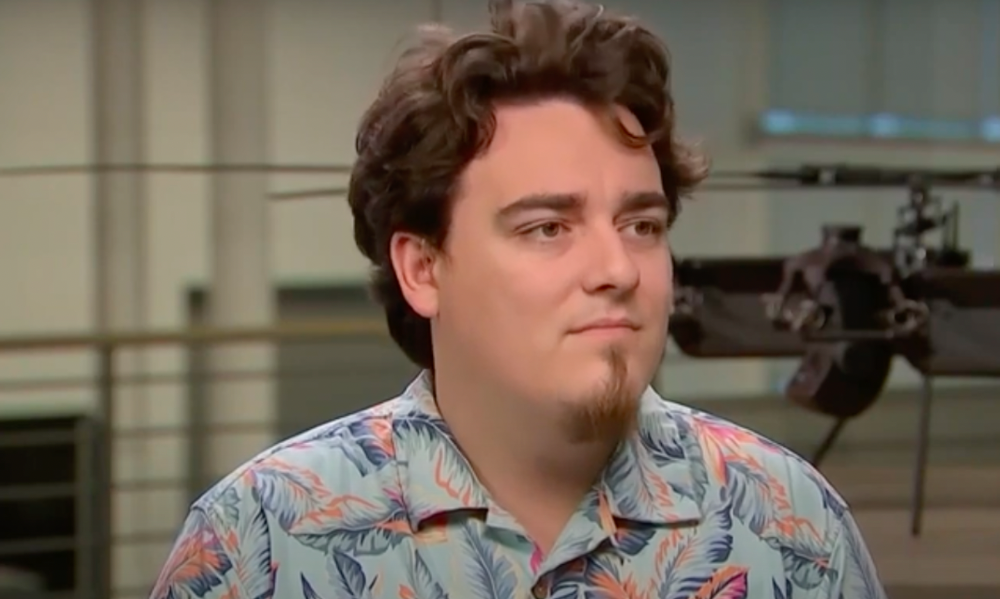
2014 saw Facebook's $2.3 billion purchase of Oculus VR.
19-year-old Palmer Luckey founded Oculus. He quit journalism school. His parents worried about his college dropout.
Facebook bought Oculus VR in less than 2 years.
Palmer Luckey started Anduril Industries. Palmer has raised $385 million with Anduril.
The Oculus journey began in a trailer
Palmer Luckey, 19, owned the trailer.
Luckey had his trailer customized. The trailer had all six of Luckey's screens. In the trailer's remaining area, Luckey conducted hardware tests.
At 16, he became obsessed with virtual reality. Virtual reality was rare at the time.
Luckey didn't know about VR when he started.
Previously, he liked "portabilizing" mods. Hacking ancient game consoles into handhelds.
In his city, fewer portabilizers actively traded.
Luckey started "ModRetro" for other portabilizers. Luckey was exposed to VR headsets online.
Luckey:
“Man, ModRetro days were the best.”
Palmer Luckey used VR headsets for three years. His design had 50 prototypes.
Luckey used to work at the Long Beach Sailing Center for minimum salary, servicing diesel engines and cleaning boats.
Luckey worked in a USC Institute for Creative Technologies mixed reality lab in July 2011. (ICT).
Luckey cleaned the lab, did reports, and helped other students with VR projects.
Luckey's lab job was dull.
Luckey chose to work in the lab because he wanted to engage with like-minded folks.
By 2012, Luckey had a prototype he hoped to share globally. He made cheaper headsets than others.
Luckey wanted to sell an easy-to-assemble virtual reality kit on Kickstarter.
He realized he needed a corporation to do these sales legally. He started looking for names. "Virtuality," "virtual," and "VR" are all taken.
Hence, Oculus.
If Luckey sold a hundred prototypes, he would be thrilled since it would boost his future possibilities.
John Carmack, legendary game designer
Carmack has liked sci-fi and fantasy since infancy.
Carmack loved imagining intricate gaming worlds.
His interest in programming and computer science grew with age.
He liked graphics. He liked how mismatching 0 and 1 might create new colors and visuals.
Carmack played computer games as a teen. He created Shadowforge in high school.
He founded Id software in 1991. When Carmack created id software, console games were the best-sellers.
Old computer games have weak graphics. John Carmack and id software developed "adaptive tile refresh."
This technique smoothed PC game scrolling. id software launched 3-D, Quake, and Doom using "adaptive tile refresh."
These games made John Carmack a gaming star. Later, he sold Id software to ZeniMax Media.
How Palmer Luckey met Carmack
In 2011, Carmack was thinking a lot about 3-D space and virtual reality.
He was underwhelmed by the greatest HMD on the market. Because of their flimsiness and latency.
His disappointment was partly due to the view (FOV). Best HMD had 40-degree field of view.
Poor. The best VR headset is useless with a 40-degree FOV.
Carmack intended to show the press Doom 3 in VR. He explored VR headsets and internet groups for this reason.
Carmack identified a VR enthusiast in the comments section of "LEEP on the Cheap." "PalmerTech" was the name.
Carmack approached PalmerTech about his prototype. He told Luckey about his VR demos, so he wanted to see his prototype.
Carmack got a Rift prototype. Here's his May 17 tweet.
John Carmack tweeted an evaluation of the Luckey prototype.
Dan Newell, a Valve engineer, and Mick Hocking, a Sony senior director, pre-ordered Oculus Rift prototypes with Carmack's help.
Everyone praised Luckey after Carmack demoed Rift.
Palmer Luckey received a job offer from Sony.
It was a full-time position at Sony Computer Europe.
He would run Sony’s R&D lab.
The salary would be $70k.
Who is Brendan Iribe?
Brendan Iribe started early with Startups. In 2004, he and Mike Antonov founded Scaleform.
Scaleform created high-performance middleware. This package allows 3D Flash games.
In 2011, Iribe sold Scaleform to Autodesk for $36 million.
How Brendan Iribe discovered Palmer Luckey.
Brendan Iribe's friend Laurent Scallie.
Laurent told Iribe about a potential opportunity.
Laurent promised Iribe VR will work this time. Laurent introduced Iribe to Luckey.
Iribe was doubtful after hearing Laurent's statements. He doubted Laurent's VR claims.
But since Laurent took the name John Carmack, Iribe thought he should look at Luckey Innovation. Iribe was hooked on virtual reality after reading Palmer Luckey stories.
He asked Scallie about Palmer Luckey.
Iribe convinced Luckey to start Oculus with him
First meeting between Palmer Luckey and Iribe.
The Iribe team wanted Luckey to feel comfortable.
Iribe sought to convince Luckey that launching a company was easy. Iribe told Luckey anyone could start a business.
Luckey told Iribe's staff he was homeschooled from childhood. Luckey took self-study courses.
Luckey had planned to launch a Kickstarter campaign and sell kits for his prototype. Many companies offered him jobs, nevertheless.
He's considering Sony's offer.
Iribe advised Luckey to stay independent and not join a firm. Iribe asked Luckey how he could raise his child better. No one sees your baby like you do?
Iribe's team pushed Luckey to stay independent and establish a software ecosystem around his device.
After conversing with Iribe, Luckey rejected every job offer and merger option.
Iribe convinced Luckey to provide an SDK for Oculus developers.
After a few months. Brendan Iribe co-founded Oculus with Palmer Luckey. Luckey trusted Iribe and his crew, so he started a corporation with him.
Crowdfunding
Brendan Iribe and Palmer Luckey launched a Kickstarter.
Gabe Newell endorsed Palmer's Kickstarter video.
Gabe Newell wants folks to trust Palmer Luckey since he's doing something fascinating and answering tough questions.
Mark Bolas and David Helgason backed Palmer Luckey's VR Kickstarter video.
Luckey introduced Oculus Rift during the Kickstarter campaign. He introduced virtual reality during press conferences.
Oculus' Kickstarter effort was a success. Palmer Luckey felt he could raise $250,000.
Oculus raised $2.4 million through Kickstarter. Palmer Luckey's virtual reality vision was well-received.
Mark Zuckerberg's Oculus discovery
Brendan Iribe and Palmer Luckey hired the right personnel after a successful Kickstarter campaign.
Oculus needs a lot of money for engineers and hardware. They needed investors' money.
Series A raised $16M.
Next, Andreessen Horowitz partner Brain Cho approached Iribe.
Cho told Iribe that Andreessen Horowitz could invest in Oculus Series B if the company solved motion sickness.
Mark Andreessen was Iribe's dream client.
Marc Andreessen and his partners gave Oculus $75 million.
Andreessen introduced Iribe to Zukerberg. Iribe and Zukerberg discussed the future of games and virtual reality by phone.
Facebook's Oculus demo
Iribe showed Zuckerberg Oculus.
Mark was hooked after using Oculus. The headset impressed him.
The whole Facebook crew who saw the demo said only one thing.
“Holy Crap!”
This surprised them all.
Mark Zuckerberg was impressed by the team's response. Mark Zuckerberg met the Oculus team five days after the demo.
First meeting Palmer Luckey.
Palmer Luckey is one of Mark's biggest supporters and loves Facebook.
Oculus Acquisition
Zuckerberg wanted Oculus.
Brendan Iribe had requested for $4 billion, but Mark wasn't interested.
Facebook bought Oculus for $2.3 billion after months of drama.
After selling his company, how does Palmer view money?
Palmer loves the freedom money gives him. Money frees him from small worries.
Money has allowed him to pursue things he wouldn't have otherwise.
“If I didn’t have money I wouldn’t have a collection of vintage military vehicles…You can have nice hobbies that keep you relaxed when you have money.”
He didn't start Oculus to generate money. His virtual reality passion spanned years.
He didn't have to lie about how virtual reality will transform everything until he needed funding.
The company's success was an unexpected bonus. He was merely passionate about a good cause.
After Oculus' $2.3 billion exit, what changed?
Palmer didn't mind being rich. He did similar things.
After Facebook bought Oculus, he moved to Silicon Valley and lived in a 12-person shared house due to high rents.
Palmer might have afforded a big mansion, but he prefers stability and doing things because he wants to, not because he has to.
“Taco Bell is never tasted so good as when you know you could afford to never eat taco bell again.”
Palmer's leadership shifted.
Palmer changed his leadership after selling Oculus.
When he launched his second company, he couldn't work on his passions.
“When you start a tech company you do it because you want to work on a technology, that is why you are interested in that space in the first place. As the company has grown, he has realized that if he is still doing optical design in the company it’s because he is being negligent about the hiring process.”
Once his startup grows, the founder's responsibilities shift. He must recruit better firm managers.
Recruiting talented people becomes the top priority. The founder must convince others of their influence.
A book that helped me write this:
The History of the Future: Oculus, Facebook, and the Revolution That Swept Virtual Reality — Blake Harris
*This post is a summary. Read the full article here.
You might also like

Sad NoCoiner
3 years ago
Two Key Money Principles You Should Understand But Were Never Taught

Prudence is advised. Be debt-free. Be frugal. Spend less.
This advice sounds nice, but it rarely works.
Most people never learn these two money rules. Both approaches will impact how you see personal finance.
It may safeguard you from inflation or the inability to preserve money.
Let’s dive in.
#1: Making long-term debt your ally
High-interest debt hurts consumers. Many credit cards carry 25% yearly interest (or more), so always pay on time. Otherwise, you’re losing money.
Some low-interest debt is good. Especially when buying an appreciating asset with borrowed money.
Inflation helps you.
If you borrow $800,000 at 3% interest and invest it at 7%, you'll make $32,000 (4%).
As money loses value, fixed payments get cheaper. Your assets' value and cash flow rise.
The never-in-debt crowd doesn't know this. They lose money paying off mortgages and low-interest loans early when they could have bought assets instead.
#2: How To Buy Or Build Assets To Make Inflation Irrelevant
Dozens of studies demonstrate actual wage growth is static; $2.50 in 1964 was equivalent to $22.65 now.
These reports never give solutions unless they're selling gold.
But there is one.
Assets beat inflation.
$100 invested into the S&P 500 would have an inflation-adjusted return of 17,739.30%.
Likewise, you can build assets from nothing. Doing is easy and quick. The returns can boost your income by 10% or more.
The people who obsess over inflation inadvertently make the problem worse for themselves. They wait for The Big Crash to buy assets. Or they moan about debt clocks and spending bills instead of seeking a solution.
Conclusion
Being ultra-prudent is like playing golf with a putter to avoid hitting the ball into the water. Sure, you might not slice a drive into the pond. But, you aren’t going to play well either. Or have very much fun.
Money has rules.
Avoiding debt or investment risks will limit your rewards. Long-term, being too cautious hurts your finances.
Disclaimer: This article is for entertainment purposes only. It is not financial advice, always do your own research.

Neeramitra Reddy
3 years ago
The best life advice I've ever heard could very well come from 50 Cent.
He built a $40M hip-hop empire from street drug dealing.
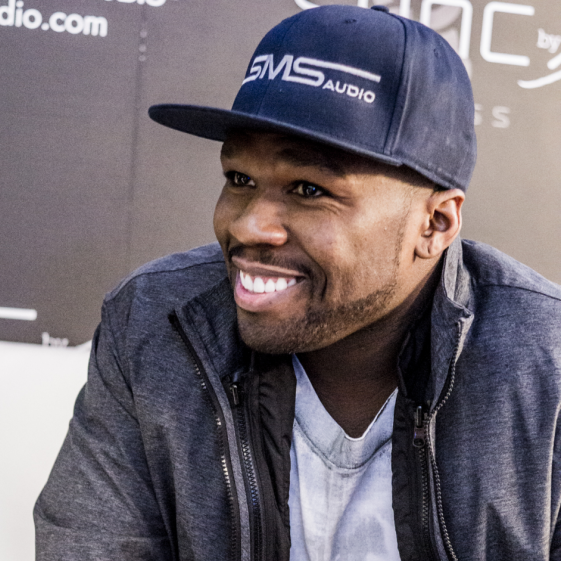
50 Cent was nearly killed by 9mm bullets.
Before 50 Cent, Curtis Jackson sold drugs.
He sold coke to worried addicts after being orphaned at 8.
Pursuing police. Murderous hustlers and gangs. Unwitting informers.
Despite his hard life, his hip-hop career was a success.
An assassination attempt ended his career at the start.
What sane producer would want to deal with a man entrenched in crime?
Most would have drowned in self-pity and drank themselves to death.
But 50 Cent isn't most people. Life on the streets had given him fearlessness.
“Having a brush with death, or being reminded in a dramatic way of the shortness of our lives, can have a positive, therapeutic effect. So it is best to make every moment count, to have a sense of urgency about life.” ― 50 Cent, The 50th Law
50 released a series of mixtapes that caught Eminem's attention and earned him a $50 million deal!
50 Cents turned death into life.
Things happen; that is life.
We want problems solved.
Every human has problems, whether it's Jeff Bezos swimming in his billions, Obama in his comfortable retirement home, or Dan Bilzerian with his hired bikini models.
All problems.
Problems churn through life. solve one, another appears.
It's harsh. Life's unfair. We can face reality or run from it.
The latter will worsen your issues.
“The firmer your grasp on reality, the more power you will have to alter it for your purposes.” — 50 Cent, The 50th Law
In a fantasy-obsessed world, 50 Cent loves reality.
Wish for better problem-solving skills rather than problem-free living.
Don't wish, work.
We All Have the True Power of Alchemy
Humans are arrogant enough to think the universe cares about them.
That things happen as if the universe notices our nanosecond existences.
Things simply happen. Period.
By changing our perspective, we can turn good things bad.
The alchemists' search for the philosopher's stone may have symbolized the ability to turn our lead-like perceptions into gold.
Negativity bias tints our perceptions.
Normal sparring broke your elbow? Rest and rethink your training. Fired? You can improve your skills and get a better job.
Consider Curtis if he had fallen into despair.
The legend we call 50 Cent wouldn’t have existed.
The Best Lesson in Life Ever?
Neither avoid nor fear your reality.
That simple sentence contains every self-help tip and life lesson on Earth.
When reality is all there is, why fear it? avoidance?
Or worse, fleeing?
To accept reality, we must eliminate the words should be, could be, wish it were, and hope it will be.
It is. Period.
Only by accepting reality's chaos can you shape your life.
“Behind me is infinite power. Before me is endless possibility, around me is boundless opportunity. My strength is mental, physical and spiritual.” — 50 Cent

The woman
3 years ago
I received a $2k bribe to replace another developer in an interview
I can't believe they’d even think it works!

Developers are usually interviewed before being hired, right? Every organization wants candidates who meet their needs. But they also want to avoid fraud.
There are cheaters in every field. Only two come to mind for the hiring process:
Lying on a resume.
Cheating on an online test.
Recently, I observed another one. One of my coworkers invited me to replace another developer during an online interview! I was astonished, but it’s not new.
The specifics
My ex-colleague recently texted me. No one from your former office will ever approach you after a year unless they need something.
Which was the case. My coworker said his wife needed help as a programmer. I was glad someone asked for my help, but I'm still a junior programmer.
Then he informed me his wife was selected for a fantastic job interview. He said he could help her with the online test, but he needed someone to help with the online interview.
Okay, I guess. Preparing for an online interview is beneficial. But then he said she didn't need to be ready. She needed someone to take her place.
I told him it wouldn't work. Every remote online interview I've ever seen required an open camera.
What followed surprised me. She'd ask to turn off the camera, he said.
I asked why.
He told me if an applicant is unwell, the interviewer may consider an off-camera interview. His wife will say she's sick and prefers no camera.
The plan left me speechless. I declined politely. He insisted and promised $2k if she got the job.
I felt insulted and told him if he persisted, I'd inform his office. I was furious. Later, I apologized and told him to stop.
I'm not sure what they did after that
I'm not sure if they found someone or listened to me. They probably didn't. How would she do the job if she even got it?
It's an internship, he said. With great pay, though. What should an intern do?
I suggested she do the interview alone. Even if she failed, she'd gain confidence and valuable experience.
Conclusion
Many interviewees cheat. My profession is vital to me, thus I'd rather improve my abilities and apply honestly. It's part of my identity.
Am I truthful? Most professionals are not. They fabricate their CVs. Often.
When you support interview cheating, you encourage more cheating! When someone cheats, another qualified candidate may not obtain the job.
One day, that could be you or me.