


Putin's War On Reality
The dictator's playbook.
Stalin's successor, Nikita Khrushchev, delivered a speech titled "On The Cult Of Personality And Its Consequences" in 1956, three years after Stalin’s death.
It was Stalin's grave abuse of power that caused untold harm to our party.
Stalin acted not by persuasion, explanation, or patient cooperation, but by imposing his ideas and demanding absolute obedience. […]
See where Stalin's mania for greatness led? He had lost all sense of reality.
The speech, which was never made public, shook the Soviet Union and the Soviet Bloc. After Stalin's "cult of personality" was exposed as a lie, only reality remained.
As I've watched the nightmare unfold in Ukraine, I'm reminded of that question. Primarily by Putin's repeated denials.
His odd claim that Ukraine is run by drug addicts and Nazis (especially strange given that Volodymyr Zelenskyy, the Ukrainian president, is Jewish). Others attempt to portray Russia as liberators rather than occupiers. For example, he portrays Luhansk and Donetsk as plucky, newly independent states when they have been totalitarian statelets for 8 years.
Putin seemed to have lost all sense of reality.
Maybe that's why his remarks to an oligarchs' gathering stood out:
Everything is a desperate measure. They gave us no choice. We couldn't do anything about their security risks. […] They could have put the country in jeopardy.
This is almost certainly true from Putin's perspective. Even for Putin, a military invasion seems unlikely. So, what exactly is putting Russia's security in jeopardy? How could Ukraine's independence endanger Russia's existence?
The truth is the only thing that truly terrifies leaders like these.
Trump, the president of “alternative facts,” "and “fake news” praised Putin's fabricated justifications for the Ukraine invasion. Russia tightened news censorship as news of their losses came in. It's no accident that modern dictatorships like Russia (and China and North Korea) restrict citizens' access to information.
Controlling what people see, hear, and think is the simplest method. And Ukraine's recent efforts to join the European Union showed a country whose thoughts Putin couldn't control. With the Russian and Ukrainian peoples so close, he could not control their reality.
He appears to think this is a threat worth fighting NATO over.
It's easy to disown history's great dictators. By the magnitude of their harm. But the strategy they used is still in use today, albeit not to the same devastating effect.
The Kim dynasty in North Korea has ruled for 74 years, Putin has ruled Russia for 19 years (using loopholes and even rewriting the constitution).
“Politicians and diapers must be changed frequently,” said Mark Twain. "And for the same reason.”
When their egos are threatened, they sabre-rattle, as in Kim Jong-un and Donald Trump's famous spat about the size of their...ahem, “nuclear buttons”." Or Putin's threats of mutual destruction this weekend.
Most importantly, they have cult-like control over their followers.
When a leader whose power is built on lies feels he is losing control of the narrative, things like Trump's Jan. 6 meltdown and Putin's current actions in Ukraine are unavoidable.
Leaders who try to control their people's reality will have to die to keep the illusion alive.
Long version of this post available here
More on Current Events
Jared A. Brock
3 years ago
Here is the actual reason why Russia invaded Ukraine
Democracy's demise
Our Ukrainian brothers and sisters are being attacked by a far superior force.
It's the biggest invasion since WWII.
43.3 million peaceful Ukrainians awoke this morning to tanks, mortars, and missiles. Russia is already 15 miles away.
America and the West will not deploy troops.
They're sanctioning. Except railways. And luxuries. And energy. Diamonds. Their dependence on Russian energy exports means they won't even cut Russia off from SWIFT.
Ukraine is desperate enough to hand out guns on the street.
France, Austria, Turkey, and the EU are considering military aid, but Ukraine will fall without America or NATO.
The Russian goal is likely to encircle Kyiv and topple Zelenskyy's government. A proxy power will be reinstated once Russia has total control.
“Western security services believe Putin intends to overthrow the government and install a puppet regime,” says Financial Times foreign affairs commentator Gideon Rachman. This “decapitation” strategy includes municipalities. Ukrainian officials are being targeted for arrest or death.”
Also, Putin has never lost a war.
Why is Russia attacking Ukraine?
Putin, like a snowflake college student, “feels unsafe.”
Why?
Because Ukraine is full of “Nazi ideas.”
Putin claims he has felt threatened by Ukraine since the country's pro-Putin leader was ousted and replaced by a popular Jewish comedian.
Hee hee
He fears a full-scale enemy on his doorstep if Ukraine joins NATO. But he refuses to see it both ways. NATO has never invaded Russia, but Russia has always stolen land from its neighbors. Can you blame them for joining a mutual defense alliance when a real threat exists?
Nations that feel threatened can join NATO. That doesn't justify an attack by Russia. It allows them to defend themselves. But NATO isn't attacking Moscow. They aren't.
Russian President Putin's "special operation" aims to de-Nazify the Jewish-led nation.
To keep Crimea and the other two regions he has already stolen, he wants Ukraine undefended by NATO.
(Warlords have fought for control of the strategically important Crimea for over 2,000 years.)
Putin wants to own all of Ukraine.
Why?
The Black Sea is his goal.
Ports bring money and power, and Ukraine pipelines transport Russian energy products.
Putin wants their wheat, too — with 70% crop coverage, Ukraine would be their southern breadbasket, and Russia has no qualms about starving millions of Ukrainians to death to feed its people.
In the end, it's all about greed and power.
Putin wants to own everything Russia has ever owned. This year he turns 70, and he wants to be remembered like his hero Peter the Great.
In order to get it, he's willing to kill thousands of Ukrainians
Art imitates life
This story began when a Jewish TV comedian portrayed a teacher elected President after ranting about corruption.
Servant of the People, the hit sitcom, is now the leading centrist political party.
Right, President Zelenskyy won the hearts and minds of Ukrainians by imagining a fairer world.
A fair fight is something dictators, corporatists, monopolists, and warlords despise.
Now Zelenskyy and his people will die, allowing one of history's most corrupt leaders to amass even more power.
The poor always lose
Meanwhile, the West will impose economic sanctions on Russia.
China is likely to step in to help Russia — or at least the wealthy.
The poor and working class in Russia will suffer greatly if there is a hard crash or long-term depression.
Putin's friends will continue to drink champagne and eat caviar.
Russia cutting off oil, gas, and fertilizer could cause more inflation and possibly a recession if it cuts off supplies to the West. This causes more suffering and hardship for the Western poor and working class.
Why? a billionaire sociopath gets his dirt.
Yes, Russia is simply copying America. Some of us think all war is morally wrong, regardless of who does it.
But let's not kid ourselves right now.
The markets rallied after the biggest invasion in Europe since WWII.
Investors hope Ukraine collapses and Russian oil flows.
Unbridled capitalists value lifeless.
What we can do about Ukraine
When the Russian army invaded eastern Finland, my wife's grandmother fled as a child. 80 years later, Russia still has Karelia.
Russia invaded Ukraine today to retake two eastern provinces.
History has taught us nothing.
Past mistakes won't fix the future.
Instead, we should try:
- Pray and/or meditate on our actions with our families.
- Stop buying Russian products (vodka, obviously, but also pay more for hydro/solar/geothermal/etc.)
- Stop wasting money on frivolous items and donate it to Ukrainian charities.
Here are 35+ places to donate.
- To protest, gather a few friends, contact the media, and shake signs in front of the Russian embassy.
- Prepare to welcome refugees.
More war won't save the planet or change hearts.
Only love can work.

Scott Galloway
3 years ago
Text-ure
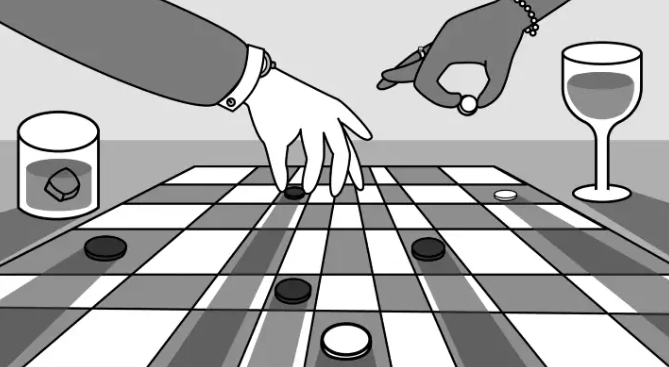
While we played checkers, we thought billionaires played 3D chess. They're playing the same game on a fancier board.
Every medium has nuances and norms. Texting is authentic and casual. A smaller circle has access, creating intimacy and immediacy. Most people read all their texts, but not all their email and mail. Many of us no longer listen to our voicemails, and calling your kids ages you.
Live interviews and testimony under oath inspire real moments, rare in a world where communications departments sanitize everything powerful people say. When (some of) Elon's text messages became public in Twitter v. Musk, we got a glimpse into tech power. It's bowels.
These texts illuminate the tech community's upper caste.
Checkers, Not Chess
Elon texts with Larry Ellison, Joe Rogan, Sam Bankman-Fried, Satya Nadella, and Jack Dorsey. They reveal astounding logic, prose, and discourse. The world's richest man and his followers are unsophisticated, obtuse, and petty. Possibly. While we played checkers, we thought billionaires played 3D chess. They're playing the same game on a fancier board.
They fumble with their computers.

They lean on others to get jobs for their kids (no surprise).
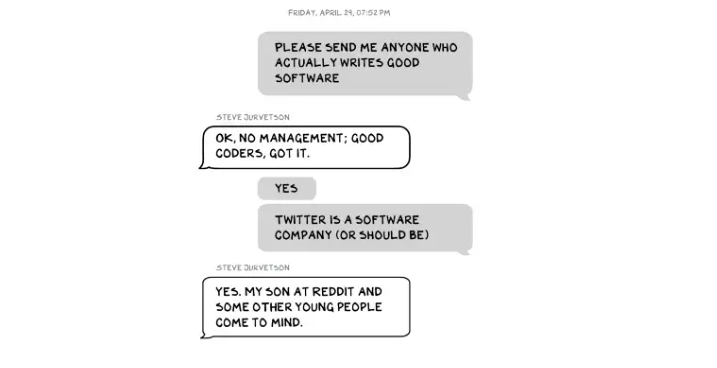
No matter how rich, they always could use more (money).
Differences A social hierarchy exists. Among this circle, the currency of deference is... currency. Money increases sycophantry. Oculus and Elon's "friends'" texts induce nausea.
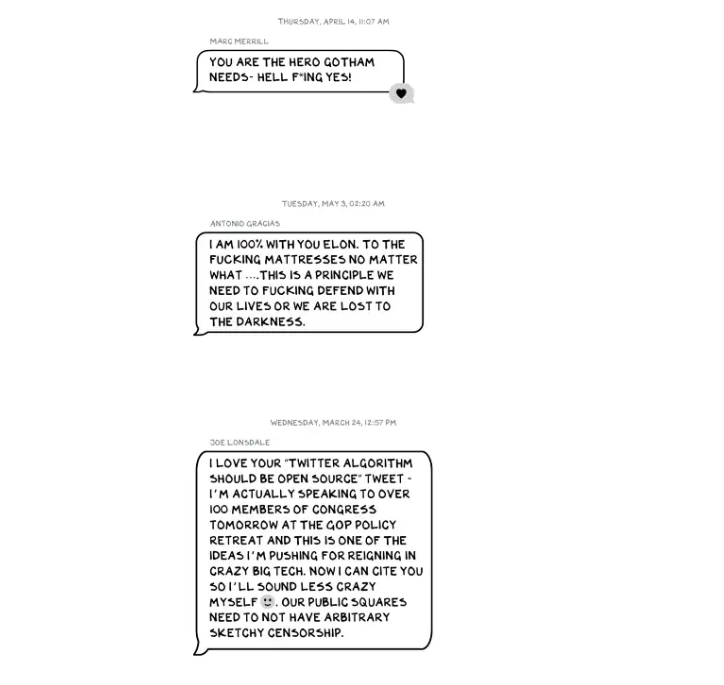
Autocorrect frustrates everyone.

Elon doesn't stand out to me in these texts; he comes off mostly OK in my view. It’s the people around him. It seems our idolatry of innovators has infected the uber-wealthy, giving them an uncontrollable urge to kill the cool kid for a seat at his cafeteria table. "I'd grenade for you." If someone says this and they're not fighting you, they're a fan, not a friend.
Many powerful people are undone by their fake friends. Facilitators, not well-wishers. When Elon-Twitter started, I wrote about power. Unchecked power is intoxicating. This is a scientific fact, not a thesis. Power causes us to downplay risk, magnify rewards, and act on instincts more quickly. You lose self-control and must rely on others.
You'd hope the world's richest person has advisers who push back when necessary (i.e., not yes men). Elon's reckless, childish behavior and these texts show there is no truth-teller. I found just one pushback in the 151-page document. It came from Twitter CEO Parag Agrawal, who, in response to Elon’s unhelpful “Is Twitter dying?” tweet, let Elon know what he thought: It was unhelpful. Elon’s response? A childish, terse insult.
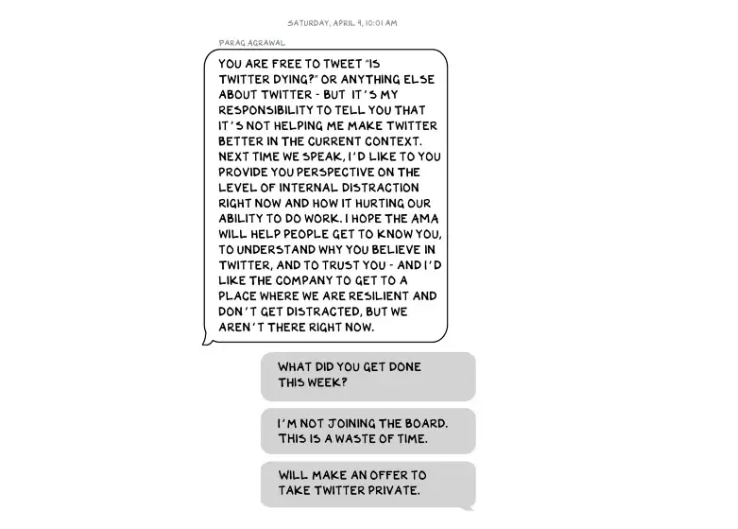
Scale
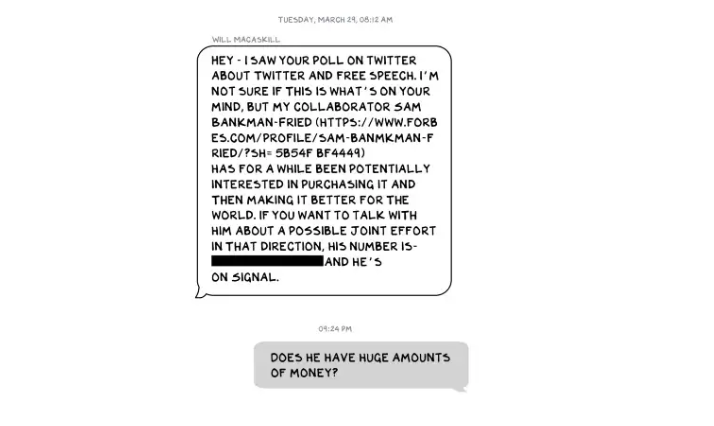
The texts are mostly unremarkable. There are some, however, that do remind us the (super-)rich are different. Specifically, the discussions of possible equity investments from crypto-billionaire Sam Bankman-Fried (“Does he have huge amounts of money?”) and this exchange with Larry Ellison:
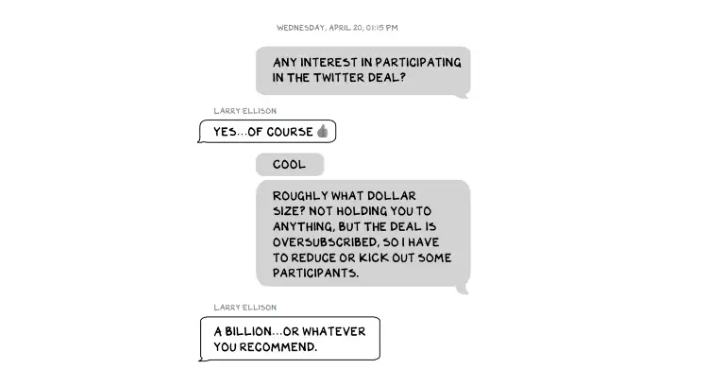
Ellison, who co-founded $175 billion Oracle, is wealthy. Less clear is whether he can text a billion dollars. Who hasn't been texted $1 billion? Ellison offered 8,000 times the median American's net worth, enough to buy 3,000 Ferraris or the Chicago Blackhawks. It's a bedrock principle of capitalism to have incredibly successful people who are exponentially wealthier than the rest of us. It creates an incentive structure that inspires productivity and prosperity. When people offer billions over text to help a billionaire's vanity project in a country where 1 in 5 children are food insecure, isn't America messed up?
Elon's Morgan Stanley banker, Michael Grimes, tells him that Web3 ventures investor Bankman-Fried can invest $5 billion in the deal: “could do $5bn if everything vision lock... Believes in your mission." The message bothers Elon. In Elon's world, $5 billion doesn't warrant a worded response. $5 billion is more than many small nations' GDP, twice the SEC budget, and five times the NRC budget.
If income inequality worries you after reading this, trust your gut.
Billionaires aren't like the rich.
As an entrepreneur, academic, and investor, I've met modest-income people, rich people, and billionaires. Rich people seem different to me. They're smarter and harder working than most Americans. Monty Burns from The Simpsons is a cartoon about rich people. Rich people have character and know how to make friends. Success requires supporters.
I've never noticed a talent or intelligence gap between wealthy and ultra-wealthy people. Conflating talent and luck infects the tech elite. Timing is more important than incremental intelligence when going from millions to hundreds of millions or billions. Proof? Elon's texting. Any man who electrifies the auto industry and lands two rockets on barges is a genius. His mega-billions come from a well-regulated capital market, enforceable contracts, thousands of workers, and billions of dollars in government subsidies, including a $465 million DOE loan that allowed Tesla to produce the Model S. So, is Mr. Musk a genius or an impressive man in a unique time and place?
The Point
Elon's texts taught us more? He can't "fix" Twitter. For two weeks in April, he was all in on blockchain Twitter, brainstorming Dogecoin payments for tweets with his brother — i.e., paid speech — while telling Twitter's board he was going to make a hostile tender offer. Kimbal approved. By May, he was over crypto and "laborious blockchain debates." (Mood.)
Elon asked the Twitter CEO for "an update from the Twitter engineering team" No record shows if he got the meeting. It doesn't "fix" Twitter either. And this is Elon's problem. He's a grown-up child with all the toys and no boundaries. His yes-men encourage his most facile thoughts, and shitposts and errant behavior diminish his genius and ours.
Post-Apocalyptic
The universe's titans have a sense of humor.
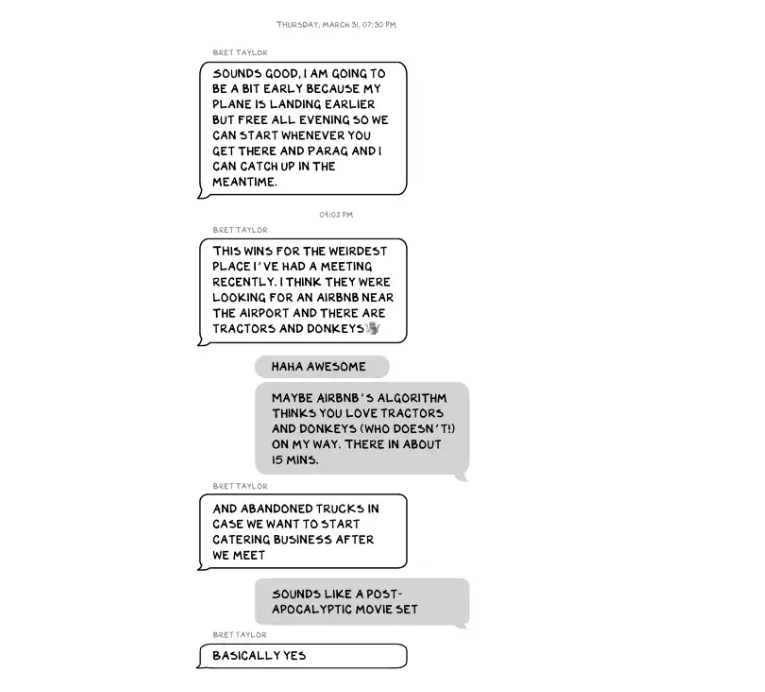
Every day, we must ask: Who keeps me real? Who will disagree with me? Who will save me from my psychosis, which has brought down so many successful people? Elon Musk doesn't need anyone to jump on a grenade for him; he needs to stop throwing them because one will explode in his hand.

Gill Pratt
3 years ago
War's Human Cost
War's Human Cost
I didn't start crying until I was outside a McDonald's in an Olempin, Poland rest area on highway S17.
Children pick toys at a refugee center, Olempin, Poland, March 4, 2022.
Refugee children, mostly alone with their mothers, but occasionally with a gray-haired grandfather or non-Ukrainian father, were coaxed into picking a toy from boxes provided by a kind-hearted company and volunteers.
I went to Warsaw to continue my research on my family's history during the Holocaust. In light of the ongoing Ukrainian conflict, I asked former colleagues in the US Department of Defense and Intelligence Community if it was safe to travel there. They said yes, as Poland was a NATO member.
I stayed in a hotel in the Warsaw Ghetto, where 90% of my mother's family was murdered in the Holocaust. Across the street was the first Warsaw Judenrat. It was two blocks away from the apartment building my mother's family had owned and lived in, now dilapidated and empty.
Building of my great-grandfather, December 2021.
A mass grave of thousands of rocks for those killed in the Warsaw Ghetto, I didn't cry when I touched its cold walls.
Warsaw Jewish Cemetery, 200,000–300,000 graves.
Mass grave, Warsaw Jewish Cemetery.
My mother's family had two homes, one in Warszawa and the rural one was a forest and sawmill complex in Western Ukraine. For the past half-year, a local Ukrainian historian had been helping me discover faint traces of her family’s life there — in fact, he had found some people still alive who remembered the sawmill and that it belonged to my mother’s grandfather. The historian was good at his job, and we had become close.
My historian friend, December 2021, talking to a Ukrainian.
With war raging, my second trip to Warsaw took on a different mission. To see his daughter and one-year-old grandson, I drove east instead of to Ukraine. They had crossed the border shortly after the war began, leaving men behind, and were now staying with a friend on Poland's eastern border.
I entered after walking up to the house and settling with the dog. The grandson greeted me with a huge smile and the Ukrainian word for “daddy,” “Tato!” But it was clear he was awaiting his real father's arrival, and any man he met would be so tentatively named.
After a few moments, the boy realized I was only a stranger. He had musical talent, like his mother and grandfather, both piano teachers, as he danced to YouTube videos of American children's songs dubbed in Ukrainian, picking the ones he liked and crying when he didn't.
Songs chosen by my historian friend's grandson, March 4, 2022
He had enough music and began crying regardless of the song. His mother picked him up and started nursing him, saying she was worried about him. She had no idea where she would live or how she would survive outside Ukraine. She showed me her father's family history of losses in the Holocaust, which matched my own research.
After an hour of drinking tea and trying to speak of hope, I left for the 3.5-hour drive west to Warsaw.
It was unlike my drive east. It was reminiscent of the household goods-filled carts pulled by horses and people fleeing war 80 years ago.
Jewish refugees relocating, USHMM Holocaust Encyclopaedia, 1939.
The carefully chosen trinkets by children to distract them from awareness of what is really happening and the anxiety of what lies ahead, made me cry despite all my research on the Holocaust. There is no way for them to communicate with their mothers, who are worried, absent, and without their fathers.
It's easy to see war as a contest of nations' armies, weapons, and land. The most costly aspect of war is its psychological toll. My father screamed in his sleep from nightmares of his own adolescent trauma in Warsaw 80 years ago.
Survivor father studying engineering, 1961.
In the airport, I waited to return home while Ukrainian public address systems announced refugee assistance. Like at McDonald's, many mothers were alone with their children, waiting for a flight to distant relatives.
That's when I had my worst trip experience.
A woman near me, clearly a refugee, answered her phone, cried out, and began wailing.
The human cost of war descended like a hammer, and I realized that while I was going home, she never would
You might also like
Thomas Smith
3 years ago
ChatGPT Is Experiencing a Lightbulb Moment
Why breakthrough technologies must be accessible
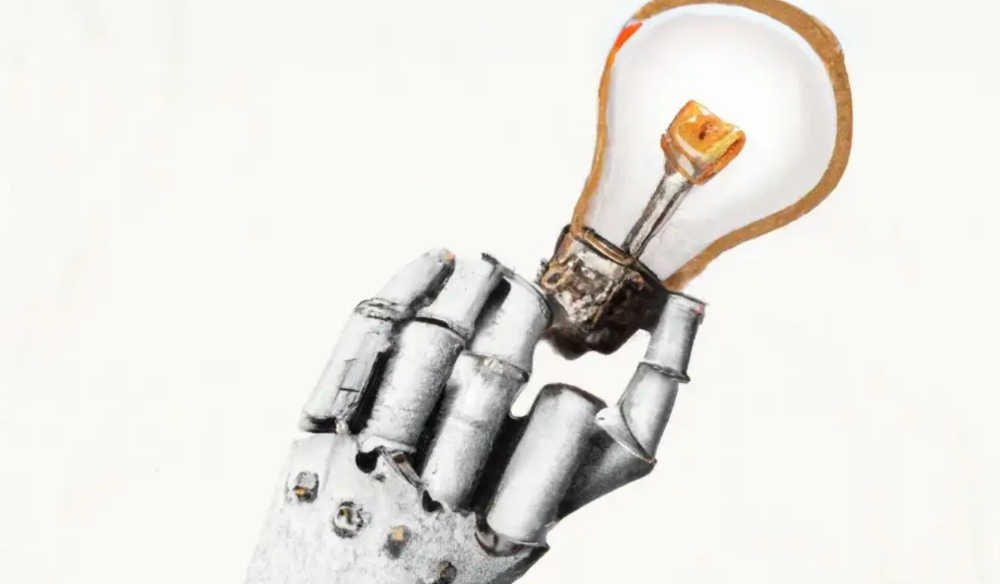
ChatGPT has exploded. Over 1 million people have used the app, and coding sites like Stack Overflow have banned its answers. It's huge.
I wouldn't have called that as an AI researcher. ChatGPT uses the same GPT-3 technology that's been around for over two years.
More than impressive technology, ChatGPT 3 shows how access makes breakthroughs usable. OpenAI has finally made people realize the power of AI by packaging GPT-3 for normal users.
We think of Thomas Edison as the inventor of the lightbulb, not because he invented it, but because he popularized it.
Going forward, AI companies that make using AI easy will thrive.
Use-case importance
Most modern AI systems use massive language models. These language models are trained on 6,000+ years of human text.
GPT-3 ate 8 billion pages, almost every book, and Wikipedia. It created an AI that can write sea shanties and solve coding problems.
Nothing new. I began beta testing GPT-3 in 2020, but the system's basics date back further.
Tools like GPT-3 are hidden in many apps. Many of the AI writing assistants on this platform are just wrappers around GPT-3.
Lots of online utilitarian text, like restaurant menu summaries or city guides, is written by AI systems like GPT-3. You've probably read GPT-3 without knowing it.
Accessibility
Why is ChatGPT so popular if the technology is old?
ChatGPT makes the technology accessible. Free to use, people can sign up and text with the chatbot daily. ChatGPT isn't revolutionary. It does it in a way normal people can access and be amazed by.
Accessibility isn't easy. OpenAI's Sam Altman tweeted that opening ChatGPT to the public increased computing costs.
Each chat costs "low-digit cents" to process. OpenAI probably spends several hundred thousand dollars a day to keep ChatGPT running, with no immediate business case.
Academic researchers and others who developed GPT-3 couldn't afford it. Without resources to make technology accessible, it can't be used.
Retrospective
This dynamic is old. In the history of science, a researcher with a breakthrough idea was often overshadowed by an entrepreneur or visionary who made it accessible to the public.
We think of Thomas Edison as the inventor of the lightbulb. But really, Vasilij Petrov, Thomas Wright, and Joseph Swan invented the lightbulb. Edison made technology visible and accessible by electrifying public buildings, building power plants, and wiring.
Edison probably lost a ton of money on stunts like building a power plant to light JP Morgan's home, the NYSE, and several newspaper headquarters.
People wanted electric lights once they saw their benefits. By making the technology accessible and visible, Edison unlocked a hugely profitable market.
Similar things are happening in AI. ChatGPT shows that developing breakthrough technology in the lab or on B2B servers won't change the culture.
AI must engage people's imaginations to become mainstream. Before the tech impacts the world, people must play with it and see its revolutionary power.
As the field evolves, companies that make the technology widely available, even at great cost, will succeed.
OpenAI's compute fees are eye-watering. Revolutions are costly.

Clive Thompson
3 years ago
Small Pieces of Code That Revolutionized the World
Few sentences can have global significance.
Ethan Zuckerman invented the pop-up commercial in 1997.
He was working for Tripod.com, an online service that let people make little web pages for free. Tripod offered advertising to make money. Advertisers didn't enjoy seeing their advertising next to filthy content, like a user's anal sex website.
Zuckerman's boss wanted a solution. Wasn't there a way to move the ads away from user-generated content?
When you visited a Tripod page, a pop-up ad page appeared. So, the ad isn't officially tied to any user page. It'd float onscreen.
Here’s the thing, though: Zuckerman’s bit of Javascript, that created the popup ad? It was incredibly short — a single line of code:
window.open('http://tripod.com/navbar.html'
"width=200, height=400, toolbar=no, scrollbars=no, resizable=no, target=_top");
Javascript tells the browser to open a 200-by-400-pixel window on top of any other open web pages, without a scrollbar or toolbar.
Simple yet harmful! Soon, commercial websites mimicked Zuckerman's concept, infesting the Internet with pop-up advertising. In the early 2000s, a coder for a download site told me that most of their revenue came from porn pop-up ads.
Pop-up advertising are everywhere. You despise them. Hopefully, your browser blocks them.
Zuckerman wrote a single line of code that made the world worse.
I read Zuckerman's story in How 26 Lines of Code Changed the World. Torie Bosch compiled a humorous anthology of short writings about code that tipped the world.
Most of these samples are quite short. Pop-cultural preconceptions about coding say that important code is vast and expansive. Hollywood depicts programmers as blurs spouting out Niagaras of code. Google's success was formerly attributed to its 2 billion lines of code.
It's usually not true. Google's original breakthrough, the piece of code that propelled Google above its search-engine counterparts, was its PageRank algorithm, which determined a web page's value based on how many other pages connected to it and the quality of those connecting pages. People have written their own Python versions; it's only a few dozen lines.
Google's operations, like any large tech company's, comprise thousands of procedures. So their code base grows. The most impactful code can be brief.
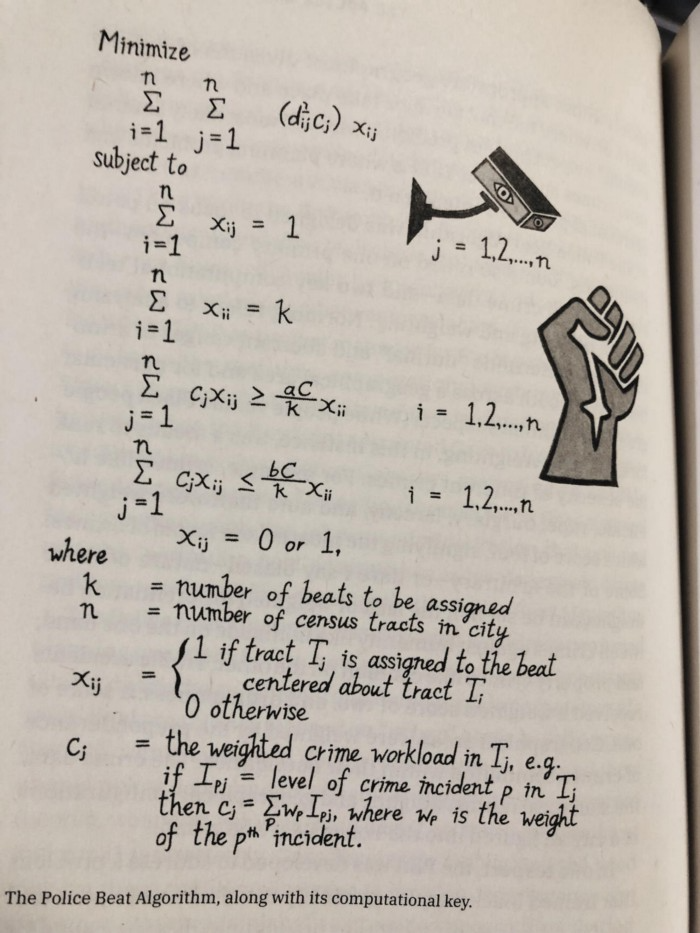
The examples are fascinating and wide-ranging, so read the whole book (or give it to nerds as a present). Charlton McIlwain wrote a chapter on the police beat algorithm developed in the late 1960s to anticipate crime hotspots so law enforcement could dispatch more officers there. It created a racial feedback loop. Since poor Black neighborhoods were already overpoliced compared to white ones, the algorithm directed more policing there, resulting in more arrests, which convinced it to send more police; rinse and repeat.
Kelly Chudler's You Are Not Expected To Understand This depicts the police-beat algorithm.
Even shorter code changed the world: the tracking pixel.
Lily Hay Newman's chapter on monitoring pixels says you probably interact with this code every day. It's a snippet of HTML that embeds a single tiny pixel in an email. Getting an email with a tracking code spies on me. As follows: My browser requests the single-pixel image as soon as I open the mail. My email sender checks to see if Clives browser has requested that pixel. My email sender can tell when I open it.
Adding a tracking pixel to an email is easy:
<img src="URL LINKING TO THE PIXEL ONLINE" width="0" height="0">An older example: Ellen R. Stofan and Nick Partridge wrote a chapter on Apollo 11's lunar module bailout code. This bailout code operated on the lunar module's tiny on-board computer and was designed to prioritize: If the computer grew overloaded, it would discard all but the most vital work.
When the lunar module approached the moon, the computer became overloaded. The bailout code shut down anything non-essential to landing the module. It shut down certain lunar module display systems, scaring the astronauts. Module landed safely.
22-line code
POODOO    INHINT
    CA  Q
    TS  ALMCADR

    TC  BANKCALL
    CADR  VAC5STOR  # STORE ERASABLES FOR DEBUGGING PURPOSES.

    INDEX  ALMCADR
    CAF  0
ABORT2    TC  BORTENT

OCT77770  OCT  77770    # DONT MOVE
    CA  V37FLBIT  # IS AVERAGE G ON
    MASK  FLAGWRD7
    CCS  A
    TC  WHIMPER -1  # YES.  DONT DO POODOO.  DO BAILOUT.

    TC  DOWNFLAG
    ADRES  STATEFLG

    TC  DOWNFLAG
    ADRES  REINTFLG

    TC  DOWNFLAG
    ADRES  NODOFLAG

    TC  BANKCALL
    CADR  MR.KLEAN
    TC  WHIMPER
This fun book is worth reading.
I'm a contributor to the New York Times Magazine, Wired, and Mother Jones. I've also written Coders: The Making of a New Tribe and the Remaking of the World and Smarter Than You Think: How Technology is Changing Our Minds. Twitter and Instagram: @pomeranian99; Mastodon: @clive@saturation.social.

Jano le Roux
3 years ago
Apple Quietly Introduces A Revolutionary Savings Account That Kills Banks
Would you abandon your bank for Apple?
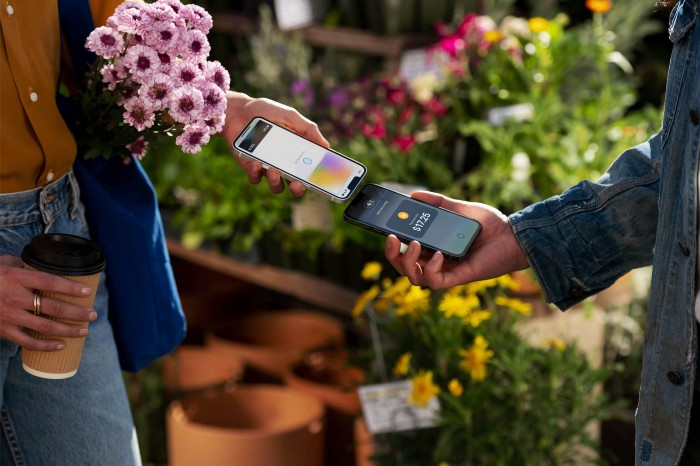
Banks are struggling.
not as a result of inflation
not due to the economic downturn.
not due to the conflict in Ukraine.
But because they’re underestimating Apple.
Slowly but surely, Apple is looking more like a bank.
An easy new savings account like Apple
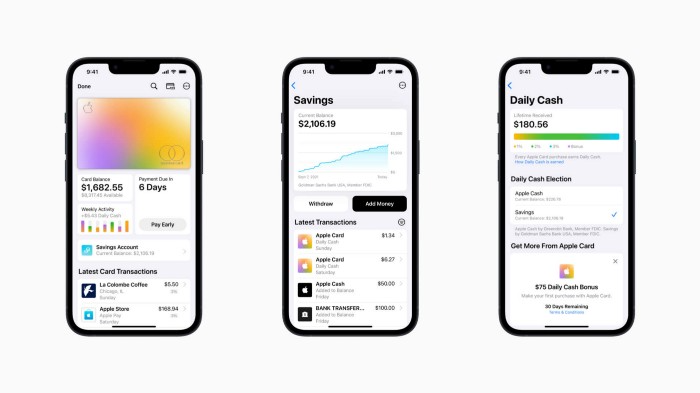
Apple has a new savings account.
Apple says Apple Card users may set up and manage savings straight in Wallet.
No more charges
Colorfully high yields
With no minimum balance
No minimal down payments
Most consumer-facing banks will have to match Apple's offer or suffer disruption.
Users may set it up from their iPhones without traveling to a bank or filling out paperwork.
It’s built into the iPhone in your pocket.
So now more waiting for slow approval processes.
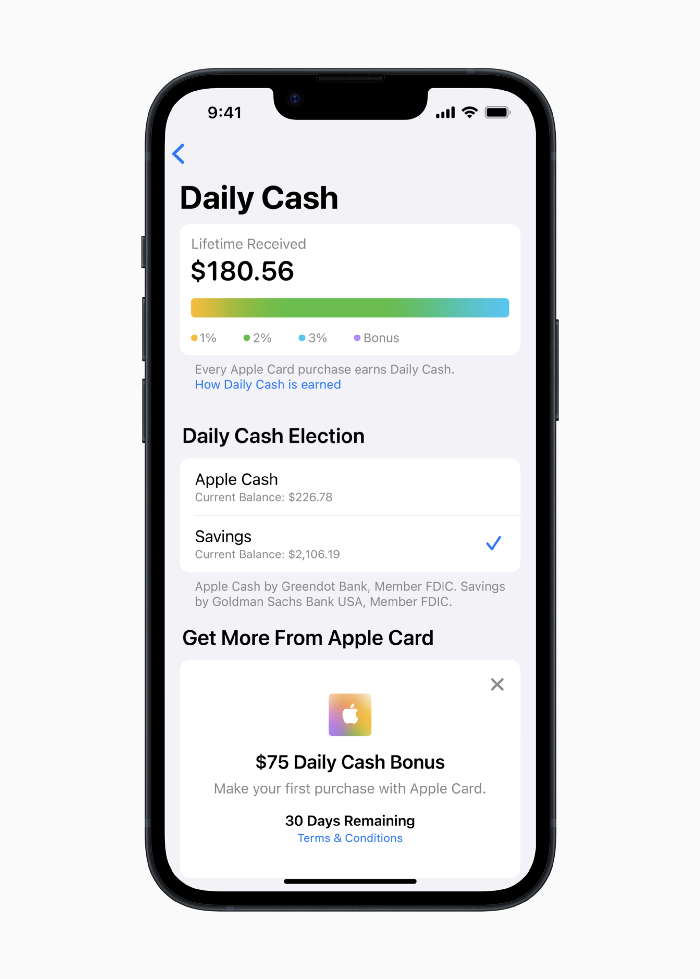
Once the savings account is set up, Apple will automatically transfer all future Daily Cash into it. Users may also add these cash to an Apple Cash card in their Apple Wallet app and adjust where Daily Cash is paid at any time.
Apple Pay and Apple Wallet VP Jennifer Bailey:
Savings enables Apple Card users to grow their Daily Cash rewards over time, while also saving for the future.
Bailey says Savings adds value to Apple Card's Daily Cash benefit and offers another easy-to-use tool to help people lead healthier financial lives.
Transfer money from a linked bank account or Apple Cash to a Savings account. Users can withdraw monies to a connected bank account or Apple Cash card without costs.
Once set up, Apple Card customers can track their earnings via Wallet's Savings dashboard. This dashboard shows their account balance and interest.
This product targets younger people as the easiest way to start a savings account on the iPhone.
Why would a Gen Z account holder travel to the bank if their iPhone could be their bank?
Using this concept, Apple will transform the way we think about banking by 2030.
Two other nightmares keep bankers awake at night
Apple revealed two new features in early 2022 that banks and payment gateways hated.
Tap to Pay with Apple
Late Apple Pay
They startled the industry.
Tap To Pay converts iPhones into mobile POS card readers. Apple Pay Later is pushing the BNPL business in a consumer-friendly direction, hopefully ending dodgy lending practices.
Tap to Pay with Apple
iPhone POS
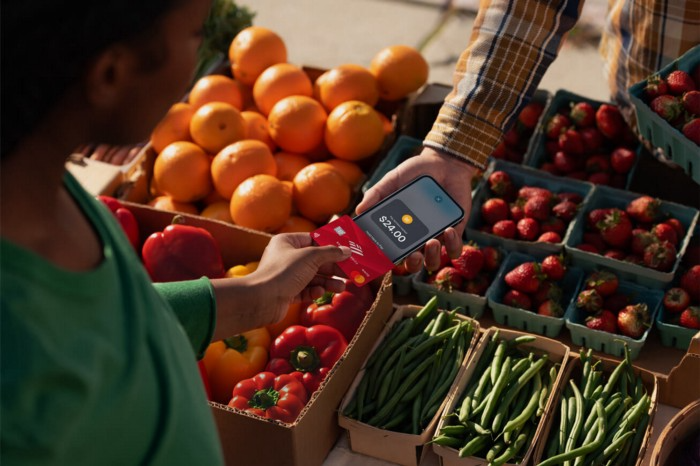
Millions of US merchants, from tiny shops to huge establishments, will be able to accept Apple Pay, contactless credit and debit cards, and other digital wallets with a tap.
No hardware or payment terminal is needed.
Revolutionary!
Stripe has previously launched this feature.
Tap to Pay on iPhone will provide companies with a secure, private, and quick option to take contactless payments and unleash new checkout experiences, said Bailey.
Apple's solution is ingenious. Brilliant!
Bailey says that payment platforms, app developers, and payment networks are making it easier than ever for businesses of all sizes to accept contactless payments and thrive.
I admire that Apple is offering this up to third-party services instead of closing off other functionalities.
Slow POS terminals, farewell.
Late Apple Pay
Pay Apple later.
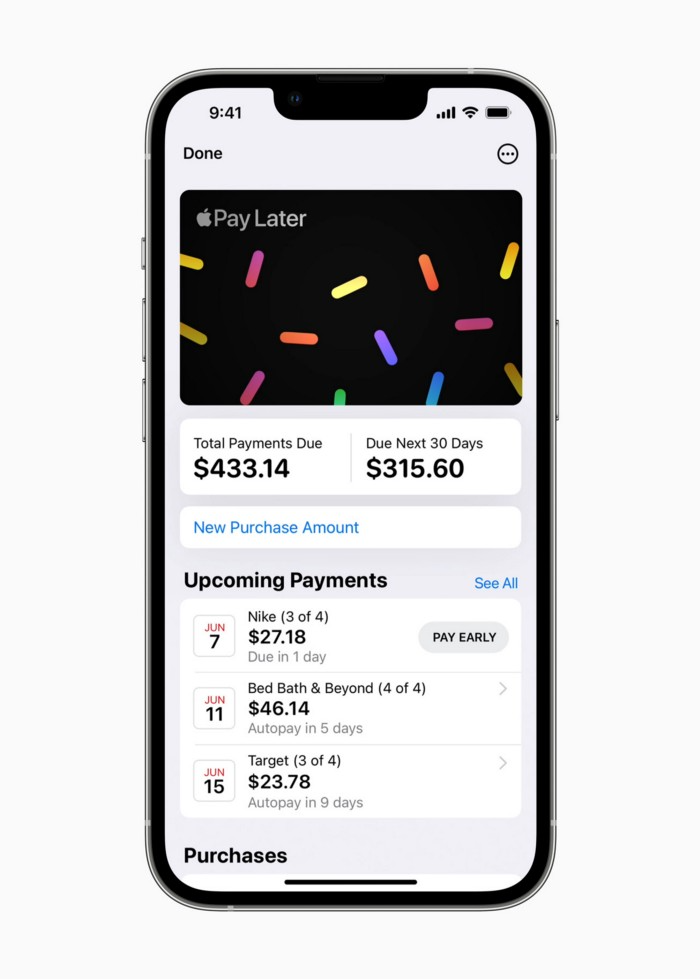
Apple Pay Later enables US consumers split Apple Pay purchases into four equal payments over six weeks with no interest or fees.
The Apple ecosystem integration makes this BNPL scheme unique. Nonstick. No dumb forms.
Frictionless.
Just double-tap the button.
Apple Pay Later was designed with users' financial well-being in mind. Apple makes it easy to use, track, and pay back Apple Pay Later from Wallet.
Apple Pay Later can be signed up in Wallet or when using Apple Pay. Apple Pay Later can be used online or in an app that takes Apple Pay and leverages the Mastercard network.
Apple Pay Order Tracking helps consumers access detailed receipts and order tracking in Wallet for Apple Pay purchases at participating stores.
Bad BNPL suppliers, goodbye.
Most bankers will be caught in Apple's eye playing mini golf in high-rise offices.
The big problem:
Banks still think about features and big numbers just like other smartphone makers did not too long ago.
Apple thinks about effortlessness, seamlessness, and frictionlessness that just work through integrated hardware and software.
Let me know what you think Apple’s next power moves in the banking industry could be.