



More on Entrepreneurship/Creators

Jenn Leach
4 years ago
What TikTok Paid Me in 2021 with 100,000 Followers
I thought it would be interesting to share how much TikTok paid me in 2021.
Onward!
Oh, you get paid by TikTok?
Yes.
They compensate thousands of creators. My Tik Tok account
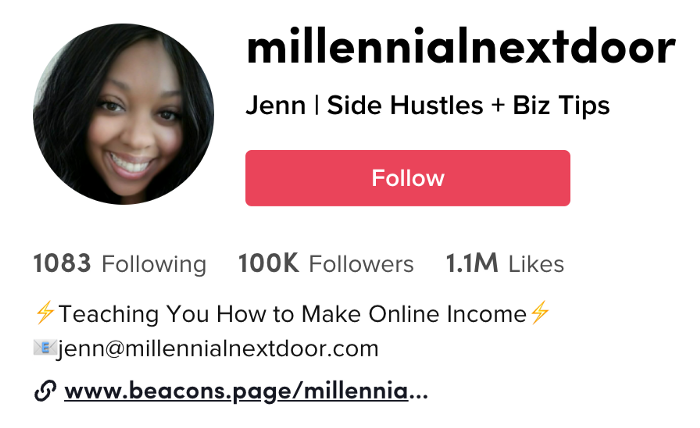
I launched my account in March 2020 and generally post about money, finance, and side hustles.
TikTok creators are paid in several ways.
Fund for TikTok creators
Sponsorships (aka brand deals)
Affiliate promotion
My own creations
Only one, the TikTok Creator Fund, pays me.
The TikTok Creator Fund: What Is It?
TikTok's initiative pays creators.
YouTube's Shorts Fund, Snapchat Spotlight, and other platforms have similar programs.
Creator Fund doesn't pay everyone. Some prerequisites are:
age requirement of at least 18 years
In the past 30 days, there must have been 100,000 views.
a minimum of 10,000 followers
If you qualify, you can apply using your TikTok account, and once accepted, your videos can earn money.
My earnings from the TikTok Creator Fund
Since 2020, I've made $273.65. My 2021 payment is $77.36.
Yikes!
I made between $4.91 to around $13 payout each time I got paid.
TikTok reportedly pays 3 to 5 cents per thousand views.
To live off the Creator Fund, you'd need billions of monthly views.
Top personal finance creator Sara Finance has millions (if not billions) of views and over 700,000 followers yet only received $3,000 from the TikTok Creator Fund.
Goals for 2022
TikTok pays me in different ways, as listed above.
My largest TikTok account isn't my only one.
In 2022, I'll revamp my channel.
It's been a tumultuous year on TikTok for my account, from getting shadow-banned to being banned from the Creator Fund to being accepted back (not at my wish).
What I've experienced isn't rare. I've read about other creators' experiences.
So, some quick goals for this account…
200,000 fans by the year 2023
Consistent monthly income of $5,000
two brand deals each month
For now, that's all.

Desiree Peralta
3 years ago
Why Now Is Your Chance To Create A Millionaire Career
People don’t believe in influencers anymore; they need people like you.
Social media influencers have dominated for years. We've seen videos, images, and articles of *famous* individuals unwrapping, reviewing, and endorsing things.
This industry generates billions. This year, marketers spent $2.23 billion on Instagram, $1 million on Youtube, and $775 million on Tiktok. This marketing has helped start certain companies.
Influencers are dying, so ordinary people like us may take over this billion-dollar sector. Why?
Why influencers are perishing
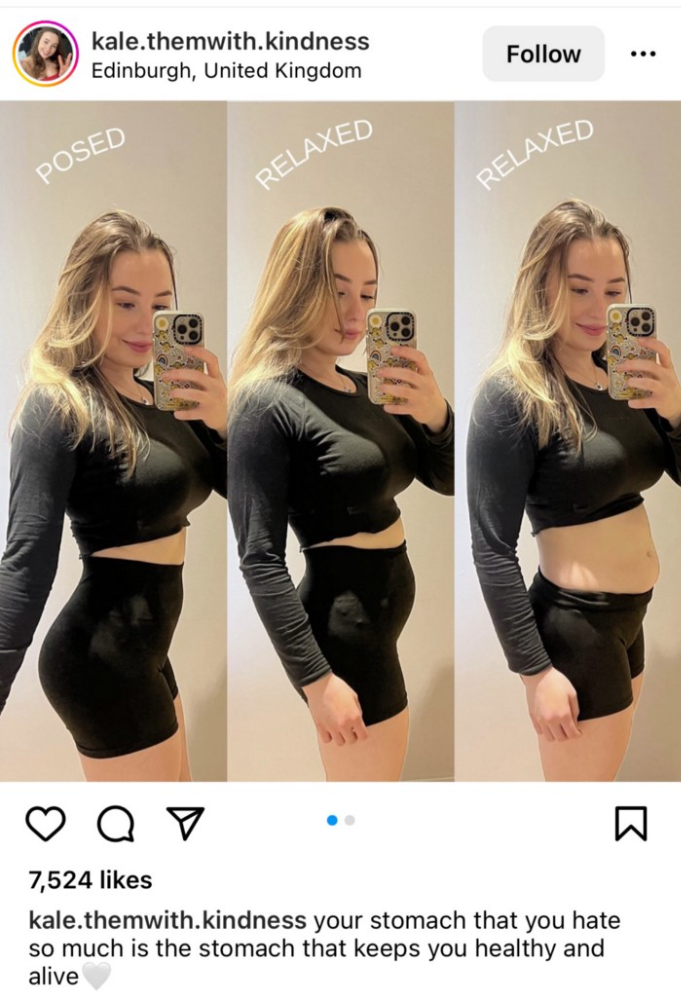
Most influencers lie to their fans, especially on Instagram. Influencers' first purpose was to make their lives so flawless that others would want to buy their stuff.
In 2015, an Australian influencer with 600,000 followers went viral for revealing all her photos and everything she did to seem great before deleting her account.
“I dramatically edited the pictures, I manipulated the environements, and made my life look perfect in social media… I remember I obsessively checked the like count for a full week since uploading it, a selfie that now has close to 2,500 likes. It got 5 likes. This was when I was so hungry for social media validation … This was the reason why I quit social media: for me, personally, it consumed me. I wasn’t living in a 3D world.”
Influencers then lost credibility.
Influencers seem to live in a bubble, separate from us. Thanks to self-popularity love's and constant awareness campaigns, people find these people ridiculous.
Influencers are praised more for showing themselves as natural and common than for showing luxuries and lies.
Little by little, they are dying, making room for a new group to take advantage of this multi-million dollar business, which gives us (ordinary people) a big opportunity to grow on any content creation platform we want.
Why this is your chance to develop on any platform for creating content
In 2021, I wrote “Not everyone who talks about money is a Financial Advisor, be careful of who you take advice from,”. In it, I warned that not everyone with a large following is a reputable source of financial advice.
Other writers hated this post and said I was wrong.
People don't want Jeff Bezos or Elon Musk's counsel, they said. They prefer to hear about their neighbor's restroom problems or his closest friend's terrible business.
Real advice from regular folks.
And I found this was true when I returned to my independent YouTube channel and had more than 1000 followers after having abandoned it with fewer than 30 videos in 2021 since there were already many personal finance and travel channels and I thought mine wasn't special.
People appreciated my videos because I was a 20-something girl trying to make money online, and they believed my advice more than that of influencers with thousands of followers.
I think today is the greatest time to grow on any platform as an ordinary person. Normal individuals give honest recommendations about what works for them and look easier to make because they have the same options as us.
Nobody cares how a millionaire acquired a Lamborghini unless it's entertaining. Education works now. Real counsel from average people is replicable.
Many individuals don't appreciate how false influencers seem (unreal bodies and excessive surgery and retouching) since it makes them feel uneasy.
That's why body-positive advertisements have been so effective, but they've lost ground in places like Tiktok, where the audience wants more content from everyday people than influencers living amazing lives. More people will relate to your content if you appear genuine.
Last thoughts
Influencers are dwindling. People want more real people to give real advice and demonstrate an ordinary life.
People will enjoy anything you tell about your daily life as long as you provide value, and you can build a following rapidly if you're honest.
This is a millionaire industry that is getting more expensive and will go with what works, so stand out immediately.

Nick
4 years ago
This Is How Much Quora Paid Me For 23 Million Content Views
You’ll be surprised; I sure was

Blogging and writing online as a side income has now been around for a significant amount of time. Nowadays, it is a continuously rising moneymaker for prospective writers, with several writing platforms existing online. At the top of the list are Medium, Vocal Media, Newsbreak, and the biggest one of them, Quora, with 300 million active users.
Quora, unlike Medium, is a question-and-answer format platform. On Medium you are permitted to write what you want, while on Quora, you answer questions on topics that you have expertise about. Quora, like Medium, now compensates its authors for the answers they provide in comparison to the previous, in which you had to be admitted to the partner program and were paid to ask questions.
Quora just recently went live with this new partner program, Quora Plus, and the way it works is that it is a subscription for $5 a month which provides you access to metered/monetized stories, in turn compensating the writers for part of that subscription for their answers.
I too on Quora have found a lot of success on the platform, gaining 23 Million Content Views, and 300,000 followers for my space, which is kind of the Quora equivalent of a Medium article. The way in which I was able to do this was entirely thanks to a hack that I uncovered to the Quora algorithm.
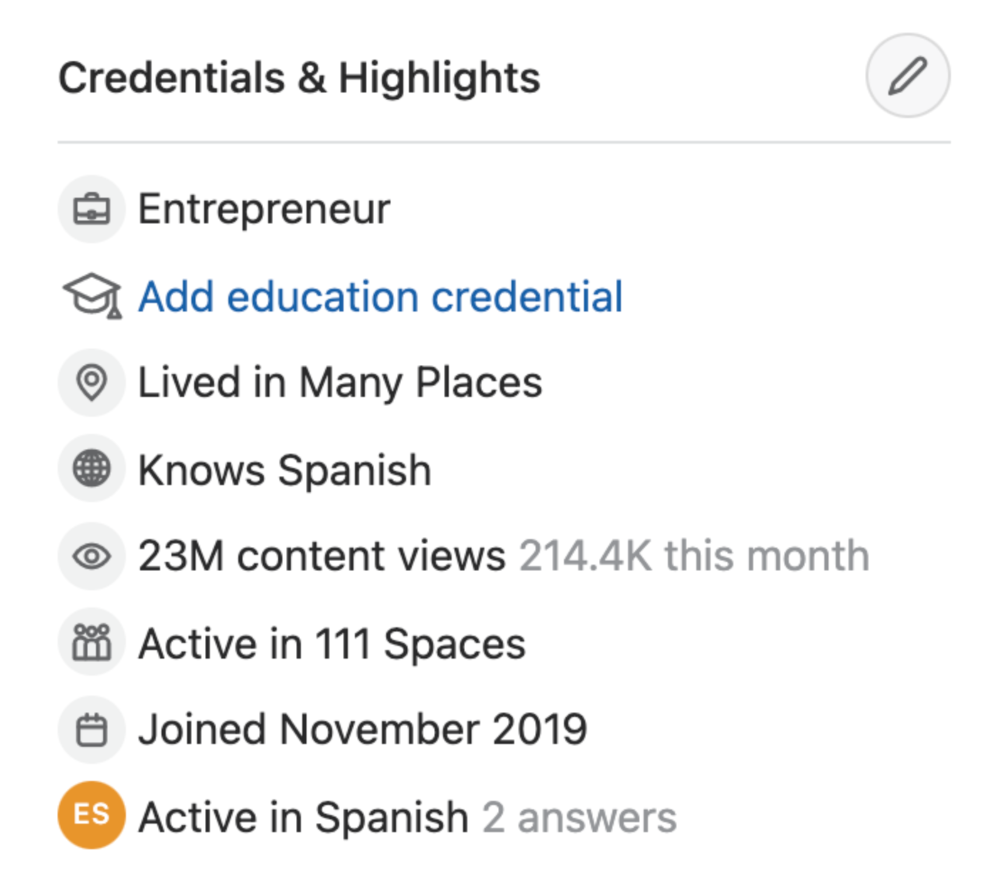
In this article, I plan on discussing how much money I received from 23 million content views on Quora, and I bet you’ll be shocked; I know I was.
A Brief Explanation of How I Got 23 Million Views and How You Can Do It Too
On Quora, everything in terms of obtaining views is about finding the proper question, which I only understood quite late into the game. I published my first response in 2019 but never actually wrote on Quora until the summer of 2020, and about a month into posting consistently I found out how to find the perfect question. Here’s how:
The Process
Go to your Home Page and start scrolling… While browsing, check for the following things…
Answers from people you follow or your followers.
Advertisements
These two things are the two things you want to ignore, you don’t want to answer those questions or look at the ads. You should now be left with a couple of recommended answers. To discover which recommended answer is the best to answer as well, look at these three important aspects.
Date of the answer: Was it in the past few days, preferably 2–3 days, even better, past 24 hours?
Views: Are they in the ten thousands or hundred thousands?
Upvotes: Are they in the hundreds or thousands?
Now, choose an answer to a question which you think you could answer as well that satisfies the requirements above. Once you click on it, as all answers on Quora works, it will redirect you to the page for that question, in which you will have to select once again if you should answer the question.
Amount of answers: How many responses are there to the given question? This tells you how much competition you have. My rule is beyond 25 answers, you shouldn’t answer, but you can change it anyway you’d like.
Answerers: Who did the answering for the question? If the question includes a bunch of renowned, extremely well-known people on Quora, there’s a good possibility your essay is going to get drowned out.
Views: Check for a constant quantity of high views on each answer for the question; this is what will guarantee that your answer gets a lot of views!
The Income Reveal! How Much I Made From 23 Million Content Views
DRUM ROLL, PLEASE!
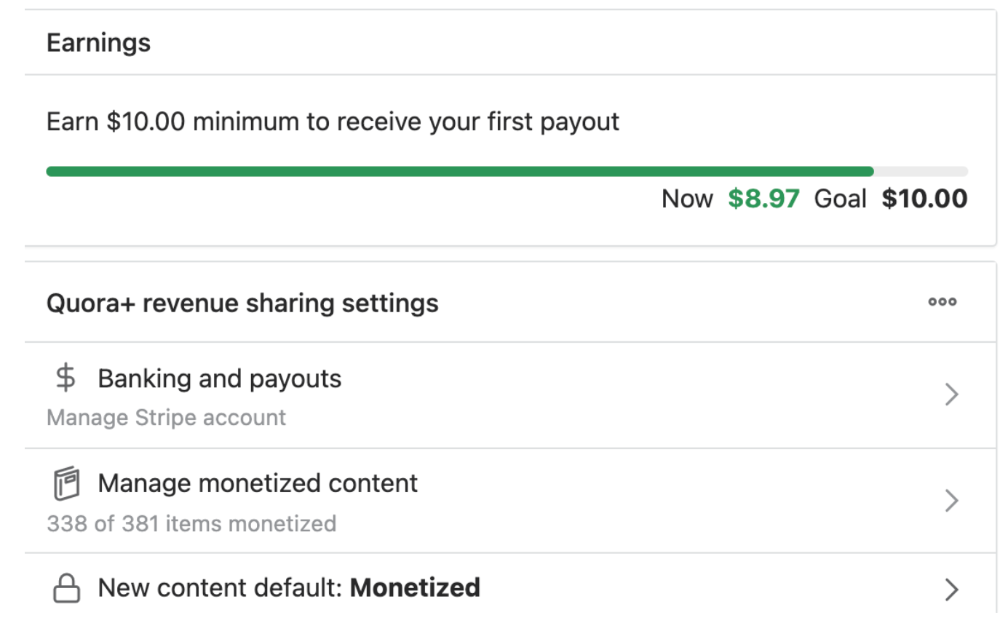
8.97 USD. Yes, not even ten dollars, not even nine. Just eight dollars and ninety-seven cents.
Possible Reasons for My Low Earnings
Quora Plus and the answering partner program are newer than my Quora views.
Few people use Quora+, therefore revenues are low.
I haven't been writing much on Quora, so I'm only making money from old answers and a handful since Quora Plus launched.
Quora + pays poorly...
Should You Try Quora and Quora For Money?
My answer depends on your needs. I never got invited to Quora's question partner program due to my late start, but other writers have made hundreds. Due to Quora's new and competitive answering partner program, you may not make much money.
If you want a fun writing community, try Quora. Quora was fun when I only made money from my space. Quora +'s paywalls and new contributors eager to make money have made the platform less fun for me.
This article is a summary to save you time. You can read my full, more detailed article, here.
You might also like

Aniket
4 years ago
Yahoo could have purchased Google for $1 billion
Let's see this once-dominant IT corporation crumble.

What's the capital of Kazakhstan? If you don't know the answer, you can probably find it by Googling. Google Search returned results for Nur-Sultan in 0.66 seconds.
Google is the best search engine I've ever used. Did you know another search engine ruled the Internet? I'm sure you guessed Yahoo!
Google's friendly UI and wide selection of services make it my top choice. Let's explore Yahoo's decline.
Yahoo!
YAHOO stands for Yet Another Hierarchically Organized Oracle. Jerry Yang and David Filo established Yahoo.
Yahoo is primarily a search engine and email provider. It offers News and an advertising platform. It was a popular website in 1995 that let people search the Internet directly. Yahoo began offering free email in 1997 by acquiring RocketMail.
According to a study, Yahoo used Google Search Engine technology until 2000 and then developed its own in 2004.
Yahoo! rejected buying Google for $1 billion
Larry Page and Sergey Brin, Google's founders, approached Yahoo in 1998 to sell Google for $1 billion so they could focus on their studies. Yahoo denied the offer, thinking it was overvalued at the time.
Yahoo realized its error and offered Google $3 billion in 2002, but Google demanded $5 billion since it was more valuable. Yahoo thought $5 billion was overpriced for the existing market.
In 2022, Google is worth $1.56 Trillion.
What happened to Yahoo!
Yahoo refused to buy Google, and Google's valuation rose, making a purchase unfeasible.
Yahoo started losing users when Google launched Gmail. Google's UI was far cleaner than Yahoo's.
Yahoo offered $1 billion to buy Facebook in July 2006, but Zuckerberg and the board sought $1.1 billion. Yahoo rejected, and Facebook's valuation rose, making it difficult to buy.
Yahoo was losing users daily while Google and Facebook gained many. Google and Facebook's popularity soared. Yahoo lost value daily.
Microsoft offered $45 billion to buy Yahoo in February 2008, but Yahoo declined. Microsoft increased its bid to $47 billion after Yahoo said it was too low, but Yahoo rejected it. Then Microsoft rejected Yahoo’s 10% bid increase in May 2008.
In 2015, Verizon bought Yahoo for $4.5 billion, and Apollo Global Management bought 90% of Yahoo's shares for $5 billion in May 2021. Verizon kept 10%.
Yahoo's opportunity to acquire Google and Facebook could have been a turning moment. It declined Microsoft's $45 billion deal in 2008 and was sold to Verizon for $4.5 billion in 2015. Poor decisions and lack of vision caused its downfall. Yahoo's aim wasn't obvious and it didn't stick to a single domain.
Hence, a corporation needs a clear vision and a leader who can see its future.
Liked this article? Join my tech and programming newsletter here.

Christianlauer
3 years ago
Looker Studio Pro is now generally available, according to Google.
Great News about the new Google Business Intelligence Solution

Google has renamed Data Studio to Looker Studio and Looker Studio Pro.
Now, Google releases Looker Studio Pro. Similar to the move from Data Studio to Looker Studio, Looker Studio Pro is basically what Looker was previously, but both solutions will merge. Google says the Pro edition will acquire new enterprise management features, team collaboration capabilities, and SLAs.
![Dashboard Example in Looker Studio Pro — Image Source: Google[2]](https://storage.googleapis.com/int3grity/posts/m9yb4IqJCm7D/images/ZuJudlWT6GUeTKKNVduA5)
In addition to Google's announcements and sales methods, additional features include:
Looker Studio assets can now have organizational ownership. Customers can link Looker Studio to a Google Cloud project and migrate existing assets once. This provides:
Your users' created Looker Studio assets are all kept in a Google Cloud project.
When the users who own assets leave your organization, the assets won't be removed.
Using IAM, you may provide each Looker Studio asset in your company project-level permissions.
Other Cloud services can access Looker Studio assets that are owned by a Google Cloud project.
Looker Studio Pro clients may now manage report and data source access at scale using team workspaces.
Google announcing these features for the pro version is fascinating. Both products will likely converge, but Google may only release many features in the premium version in the future. Microsoft with Power BI and its free and premium variants already achieves this.
Sources and Further Readings
Google, Release Notes (2022)
Google, Looker (2022)

The woman
4 years ago
I received a $2k bribe to replace another developer in an interview
I can't believe they’d even think it works!

Developers are usually interviewed before being hired, right? Every organization wants candidates who meet their needs. But they also want to avoid fraud.
There are cheaters in every field. Only two come to mind for the hiring process:
Lying on a resume.
Cheating on an online test.
Recently, I observed another one. One of my coworkers invited me to replace another developer during an online interview! I was astonished, but it’s not new.
The specifics
My ex-colleague recently texted me. No one from your former office will ever approach you after a year unless they need something.
Which was the case. My coworker said his wife needed help as a programmer. I was glad someone asked for my help, but I'm still a junior programmer.
Then he informed me his wife was selected for a fantastic job interview. He said he could help her with the online test, but he needed someone to help with the online interview.
Okay, I guess. Preparing for an online interview is beneficial. But then he said she didn't need to be ready. She needed someone to take her place.
I told him it wouldn't work. Every remote online interview I've ever seen required an open camera.
What followed surprised me. She'd ask to turn off the camera, he said.
I asked why.
He told me if an applicant is unwell, the interviewer may consider an off-camera interview. His wife will say she's sick and prefers no camera.
The plan left me speechless. I declined politely. He insisted and promised $2k if she got the job.
I felt insulted and told him if he persisted, I'd inform his office. I was furious. Later, I apologized and told him to stop.
I'm not sure what they did after that
I'm not sure if they found someone or listened to me. They probably didn't. How would she do the job if she even got it?
It's an internship, he said. With great pay, though. What should an intern do?
I suggested she do the interview alone. Even if she failed, she'd gain confidence and valuable experience.
Conclusion
Many interviewees cheat. My profession is vital to me, thus I'd rather improve my abilities and apply honestly. It's part of my identity.
Am I truthful? Most professionals are not. They fabricate their CVs. Often.
When you support interview cheating, you encourage more cheating! When someone cheats, another qualified candidate may not obtain the job.
One day, that could be you or me.