


Coinbase's web3 app
Use popular Ethereum dapps with Coinbase’s new dapp wallet and browser
Tl;dr: This post highlights the ability to access web3 directly from your Coinbase app using our new dapp wallet and browser.
Decentralized autonomous organizations (DAOs) and decentralized finance (DeFi) have gained popularity in the last year (DAOs). The total value locked (TVL) of DeFi investments on the Ethereum blockchain has grown to over $110B USD, while NFTs sales have grown to over $30B USD in the last 12 months (LTM). New innovative real-world applications are emerging every day.
Today, a small group of Coinbase app users can access Ethereum-based dapps. Buying NFTs on Coinbase NFT and OpenSea, trading on Uniswap and Sushiswap, and borrowing and lending on Curve and Compound are examples.
Our new dapp wallet and dapp browser enable you to access and explore web3 directly from your Coinbase app.
Web3 in the Coinbase app
Users can now access dapps without a recovery phrase. This innovative dapp wallet experience uses Multi-Party Computation (MPC) technology to secure your on-chain wallet. This wallet's design allows you and Coinbase to share the 'key.' If you lose access to your device, the key to your dapp wallet is still safe and Coinbase can help recover it.
Set up your new dapp wallet by clicking the "Browser" tab in the Android app's navigation bar. Once set up, the Coinbase app's new dapp browser lets you search, discover, and use Ethereum-based dapps.
Looking forward
We want to enable everyone to seamlessly and safely participate in web3, and today’s launch is another step on that journey. We're rolling out the new dapp wallet and browser in the US on Android first to a small subset of users and plan to expand soon. Stay tuned!
More on Web3 & Crypto

Modern Eremite
4 years ago
The complete, easy-to-understand guide to bitcoin
Introduction
Markets rely on knowledge.
The internet provided practically endless knowledge and wisdom. Humanity has never seen such leverage. Technology's progress drives us to adapt to a changing world, changing our routines and behaviors.
In a digital age, people may struggle to live in the analogue world of their upbringing. Can those who can't adapt change their lives? I won't answer. We should teach those who are willing to learn, nevertheless. Unravel the modern world's riddles and give them wisdom.
Adapt or die . Accept the future or remain behind.
This essay will help you comprehend Bitcoin better than most market participants and the general public. Let's dig into Bitcoin.
Join me.
Ascension
Bitcoin.org was registered in August 2008. Bitcoin whitepaper was published on 31 October 2008. The document intrigued and motivated people around the world, including technical engineers and sovereignty seekers. Since then, Bitcoin's whitepaper has been read and researched to comprehend its essential concept.
I recommend reading the whitepaper yourself. You'll be able to say you read the Bitcoin whitepaper instead of simply Googling "what is Bitcoin" and reading the fundamental definition without knowing the revolution's scope. The article links to Bitcoin's whitepaper. To avoid being overwhelmed by the whitepaper, read the following article first.
Bitcoin isn't the first peer-to-peer digital currency. Hashcash or Bit Gold were once popular cryptocurrencies. These two Bitcoin precursors failed to gain traction and produce the network effect needed for general adoption. After many struggles, Bitcoin emerged as the most successful cryptocurrency, leading the way for others.
Satoshi Nakamoto, an active bitcointalk.org user, created Bitcoin. Satoshi's identity remains unknown. Satoshi's last bitcointalk.org login was 12 December 2010. Since then, he's officially disappeared. Thus, conspiracies and riddles surround Bitcoin's creators. I've heard many various theories, some insane and others well-thought-out.
It's not about who created it; it's about knowing its potential. Since its start, Satoshi's legacy has changed the world and will continue to.
Block-by-block blockchain
Bitcoin is a distributed ledger. What's the meaning?
Everyone can view all blockchain transactions, but no one can undo or delete them.
Imagine you and your friends routinely eat out, but only one pays. You're careful with money and what others owe you. How can everyone access the info without it being changed?
You'll keep a notebook of your evening's transactions. Everyone will take a page home. If one of you changed the page's data, the group would notice and reject it. The majority will establish consensus and offer official facts.
Miners add a new Bitcoin block to the main blockchain every 10 minutes. The appended block contains miner-verified transactions. Now that the next block has been added, the network will receive the next set of user transactions.
Bitcoin Proof of Work—prove you earned it
Any firm needs hardworking personnel to expand and serve clients. Bitcoin isn't that different.
Bitcoin's Proof of Work consensus system needs individuals to validate and create new blocks and check for malicious actors. I'll discuss Bitcoin's blockchain consensus method.
Proof of Work helps Bitcoin reach network consensus. The network is checked and safeguarded by CPU, GPU, or ASIC Bitcoin-mining machines (Application-Specific Integrated Circuit).
Every 10 minutes, miners are rewarded in Bitcoin for securing and verifying the network. It's unlikely you'll finish the block. Miners build pools to increase their chances of winning by combining their processing power.
In the early days of Bitcoin, individual mining systems were more popular due to high maintenance costs and larger earnings prospects. Over time, people created larger and larger Bitcoin mining facilities that required a lot of space and sophisticated cooling systems to keep machines from overheating.
Proof of Work is a vital part of the Bitcoin network, as network security requires the processing power of devices purchased with fiat currency. Miners must invest in mining facilities, which creates a new business branch, mining facilities ownership. Bitcoin mining is a topic for a future article.
More mining, less reward
Bitcoin is usually scarce.
Why is it rare? It all comes down to 21,000,000 Bitcoins.
Were all Bitcoins mined? Nope. Bitcoin's supply grows until it hits 21 million coins. Initially, 50BTC each block was mined, and each block took 10 minutes. Around 2140, the last Bitcoin will be mined.
But 50BTC every 10 minutes does not give me the year 2140. Indeed careful reader. So important is Bitcoin's halving process.
What is halving?
The block reward is halved every 210,000 blocks, which takes around 4 years. The initial payout was 50BTC per block and has been decreased to 25BTC after 210,000 blocks. First halving occurred on November 28, 2012, when 10,500,000 BTC (50%) had been mined. As of April 2022, the block reward is 6.25BTC and will be lowered to 3.125BTC by 19 March 2024.
The halving method is tied to Bitcoin's hashrate. Here's what "hashrate" means.
What if we increased the number of miners and hashrate they provide to produce a block every 10 minutes? Wouldn't we manufacture blocks faster?

Every 10 minutes, blocks are generated with little asymmetry. Due to the built-in adaptive difficulty algorithm, the overall hashrate does not affect block production time. With increased hashrate, it's harder to construct a block. We can estimate when the next halving will occur because 10 minutes per block is fixed.
Building with nodes and blocks
For someone new to crypto, the unusual terms and words may be overwhelming. You'll also find everyday words that are easy to guess or have a vague idea of what they mean, how they work, and what they do. Consider blockchain technology.
Nodes and blocks: Think about that for a moment. What is your first idea?
The blockchain is a chain of validated blocks added to the main chain. What's a "block"? What's inside?
The block is another page in the blockchain book that has been filled with transaction information and accepted by the majority.
We won't go into detail about what each block includes and how it's built, as long as you understand its purpose.
What about nodes?
Nodes, along with miners, verify the blockchain's state independently. But why?
To create a full blockchain node, you must download the whole Bitcoin blockchain and check every transaction against Bitcoin's consensus criteria.
What's Bitcoin's size?
In April 2022, the Bitcoin blockchain was 389.72GB.
Bitcoin's blockchain has miners and node runners.
Let's revisit the US gold rush. Miners mine gold with their own power (physical and monetary resources) and are rewarded with gold (Bitcoin). All become richer with more gold, and so does the country.
Nodes are like sheriffs, ensuring everything is done according to consensus rules and that there are no rogue miners or network users.
Lost and held bitcoin
Does the Bitcoin exchange price match each coin's price? How many coins remain after 21,000,000? 21 million or less?
Common reason suggests a 21 million-coin supply.
What if I lost 1BTC from a cold wallet?
What if I saved 1000BTC on paper in 2010 and it was damaged?
What if I mined Bitcoin in 2010 and lost the keys?
Satoshi Nakamoto's coins? Since then, those coins haven't moved.
How many BTC are truly in circulation?
Many people are trying to answer this question, and you may discover a variety of studies and individual research on the topic. Be cautious of the findings because they can't be evaluated and the statistics are hazy guesses.
On the other hand, we have long-term investors who won't sell their Bitcoin or will sell little amounts to cover mining or living needs.
The price of Bitcoin is determined by supply and demand on exchanges using liquid BTC. How many BTC are left after subtracting lost and non-custodial BTC?
We have significantly less Bitcoin in circulation than you think, thus the price may not reflect demand if we knew the exact quantity of coins available.
True HODLers and diamond-hand investors won't sell you their coins, no matter the market.
What's UTXO?
Unspent (U) Transaction (TX) Output (O)
Imagine taking a $100 bill to a store. After choosing a drink and munchies, you walk to the checkout to pay. The cashier takes your $100 bill and gives you $25.50 in change. It's in your wallet.
Is it simply 100$? No way.
The $25.50 in your wallet is unrelated to the $100 bill you used. Your wallet's $25.50 is just bills and coins. Your wallet may contain these coins and bills:
2x 10$ 1x 10$
1x 5$ or 3x 5$
1x 0.50$ 2x 0.25$
Any combination of coins and bills can equal $25.50. You don't care, and I'd wager you've never ever considered it.
That is UTXO. Now, I'll detail the Bitcoin blockchain and how UTXO works, as it's crucial to know what coins you have in your (hopefully) cold wallet.
You purchased 1BTC. Is it all? No. UTXOs equal 1BTC. Then send BTC to a cold wallet. Say you pay 0.001BTC and send 0.999BTC to your cold wallet. Is it the 1BTC you got before? Well, yes and no. The UTXOs are the same or comparable as before, but the blockchain address has changed. It's like if you handed someone a wallet, they removed the coins needed for a network charge, then returned the rest of the coins and notes.
UTXO is a simple concept, but it's crucial to grasp how it works to comprehend dangers like dust attacks and how coins may be tracked.
Lightning Network: fast cash
You've probably heard of "Layer 2 blockchain" projects.
What does it mean?
Layer 2 on a blockchain is an additional layer that increases the speed and quantity of transactions per minute and reduces transaction fees.
Imagine going to an obsolete bank to transfer money to another account and having to pay a charge and wait. You can transfer funds via your bank account or a mobile app without paying a fee, or the fee is low, and the cash appear nearly quickly. Layer 1 and 2 payment systems are different.
Layer 1 is not obsolete; it merely has more essential things to focus on, including providing the blockchain with new, validated blocks, whereas Layer 2 solutions strive to offer Layer 1 with previously processed and verified transactions. The primary blockchain, Bitcoin, will only receive the wallets' final state. All channel transactions until shutting and balancing are irrelevant to the main chain.
Layer 2 and the Lightning Network's goal are now clear. Most Layer 2 solutions on multiple blockchains are created as blockchains, however Lightning Network is not. Remember the following remark, as it best describes Lightning.
Lightning Network connects public and private Bitcoin wallets.
Opening a private channel with another wallet notifies just two parties. The creation and opening of a public channel tells the network that anyone can use it.
Why create a public Lightning Network channel?
Every transaction through your channel generates fees.
Money, if you don't know.
See who benefits when in doubt.
Anonymity, huh?
Bitcoin anonymity? Bitcoin's anonymity was utilized to launder money.
Well… You've heard similar stories. When you ask why or how it permits people to remain anonymous, the conversation ends as if it were just a story someone heard.
Bitcoin isn't private. Pseudonymous.
What if someone tracks your transactions and discovers your wallet address? Where is your anonymity then?

Bitcoin is like bulletproof glass storage; you can't take or change the money. If you dig and analyze the data, you can see what's inside.
Every online action leaves a trace, and traces may be tracked. People often forget this guideline.
A tool like that can help you observe what the major players, or whales, are doing with their coins when the market is uncertain. Many people spend time analyzing on-chain data. Worth it?
Ask yourself a question. What are the big players' options? Do you think they're letting you see their wallets for a small on-chain data fee?
Instead of short-term behaviors, focus on long-term trends.
More wallet transactions leave traces. Having nothing to conceal isn't a defect. Can it lead to regulating Bitcoin so every transaction is tracked like in banks today?
But wait. How can criminals pay out Bitcoin? They're doing it, aren't they?
Mixers can anonymize your coins, letting you to utilize them freely. This is not a guide on how to make your coins anonymous; it could do more harm than good if you don't know what you're doing.
Remember, being anonymous attracts greater attention.
Bitcoin isn't the only cryptocurrency we can use to buy things. Using cryptocurrency appropriately can provide usability and anonymity. Monero (XMR), Zcash (ZEC), and Litecoin (LTC) following the Mimblewimble upgrade are examples.
Summary
Congratulations! You've reached the conclusion of the article and learned about Bitcoin and cryptocurrency. You've entered the future.
You know what Bitcoin is, how its blockchain works, and why it's not anonymous. I bet you can explain Lightning Network and UTXO to your buddies.
Markets rely on knowledge. Prepare yourself for success before taking the first step. Let your expertise be your edge.
This article is a summary of this one.

CyberPunkMetalHead
3 years ago
It's all about the ego with Terra 2.0.
UST depegs and LUNA crashes 99.999% in a fraction of the time it takes the Moon to orbit the Earth.
Fat Man, a Terra whistle-blower, promises to expose Do Kwon's dirty secrets and shady deals.
The Terra community has voted to relaunch Terra LUNA on a new blockchain. The Terra 2.0 Pheonix-1 blockchain went live on May 28, 2022, and people were airdropped the new LUNA, now called LUNA, while the old LUNA became LUNA Classic.
Does LUNA deserve another chance? To answer this, or at least start a conversation about the Terra 2.0 chain's advantages and limitations, we must assess its fundamentals, ideology, and long-term vision.
Whatever the result, our analysis must be thorough and ruthless. A failure of this magnitude cannot happen again, so we must magnify every potential breaking point by 10.
Will UST and LUNA holders be compensated in full?
The obvious. First, and arguably most important, is to restore previous UST and LUNA holders' bags.
Terra 2.0 has 1,000,000,000,000 tokens to distribute.
25% of a community pool
Holders of pre-attack LUNA: 35%
10% of aUST holders prior to attack
Holders of LUNA after an attack: 10%
UST holders as of the attack: 20%
Every LUNA and UST holder has been compensated according to the above proposal.
According to self-reported data, the new chain has 210.000.000 tokens and a $1.3bn marketcap. LUNC and UST alone lost $40bn. The new token must fill this gap. Since launch:
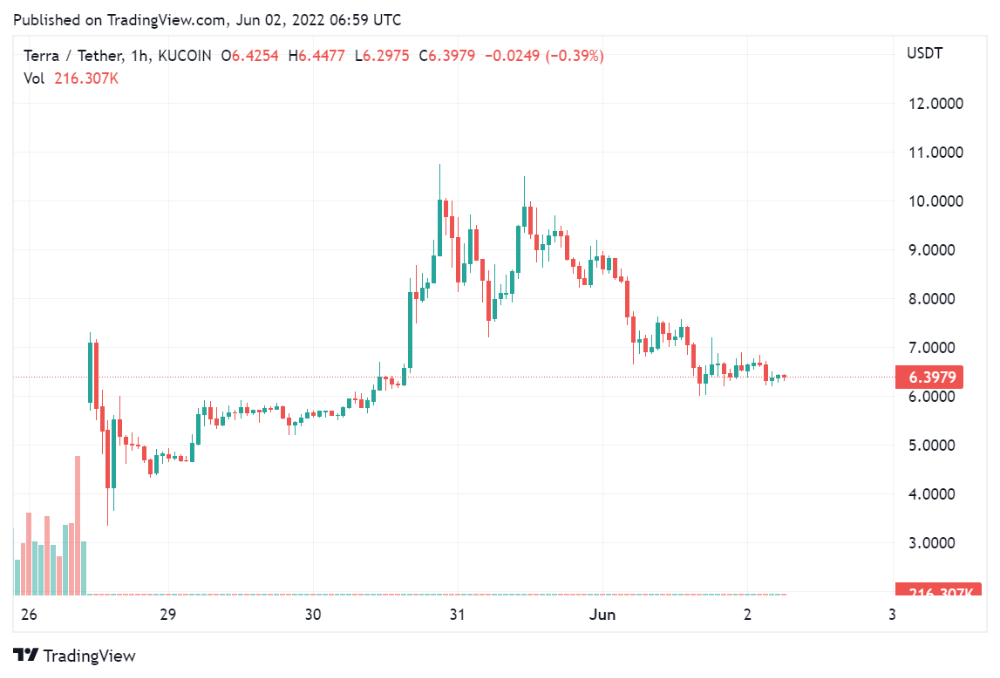
LUNA holders collectively own $1b worth of LUNA if we subtract the 25% community pool airdrop from the current market cap and assume airdropped LUNA was never sold.
At the current supply, the chain must grow 40 times to compensate holders. At the current supply, LUNA must reach $240.
LUNA needs a full-on Bull Market to make LUNC and UST holders whole.
Who knows if you'll be whole? From the time you bought to the amount and price, there are too many variables to determine if Terra can cover individual losses.
The above distribution doesn't consider individual cases. Terra didn't solve individual cases. It would have been huge.
What does LUNA offer in terms of value?
UST's marketcap peaked at $18bn, while LUNC's was $41bn. LUNC and UST drove the Terra chain's value.
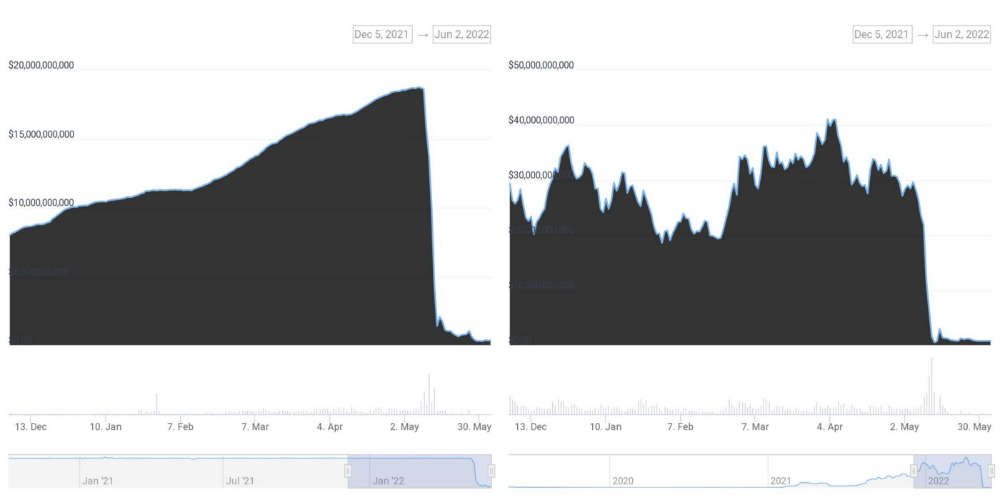
After it was confirmed (again) that algorithmic stablecoins are bad, Terra 2.0 will no longer support them.
Algorithmic stablecoins contributed greatly to Terra's growth and value proposition. Terra 2.0 has no product without algorithmic stablecoins.
Terra 2.0 has an identity crisis because it has no actual product. It's like Volkswagen faking carbon emission results and then stopping car production.
A project that has already lost the trust of its users and nearly all of its value cannot survive without a clear and in-demand use case.
Do Kwon, how about him?
Oh, the Twitter-caller-poor? Who challenges crypto billionaires to break his LUNA chain? Who dissolved Terra Labs South Korea before depeg? Arrogant guy?
That's not a good image for LUNA, especially when making amends. I think he should step down and let a nicer person be Terra 2.0's frontman.
The verdict
Terra has a terrific community with an arrogant, unlikeable leader. The new LUNA chain must grow 40 times before it can start making up its losses, and even then, not everyone's losses will be covered.
I won't invest in Terra 2.0 or other algorithmic stablecoins in the near future. I won't be near any Do Kwon-related project within 100 miles. My opinion.
Can Terra 2.0 be saved? Comment below.

Miguel Saldana
3 years ago
Crypto Inheritance's Catch-22
Security, privacy, and a strategy!
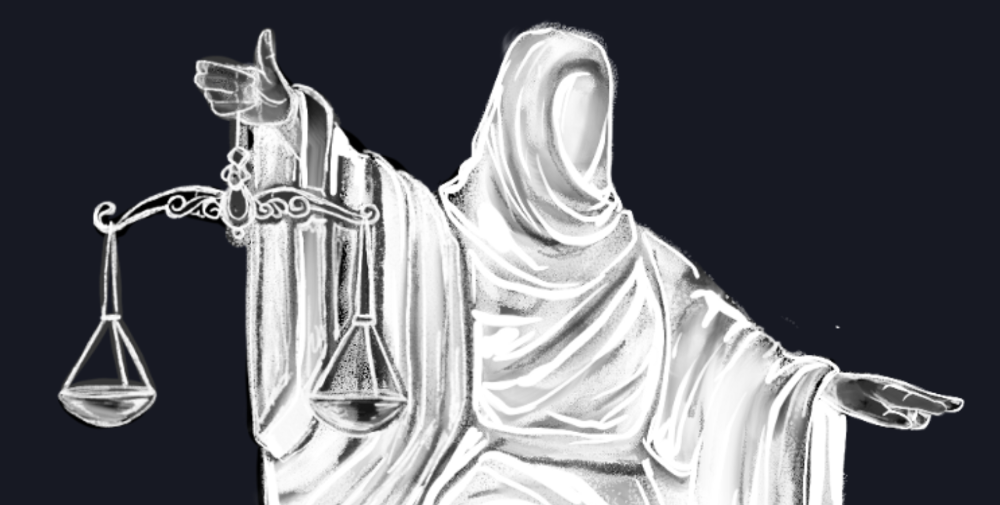
How to manage digital assets in worst-case scenarios is a perennial crypto concern. Since blockchain and bitcoin technology is very new, this hasn't been a major issue. Many early developers are still around, and many groups created around this technology are young and feel they have a lot of life remaining. This is why inheritance and estate planning in crypto should be handled promptly. As cryptocurrency's intrinsic worth rises, many people in the ecosystem are holding on to assets that might represent generational riches. With that much value, it's crucial to have a plan. Creating a solid plan entails several challenges.
the initial hesitation in coming up with a plan
The technical obstacles to ensuring the assets' security and privacy
the passing of assets from a deceased or incompetent person
Legal experts' lack of comprehension and/or understanding of how to handle and treat cryptocurrency.
This article highlights several challenges, a possible web3-native solution, and how to learn more.
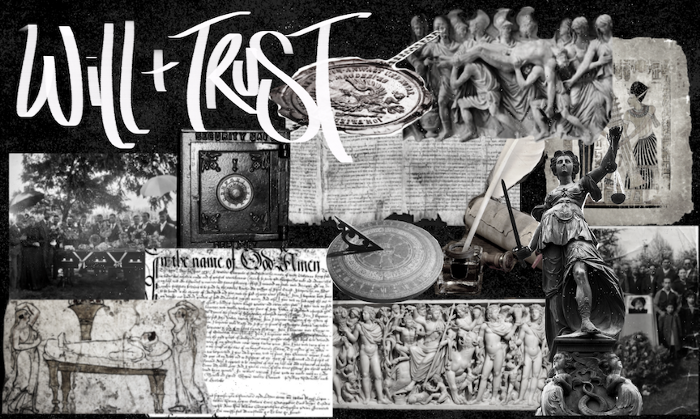
The Challenge of Inheritance:
One of the biggest hurdles to inheritance planning is starting the conversation. As humans, we don't like to think about dying. Early adopters will experience crazy gains as cryptocurrencies become more popular. Creating a plan is crucial if you wish to pass on your riches to loved ones. Without a plan, the technical and legal issues I barely mentioned above would erode value by requiring costly legal fees and/or taxes, and you could lose everything if wallets and assets are not distributed appropriately (associated with the private keys). Raising awareness of the consequences of not having a plan should motivate people to make one.
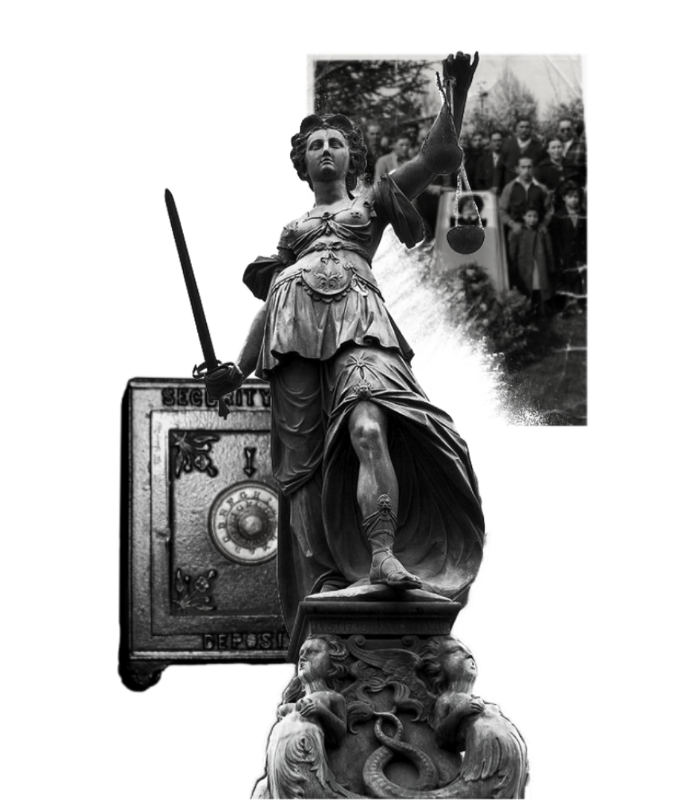
Controlling Change:
Having an inheritance plan for your digital assets is crucial, but managing the guts and bolts poses a new set of difficulties. Privacy and security provided by maintaining your own wallet provide different issues than traditional finances and assets. Traditional finance is centralized (say a stock brokerage firm). You can assign another person to handle the transfer of your assets. In crypto, asset transfer is reimagined. One may suppose future transaction management is doable, but the user must consent, creating an impossible loop.
I passed away and must send a transaction to the person I intended to deliver it to.
I have to confirm or authorize the transaction, but I'm dead.
In crypto, scheduling a future transaction wouldn't function. To transfer the wallet and its contents, we'd need the private keys and/or seed phrase. Minimizing private key exposure is crucial to protecting your crypto from hackers, social engineering, and phishing. People have lost private keys after utilizing Life Hack-type tactics to secure them. People that break and hide their keys, lose them, or make them unreadable won't help with managing and/or transferring. This will require a derived solution.
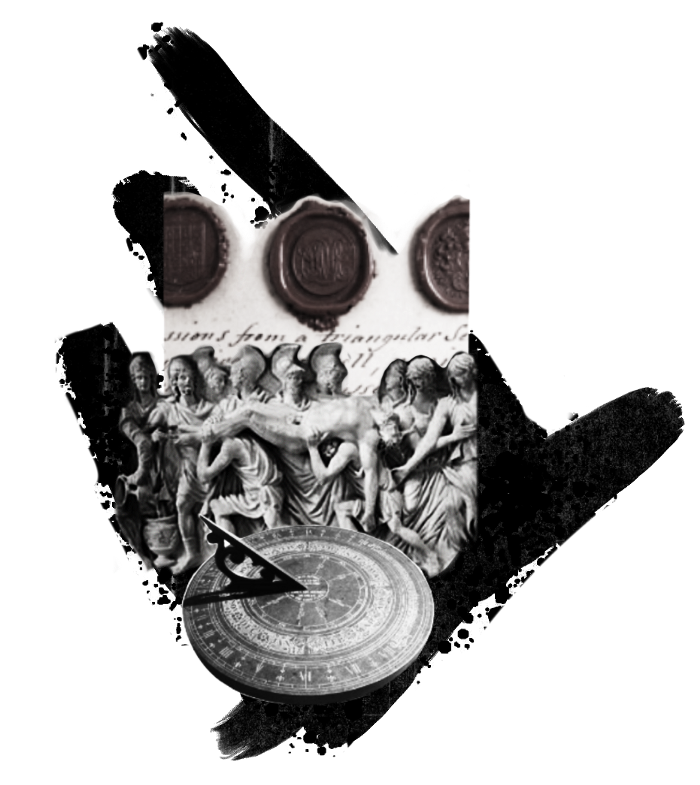
Legal Challenges and Implications
Unlike routine cryptocurrency transfers and transactions, local laws may require special considerations. Even in the traditional world, estate/inheritance taxes, how assets will be split, and who executes the will must be considered. Many lawyers aren't crypto-savvy, which complicates the matter. There will be many hoops to jump through to safeguard your crypto and traditional assets and give them to loved ones.
Knowing RUFADAA/UFADAA, depending on your state, is vital for Americans. UFADAA offers executors and trustees access to online accounts (which crypto wallets would fall into). RUFADAA was changed to limit access to the executor to protect assets. RUFADAA outlines how digital assets are administered following death and incapacity in the US.
A Succession Solution
Having a will and talking about who would get what is the first step to having a solution, but using a Dad Mans Switch is a perfect tool for such unforeseen circumstances. As long as the switch's controller has control, nothing happens. Losing control of the switch initiates a state transition.
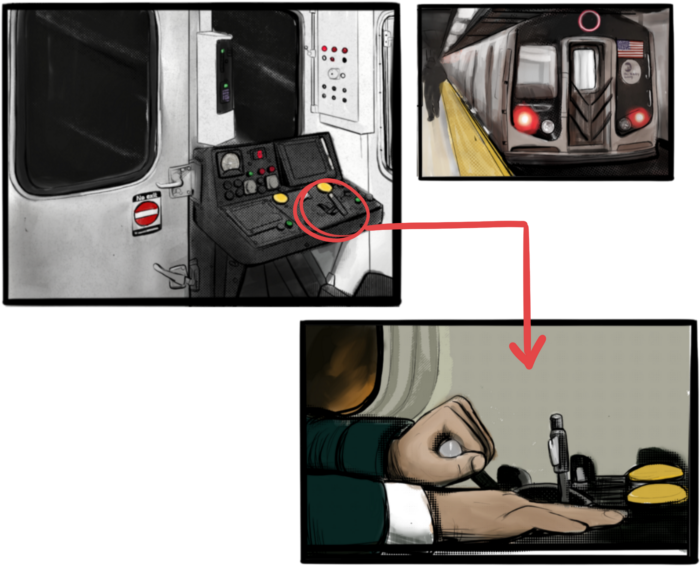
Subway or railway operations are examples. Modern control systems need the conductor to hold a switch to keep the train going. If they can't, the train stops.
Enter Sarcophagus
Sarcophagus is a decentralized dead man's switch built on Ethereum and Arweave. Sarcophagus allows actors to maintain control of their possessions even while physically unable to do so. Using a programmable dead man's switch and dual encryption, anything can be kept and passed on. This covers assets, secrets, seed phrases, and other use cases to provide authority and control back to the user and release trustworthy services from this work. Sarcophagus is built on a decentralized, transparent open source codebase. Sarcophagus is there if you're unprepared.

You might also like

Sarah Bird
3 years ago
Memes Help This YouTube Channel Earn Over $12k Per Month
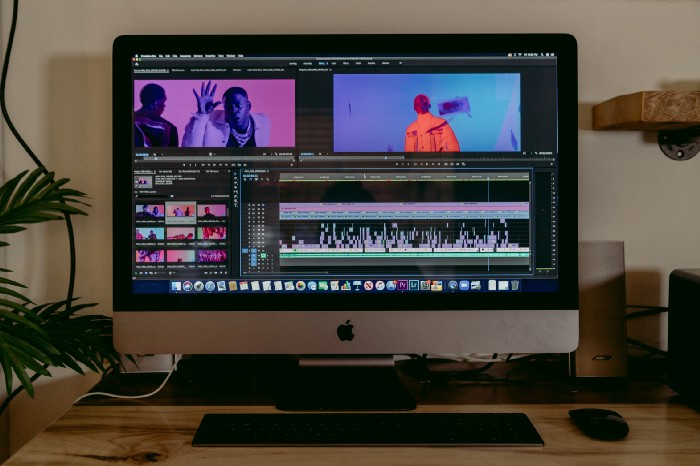
Take a look at a YouTube channel making anything up to over $12k a month from making very simple videos.
And the best part? Its replicable by anyone. Basic videos can be generated for free without design abilities.
Join me as I deconstruct the channel to estimate how much they make, how they do it, and how you can too.
What Do They Do Exactly?
Happy Land posts memes with a simple caption they wrote. So, it's new. The videos are a slideshow of meme photos with stock music.
The site posts 12 times a day.
8-10-minute videos show 10 second images. Thus, each video needs 48-60 memes.
Memes are video titles (e.g. times a boyfriend was hilarious, back to school fails, funny restaurant signs).
Some stats about the channel:
Founded on October 30, 2020
873 videos were added.
81.8k subscribers
67,244,196 views of the video
What Value Are They Adding?
Everyone can find free memes online. This channel collects similar memes into a single video so you don't have to scroll or click for more. It’s right there, you just keep watching and more will come.
By theming it, the audience is prepared for the video's content.
If you want hilarious animal memes or restaurant signs, choose the video and you'll get up to 60 memes without having to look for them. Genius!
How much money do they make?
According to www.socialblade.com, the channel earns $800-12.8k (image shown in my home currency of GBP).
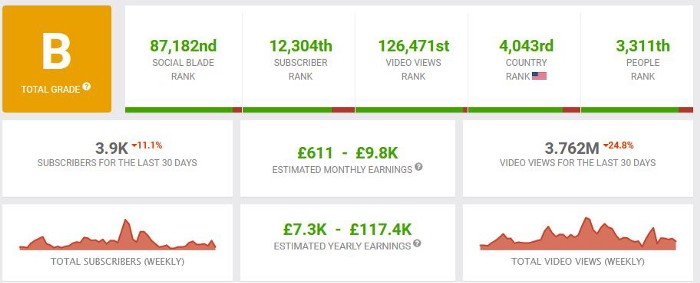
That's a crazy estimate, but it highlights the unbelievable potential of a channel that presents memes.
This channel thrives on quantity, thus putting out videos is necessary to keep the flow continuing and capture its audience's attention.
How Are the Videos Made?
Straightforward. Memes are added to a presentation without editing (so you could make this in PowerPoint or Keynote).
Each slide should include a unique image and caption. Set 10 seconds per slide.
Add music and post the video.
Finding enough memes for the material and theming is difficult, but if you enjoy memes, this is a fun job.
This case study should have shown you that you don't need expensive software or design expertise to make entertaining videos. Why not try fresh, easy-to-do ideas and see where they lead?

Christian Soschner
4 years ago
Steve Jobs' Secrets Revealed
From 1984 until 2011, he ran Apple using the same template.

What is a founder CEO's most crucial skill?
Presentation, communication, and sales
As a Business Angel Investor, I saw many pitch presentations and met with investors one-on-one to promote my companies.
There is always the conception of “Investors have to invest,” so there is no need to care about the presentation.
It's false. Nobody must invest. Many investors believe that entrepreneurs must convince them to invest in their business.
Sometimes — like in 2018–2022 — too much money enters the market, and everyone makes good money.
Do you recall the Buy Now, Pay Later Movement? This amazing narrative had no return potential. Only buyers who couldn't acquire financing elsewhere shopped at these companies.
Klarna's failing business concept led to high valuations.
Investors become more cautious when the economy falters. 2022 sees rising inflation, interest rates, wars, and civil instability. It's like the apocalypse's four horsemen have arrived.
Storytelling is important in rough economies.
When investors draw back, how can entrepreneurs stand out?
In Q2/2022, every study I've read said:
Investors cease investing
Deals are down in almost all IT industries from previous quarters.
What do founders need to do?
Differentiate yourself.
Storytelling talents help.
The Steve Jobs Way
Every time I watch a Steve Jobs presentation, I'm enthralled.
I'm a techie. Everything technical interests me. But, I skim most presentations.
What's Steve Jobs's secret?
Steve Jobs created Apple in 1976 and made it a profitable software and hardware firm in the 1980s. Macintosh goods couldn't beat IBM's. This mistake sacked him in 1985.
Before rejoining Apple in 1997, Steve Jobs founded Next Inc. and Pixar.
From then on, Apple became America's most valuable firm.
Steve Jobs understood people's needs. He said:
“People don’t know what they want until you show it to them. That’s why I never rely on market research. Our task is to read things that are not yet on the page.”
In his opinion, people talk about problems. A lot. Entrepreneurs must learn what the population's pressing problems are and create a solution.
Steve Jobs showed people what they needed before they realized it.
I'll explain:
Present a Big Vision
Steve Jobs starts every presentation by describing his long-term goals for Apple.
1984's Macintosh presentation set up David vs. Goliath. In a George Orwell-style dystopia, IBM computers were bad. It was 1984.
Apple will save the world, like Jedis.
Why do customers and investors like Big Vision?
People want a wider perspective, I think. Humans love improving the planet.
Apple users often cite emotional reasons for buying the brand.
Revolutionizing several industries with breakthrough inventions
Establish Authority
Everyone knows Apple in 2022. It's hard to find folks who confuse Apple with an apple around the world.
Apple wasn't as famous as it is today until Steve Jobs left in 2011.
Most entrepreneurs lack experience. They may market their company or items to folks who haven't heard of it.
Steve Jobs presented the company's historical accomplishments to overcome opposition.
In his presentation of the first iPhone, he talked about the Apple Macintosh, which altered the computing sector, and the iPod, which changed the music industry.
People who have never heard of Apple feel like they're seeing a winner. It raises expectations that the new product will be game-changing and must-have.
The Big Reveal
A pitch or product presentation always has something new.
Steve Jobs doesn't only demonstrate the product. I don't think he'd skip the major point of a company presentation.
He consistently discusses present market solutions, their faults, and a better consumer solution.
No solution exists yet.
It's a multi-faceted play:
It's comparing the new product to something familiar. This makes novelty and the product more relatable.
Describe a desirable solution.
He's funny. He demonstrated an iPod with an 80s phone dial in his iPhone presentation.
Then he reveals the new product. Macintosh presented itself.
Show the benefits
He outlines what Apple is doing differently after demonstrating the product.
How do you distinguish from others? The Big Breakthrough Presentation.
A few hundred slides might list all benefits.
Everyone would fall asleep. Have you ever had similar presentations?
When the brain is overloaded with knowledge, the limbic system changes to other duties, like lunch planning.
What should a speaker do? There's a classic proverb:
“Tell me and I forget, teach me and I may remember, involve me and I learn” (— Not Benjamin Franklin).
Steve Jobs showcased the product live.
Again, using ordinary scenarios to highlight the product's benefits makes it relatable.
The 2010 iPad Presentation uses this technique.
Invite the Team and Let Them Run the Presentation
CEOs spend most time outside the organization. Many companies elect to have only one presenter.
It sends the incorrect message to investors. Product presentations should always include the whole team.
Let me explain why.
Companies needing investment money frequently have shaky business strategies or no product-market fit or robust corporate structure.
Investors solely bet on a team's ability to implement ideas and make a profit.
Early team involvement helps investors understand the company's drivers. Travel costs are worthwhile.
But why for product presentations?
Presenters of varied ages, genders, social backgrounds, and skillsets are relatable. CEOs want relatable products.
Some customers may not believe a white man's message. A black woman's message may be more accepted.
Make the story relatable when you have the best product that solves people's concerns.
Best example: 1984 Macintosh presentation with development team panel.
What is the largest error people make when companies fail?
Saving money on the corporate and product presentation.
Invite your team to five partner meetings when five investors are shortlisted.
Rehearse the presentation till it's natural. Let the team speak.
Successful presentations require structure, rehearsal, and a team. Steve Jobs nailed it.
Blake Montgomery
3 years ago
Explaining Twitter Files
Elon Musk, Matt Taibbi, the 'Twitter Files,' and Hunter Biden's laptop: what gives?
Explaining Twitter Files
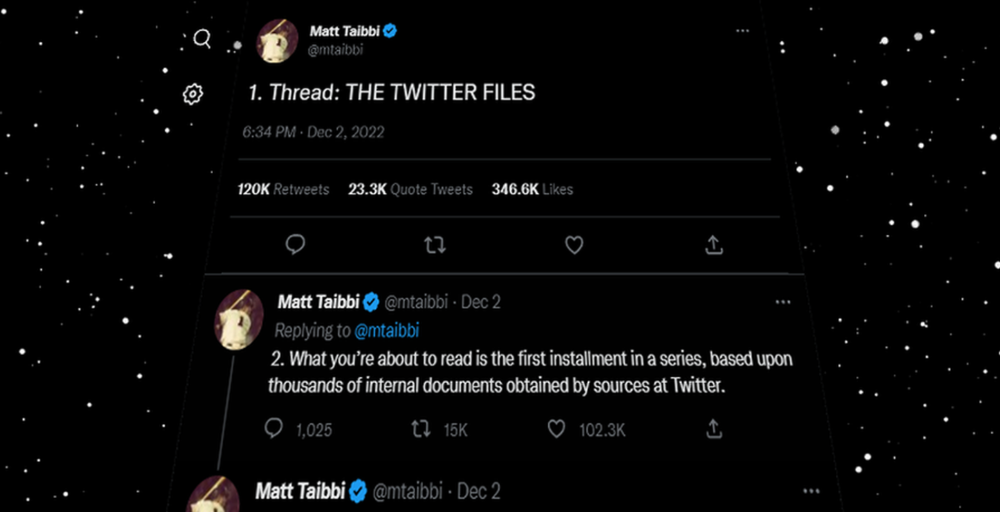
Matt Taibbi released "The Twitter Files," a batch of emails sent by Twitter executives discussing the company's decision to stop an October 2020 New York Post story online.
What's on Twitter? New York Post and Fox News call them "bombshell" documents. Or, as a Post columnist admitted, are they "not the smoking gun"? Onward!
What started this?
The New York Post published an exclusive, potentially explosive story in October 2020: Biden's Secret Emails: Ukrainian executive thanks Hunter Biden for'meeting' veep dad. The story purported to report the contents of a laptop brought to the tabloid by a Delaware computer repair shop owner who said it belonged to President Biden's second son, Hunter Biden. Emails and files on the laptop allegedly showed how Hunter peddled influence with Ukranian businessmen and included a "raunchy 12-minute video" of Hunter smoking crack and having sex.
Twitter banned links to the Post story after it was published, calling it "hacked material." The Post's Twitter account was suspended for multiple days.
Why? Yoel Roth, Twitter's former head of trust and safety, said the company couldn't verify the story, implying they didn't trust the Post.
Twitter's stated purpose rarely includes verifying news stories. This seemed like intentional political interference. This story was hard to verify because the people who claimed to have found the laptop wouldn't give it to other newspapers. (Much of the story, including Hunter's business dealings in Ukraine and China, was later confirmed.)
Roth: "It looked like a hack and leak."
So what are the “Twitter Files?”
Twitter's decision to bury the story became a political scandal, and new CEO Elon Musk promised an explanation. The Twitter Files, named after Facebook leaks.
Musk promised exclusive details of "what really happened" with Hunter Biden late Friday afternoon. The tweet was punctuated with a popcorn emoji.
Explaining Twitter Files
Three hours later, journalist Matt Taibbi tweeted more than three dozen tweets based on internal Twitter documents that revealed "a Frankensteinian tale of a human-built mechanism grown out of its designer's control."
Musk sees this release as a way to shape Twitter's public perception and internal culture in his image. We don't know if the CEO gave Taibbi the documents. Musk hyped the document dump before and during publication, but Taibbi cited "internal sources."
Taibbi shares email screenshots showing Twitter execs discussing the Post story and blocking its distribution. Taibbi says the emails show Twitter's "extraordinary steps" to bury the story.
Twitter communications chief Brandon Borrman has the most damning quote in the Files. Can we say this is policy? The story seemed unbelievable. It seemed like a hack... or not? Could Twitter, which ex-CEO Dick Costolo called "the free speech wing of the free speech party," censor a news story?
Many on the right say the Twitter Files prove the company acted at the behest of Democrats. Both parties had these tools, writes Taibbi. In 2020, both the Trump White House and Biden campaign made requests. He says the system for reporting tweets for deletion is unbalanced because Twitter employees' political donations favor Democrats. Perhaps. These donations may have helped Democrats connect with Twitter staff, but it's also possible they didn't. No emails in Taibbi's cache show these alleged illicit relations or any actions Twitter employees took as a result.
Even Musk's supporters were surprised by the drop. Miranda Devine of the New York Post told Tucker Carlson the documents weren't "the smoking gun we'd hoped for." Sebastian Gorka said on Truth Social, "So far, I'm deeply underwhelmed." DC Democrats collude with Palo Alto Democrats. Whoop!” The Washington Free Beacon's Joe Simonson said the Twitter files are "underwhelming." Twitter was staffed by Democrats who did their bidding. (Why?)
If "The Twitter Files" matter, why?
These emails led Twitter to suppress the Hunter Biden laptop story has real news value. It's rare for a large and valuable company like Twitter to address wrongdoing so thoroughly. Emails resemble FOIA documents. They describe internal drama at a company with government-level power. Katie Notopoulos tweeted, "Any news outlet would've loved this scoop!" It's not a'scandal' as teased."
Twitter's new owner calls it "the de facto public town square," implying public accountability. Like a government agency. Though it's exciting to receive once-hidden documents in response to a FOIA, they may be boring and tell you nothing new. Like Twitter files. We learned how Twitter blocked the Post's story, but not why. Before these documents were released, we knew Twitter had suppressed the story and who was involved.
These people were disciplined and left Twitter. Musk fired Vijaya Gadde, the former CLO who reportedly played a "key role" in the decision. Roth quit over Musk's "dictatorship." Musk arrived after Borrman left. Jack Dorsey, then-CEO, has left. Did those who digitally quarantined the Post's story favor Joe Biden and the Democrats? Republican Party opposition and Trump hatred? New York Post distaste? According to our documents, no. Was there political and press interference? True. We knew.
Taibbi interviewed anonymous ex-Twitter employees about the decision; all expressed shock and outrage. One source said, "Everyone knew this was fucked." Since Taibbi doesn't quote that expletive, we can assume the leaked emails contained few or no sensational quotes. These executives said little to support nefarious claims.
Outlets more invested in the Hunter Biden story than Gizmodo seem vexed by the release and muted headlines. The New York Post, which has never shied away from a blaring headline in its 221-year history, owns the story of Hunter Biden's laptop. Two Friday-night Post alerts about Musk's actions were restrained. Elon Musk will drop Twitter files on NY Post-Hunter Biden laptop censorship today. Elon Musk's Twitter dropped Post censorship details from Biden's laptop. Fox News' Apple News push alert read, "Elon Musk drops Twitter censorship documents."
Bombshell, bombshell, bombshell… what, exactly, is the bombshell? Maybe we've heard this story too much and are missing the big picture. Maybe these documents detail a well-documented decision.
The Post explains why on its website. "Hunter Biden laptop bombshell: Twitter invented reason to censor Post's reporting," its headline says.
Twitter's ad hoc decision to moderate a tabloid's content is not surprising. The social network had done this for years as it battled toxic users—violent white nationalists, virulent transphobes, harassers and bullies of all political stripes, etc. No matter how much Musk crows, the company never had content moderation under control. Buzzfeed's 2016 investigation showed how Twitter has struggled with abusive posters since 2006. Jack Dorsey and his executives improvised, like Musk.
Did the US government interfere with the ex-social VP's media company? That's shocking, a bombshell. Musk said Friday, "Twitter suppressing free speech by itself is not a 1st amendment violation, but acting under government orders with no judicial review is." Indeed! Taibbi believed this. August 2022: "The laptop is secondary." Zeynep Tufecki, a Columbia professor and New York Times columnist, says the FBI is cutting true story distribution. Taibbi retracted the claim Friday night: "I've seen no evidence of government involvement in the laptop story."
What’s the bottom line?
I'm still not sure what's at stake in the Hunter Biden scandal after dozens of New York Post articles, hundreds of hours of Fox News airtime, and thousands of tweets. Briefly: Joe Biden's son left his laptop with a questionable repairman. FBI confiscated it? The repairman made a copy and gave it to Rudy Giuliani's lawyer. The Post got it from Steve Bannon. On that laptop were videos of Hunter Biden smoking crack, cavorting with prostitutes, and emails about introducing his father to a Ukrainian businessman for $50,000 a month. Joe Biden urged Ukraine to fire a prosecutor investigating the company. What? The story seems to be about Biden family business dealings, right?
The discussion has moved past that point anyway. Now, the story is the censorship of it. Adrienne Rich wrote in "Diving Into the Wreck" that she came for "the wreck and not the story of the wreck" No matter how far we go, Hunter Biden's laptop is done. Now, the crash's story matters.
I'm dizzy. Katherine Miller of BuzzFeed wrote, "I know who I believe, and you probably do, too. To believe one is to disbelieve the other, which implicates us in the decision; we're stuck." I'm stuck. Hunter Biden's laptop is a political fabrication. You choose. I've decided.
This could change. Twitter Files drama continues. Taibbi said, "Much more to come." I'm dizzy.